Smart Search and Filters
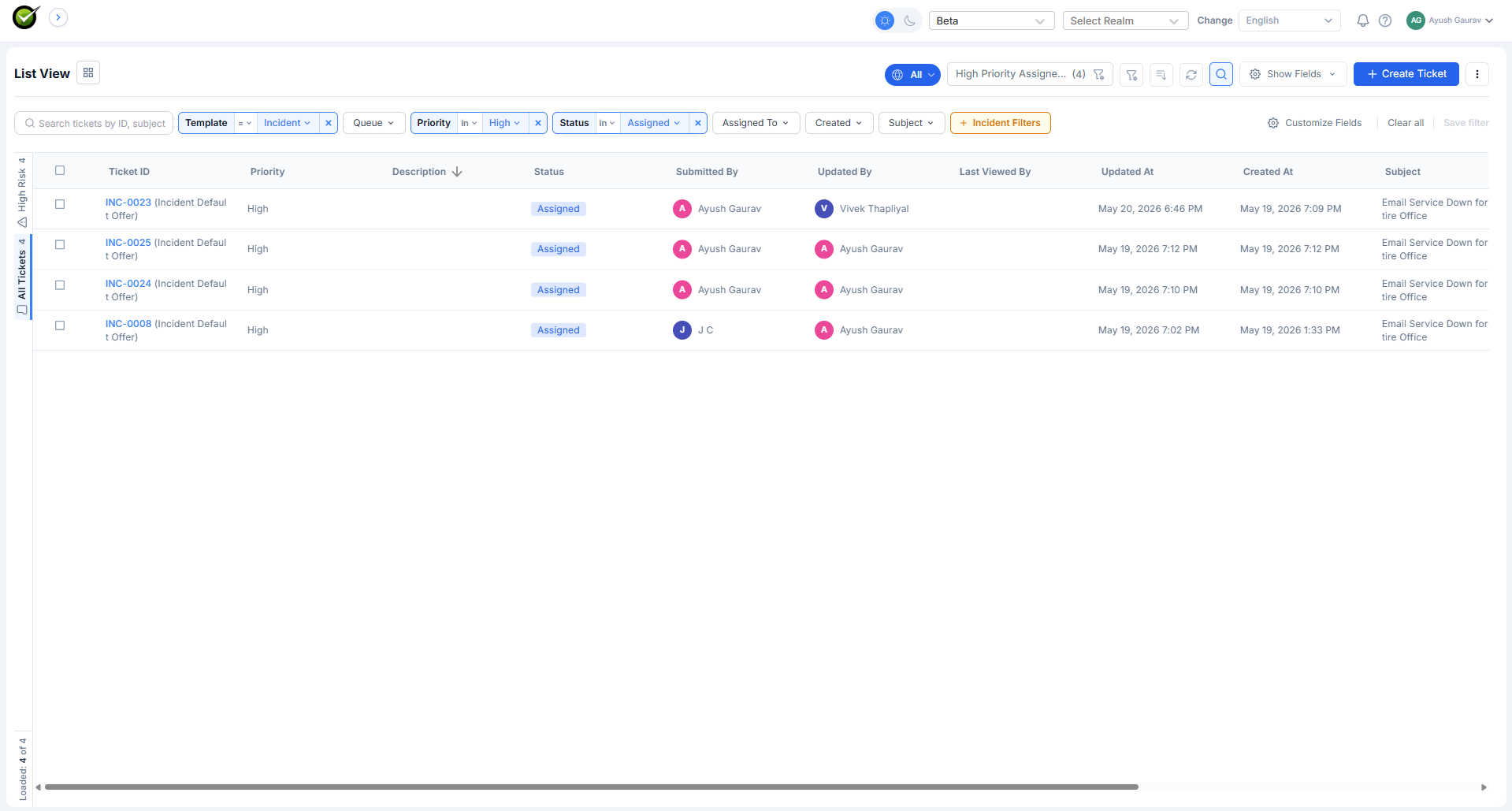
A way to narrow a long ticket queue down to exactly the tickets the agent cares about. The agent combines conditions in a visual builder (no query syntax), saves the combination as a named filter, reuses it across sessions, and optionally subscribes to it so a summary lands in their inbox on a schedule.
What it does
| Capability | Page |
|---|---|
| Combine conditions in a visual builder | Filter builder |
| Save a combination as a named filter | Saved filters |
| Use one of 12 built-in filters out of the box | System filters |
| Get a scheduled summary by email, Teams, or Slack | Subscriptions |
| Act on the results in bulk, export them, or edit in place | Working with results |
Where it lives
A search icon sits above the ticket list in the inbox. Clicking it expands the search bar across the whole header. The expanded bar holds the field dropdowns, the filter chips, the result count, and the saved-filter actions.
The filter bar collapses back into a single icon when the agent doesn't need it. The applied filters stay active even when collapsed, so the ticket list reflects them whether the bar is open or shut.
How conditions combine
- Multiple values inside a single field are combined with OR. Status: Open, Pending matches tickets in either status.
- Conditions across different fields are combined with AND. Status: Open AND Category: Finance matches tickets that satisfy both.
This is the only combination model in the MVP. Cross-field OR (e.g. Status: Open OR Priority: High) is not supported yet.
Filters survive navigation
When the agent clicks into a ticket from a filtered list and then clicks back, the filter is still applied and the scroll position is preserved. The filter only resets when the agent presses Clear all or applies a different filter.