Suggested Knowledge
Knowledge base articles the AI thinks are relevant to the current ticket - so the agent can look up the answer without leaving the ticket. A second tab on the panel lets the agent search the full knowledge base by hand if the suggestions don't land.
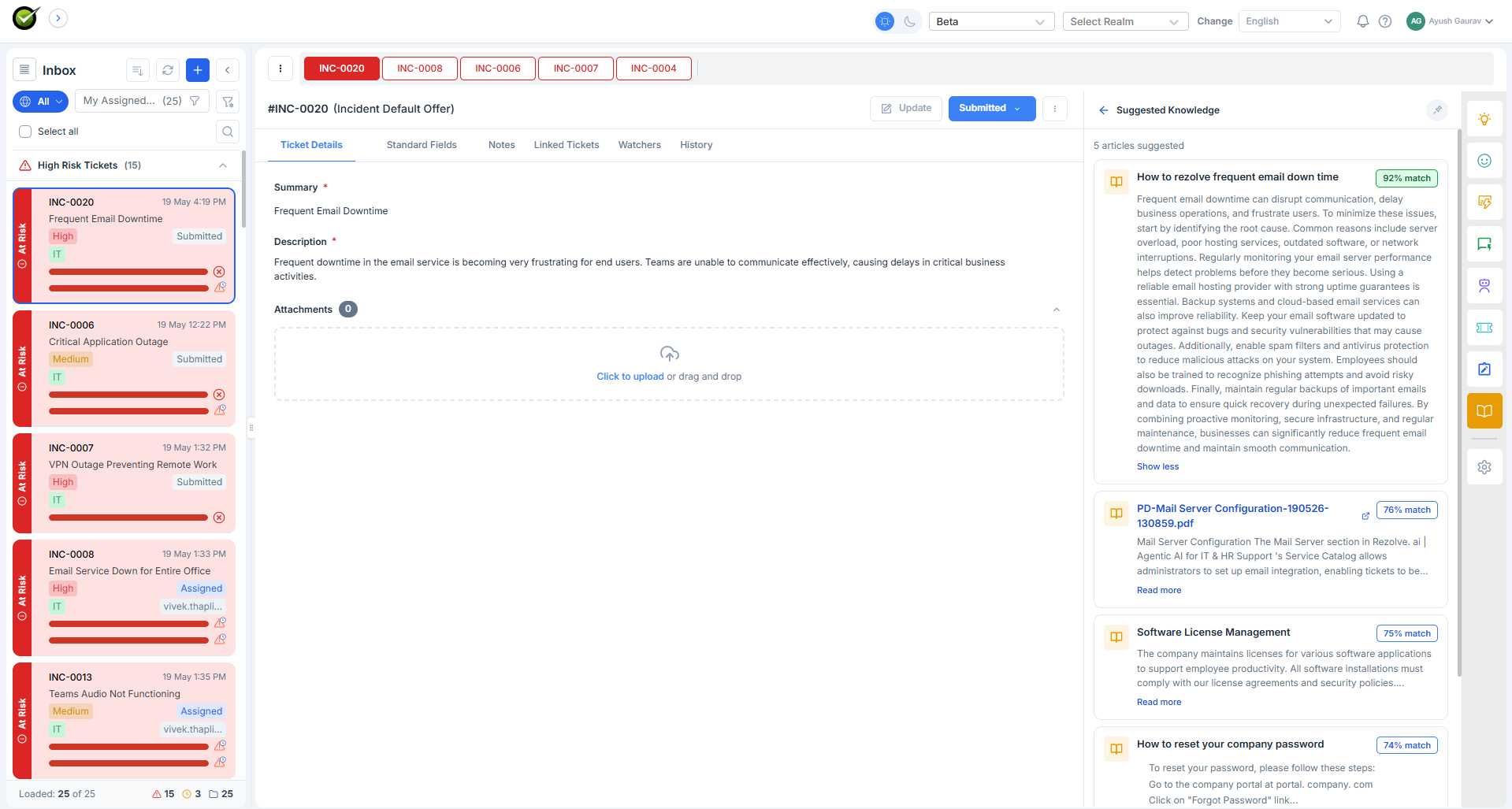
What the agent sees
Two tabs.
Suggested Knowledge. A list of article cards the AI auto-matched to the ticket. Each card has the article title, a snippet, a link to the full article, and thumbs-up / thumbs-down buttons.
Enterprise Search. A search box that hits the full knowledge base. Type a query, get results - useful when the auto-matched suggestions miss.
What the thumbs do
Thumbs-up confirms the suggestion was useful. Thumbs-down does two things:
- Removes the article from this ticket's suggestions
- Feeds back into the AI's training signal so similar tickets get better suggestions next time
The feedback loop is silent - no comment required.
What it reads
The current ticket (subject, description, notes) and the tenant's ingested knowledge base. Past tickets are not part of this panel - for past tickets, use Similar Tickets.
When it refreshes
On every public note and on every ticket field update.
What "ingested" means
A knowledge article only appears here if it's been ingested by the tenant's knowledge pipeline. Newly-uploaded articles aren't searchable until ingestion completes (usually within a few minutes). If suggestions seem stale, check the Knowledge Management ingestion status.