Agent Assist
Agent Assist is a set of AI features inside the ticket detail view that help an agent triage faster, write better responses, and resolve tickets without flipping between tools.
Each feature reads ticket data - subject, description, notes, priority, SLA - and some of them also draw on the tenant's ingested knowledge and past tickets. Agents see them as panels in a right-hand sidebar on the ticket. Two of the features (High Risk Tickets and Next Best Ticket) live in the inbox above the ticket list because they're about the queue, not a single ticket.
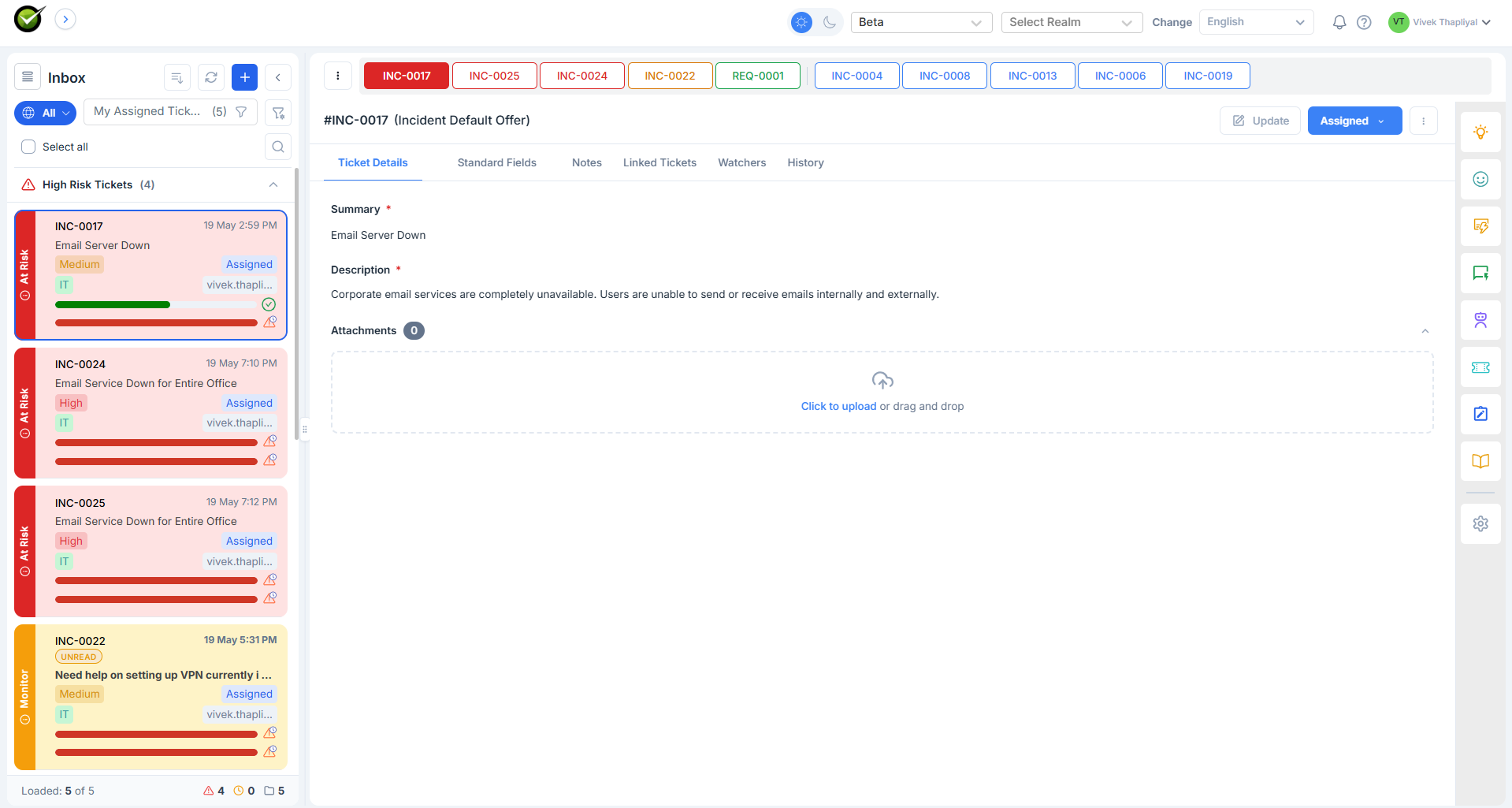
What's in Agent Assist
| # | Feature | Where it shows |
|---|---|---|
| 1 | High Risk Tickets | Inbox, collapsible section above the ticket list |
| 2 | Next Best Ticket | Inbox, horizontal pill bar above the ticket list |
| 3 | Sentiment | Sidebar panel |
| 4 | Next Best Actions | Sidebar panel |
| 5 | Smart Response | Sidebar panel |
| 6 | Ask Sidekick | Sidebar panel |
| 7 | Similar Tickets | Sidebar panel |
| 8 | Troubleshoot | Sidebar panel |
| 9 | Suggested Knowledge | Sidebar panel |
| 10 | Stale Tickets | Inbox section |
| 11 | Proactive Status Update | Pop-up nudge |
| 12 | Huddle | One-click Teams channel for swarming a high-risk ticket |
| 13 | Smart Resolution Notes | Structured closure note drafted on resolve |
What each feature reads
Some features only need the ticket itself. Others draw on the tenant's knowledge base or past tickets. The configuration page controls which sources are available to the AI - turn knowledge off and any feature that depends on it is greyed out.
| Feature | Ticket fields | Past tickets | Knowledge base |
|---|---|---|---|
| High Risk Tickets | Yes | - | - |
| Next Best Ticket | Yes | - | - |
| Sentiment | Yes | - | - |
| Next Best Actions | Yes | Yes | Yes |
| Smart Response | Yes | Yes | Yes |
| Ask Sidekick | Yes | Yes | Yes |
| Similar Tickets | Yes | Yes | - |
| Troubleshoot | Yes | Yes | Yes |
| Suggested Knowledge | Yes | - | Yes |
| Stale Tickets | Yes | - | - |
| Proactive Status Update | Yes | - | - |
Turning Agent Assist on
A tenant admin opens GenAI Settings → Agent Assist and toggles each feature on or off. The same page sets which data sources the AI can read and tunes the risk-score thresholds. Details on the Configuration page.
When Agent Assist is off for the whole tenant, the sidebar doesn't render and the inbox sections don't appear. Existing tickets continue to behave as before - Agent Assist is additive.
How it stays current
Agent Assist refreshes on the events that change what the panel shows:
- On every ticket update (note added, field changed, status changed): the per-ticket panels recompute for that ticket.
- SLA checks run on a schedule (every 15 minutes for open tickets) to keep risk scores fresh as the clock moves.
- Sidekick chat and Troubleshoot preserve their state per ticket - close the sidebar and reopen it, and the same conversation or step is still there.