Next Best Ticket
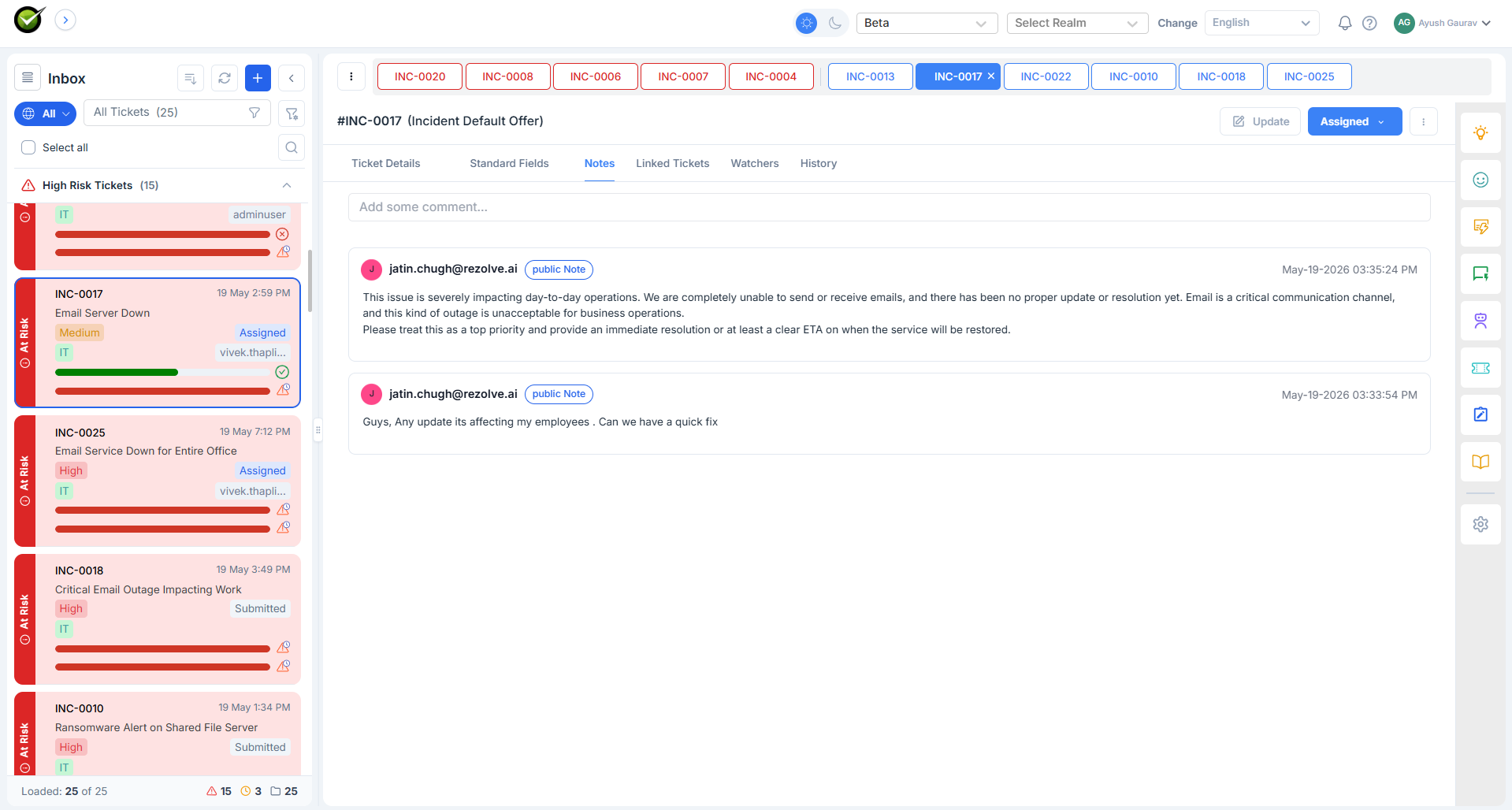
A horizontal row of colour-coded pills above the ticket list - left-to-right, most to least urgent. The agent clicks a pill and lands on that ticket. It's the visualised version of "which one next?" for the entire queue, not just the at-risk ones.
What the agent sees
A row of pills, each showing a ticket ID. Colour and position both encode urgency - red and far-left is the most urgent, green and far-right the least. A dropdown lets the agent switch between All tickets assigned to me and a specific queue.
Pills are clickable. The pill bar stays visible as the agent works through tickets, so the next-best is always one click away.
What goes into the ordering
The same five inputs as High Risk Tickets - subject, description, priority, notes, SLA status - but the scoring runs across the full queue instead of just escalation candidates. The backend uses the same engine; the difference is what it does with the score. High Risk shows only tickets above the Monitor threshold; Next Best shows everything, ranked.
When the order changes
- On any ticket update: the affected ticket re-scores and may move along the bar.
- Every 15 minutes: the SLA component refreshes for every open ticket, so the bar re-orders even when the agent is doing nothing.
How it relates to High Risk Tickets
The two features answer slightly different questions:
| Question | Feature |
|---|---|
| Which of my tickets are about to escalate? | High Risk Tickets |
| Out of everything in my queue, what should I do next? | Next Best Ticket |
A ticket can show up in both - the bar's left-most pill is usually whatever the High Risk section lists first. They're consistent because they share the score.