Next Best Actions
A ranked list of actions the agent could take next, ordered by how confident the AI is that each one will help. It's a suggestion engine, not an automation - every action still happens because the agent does it.
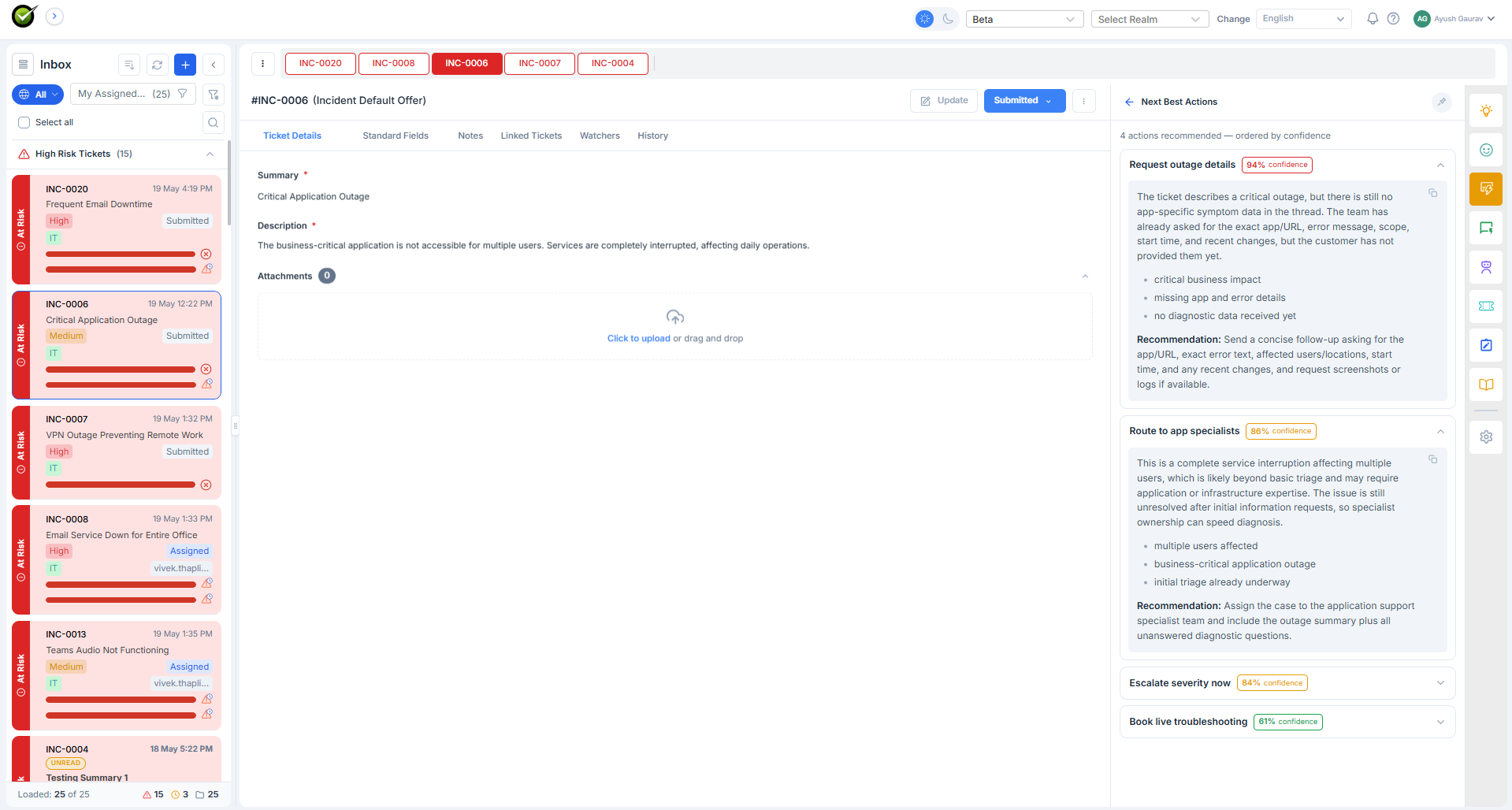
What the agent sees
A list of action cards. The most confident suggestion is on top. Each card has:
- An action title - e.g. "Assign to L2 Hardware Support"
- A confidence badge - e.g. "92% confidence"
- An expand chevron that opens the body
When expanded, the card shows:
- A short reasoning paragraph explaining why the AI suggested this. A copy icon next to it copies the reasoning to the clipboard.
- A list of supporting evidence - bullets pointing at specific notes, fields, or past tickets the AI drew on.
- A specific recommendation - what to do, in one sentence.
What it reads
The current ticket (subject, description, notes), the tenant's ingested knowledge, and past tickets data. Past resolved tickets are the strongest signal - if 14 tickets with a similar fingerprint were all closed by routing to Hardware L2, that's where the suggestion comes from.
When it refreshes
On ticket creation and on every ticket update (new note, field change, status change). The list is always current to the ticket's latest state.
Why "informational" and not "automated"
The cards never click themselves. The agent reads, decides, then takes the action through the usual ticket UI. This keeps the agent in control - and means a bad suggestion doesn't become a wrong reassignment.
How it differs from Troubleshoot
| Question | Feature |
|---|---|
| What are all the things I could do, ranked? | Next Best Actions |
| Walk me through one fix at a time and adapt to my feedback | Troubleshoot |
Next Best Actions is a menu. Troubleshoot is a conversation.