Ask Sidekick
A chat panel inside the ticket. The agent asks any question - about the ticket, about company knowledge, about how past tickets like this were resolved - and Sidekick answers in context. It's the fallback for everything the other Agent Assist panels don't surface.
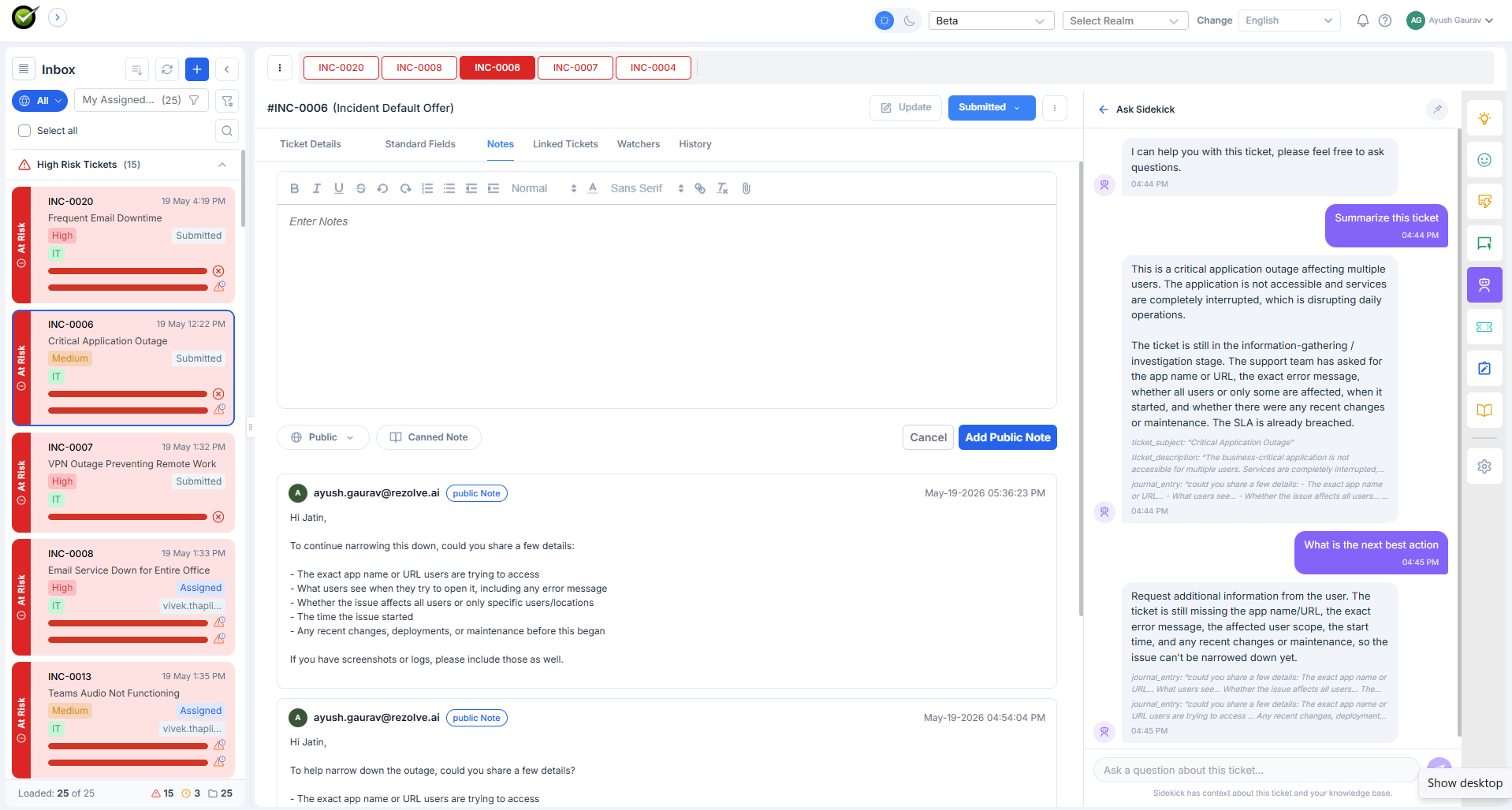
What the agent sees
A standard chat interface. Sidekick introduces itself:
I can help you with this ticket, please feel free to ask questions.
The agent types a question. Sidekick replies in the same thread. The agent can ask follow-ups - Sidekick keeps the conversation in context, so "and what about the previous time?" resolves to the previous ticket Sidekick just referenced, not a generic search.
What it reads
- The current ticket - every field, every note
- The tenant's ingested knowledge
- Past tickets (for "how was this resolved last time?" style questions)
What it doesn't do
- It doesn't change the ticket. Sidekick is read-only - no notes, no assignments, no status changes.
- It doesn't carry conversation between tickets. Switch to a different ticket and Sidekick starts fresh; come back to the first ticket and the original thread is still there.
How it differs from the other panels
| If you want… | Use |
|---|---|
| A free-form answer to anything | Ask Sidekick |
| A list of suggested next actions | Next Best Actions |
| A drafted reply | Smart Response |
| A guided fix, one step at a time | Troubleshoot |
| Past tickets like this one | Similar Tickets |
The other panels are proactive - they show you something. Sidekick is reactive - it waits for the question.
What persists
The chat history per ticket. Closing the sidebar, switching tickets, coming back - the same thread is still there, unchanged. The history isn't shared across agents or across tickets; each is its own context.