Smart Response
Drafts reply messages the agent can send to the customer, grouped by intent. It's a context-aware template generator - the AI reads the ticket and writes drafts for different scenarios (acknowledge, ask for info, propose a fix, close out). The agent picks the right intent, edits if needed, and adds it as a public note.
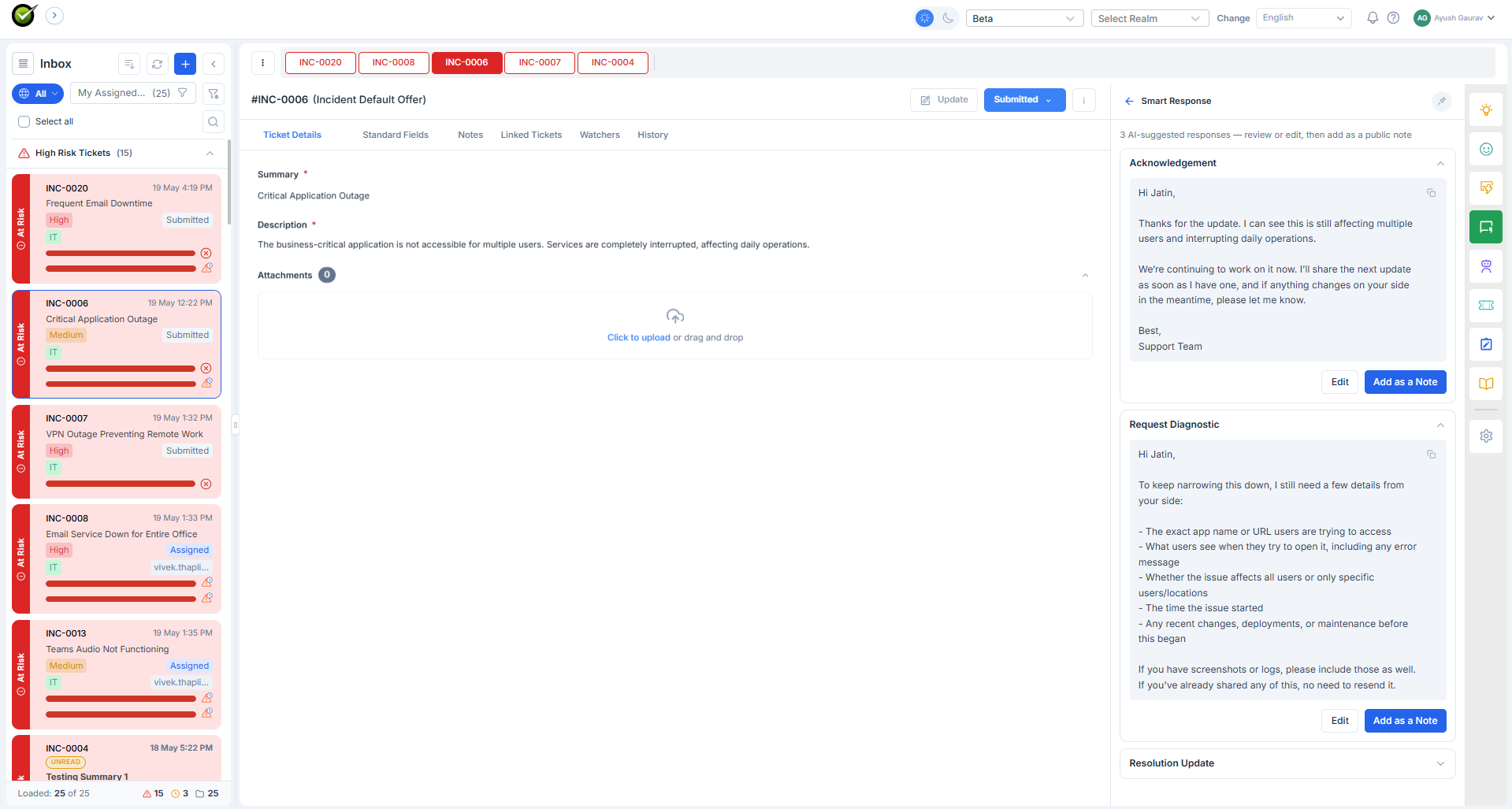
What the agent sees
A list of accordion cards. Each card is one intent the AI judged plausible for this ticket. Expanding a card reveals:
- The drafted response in full, written in the agent's voice.
- An Edit button - opens the text in an editable box.
- An Add as a Note button - appends the response as a public ticket note in one click.
The intents are generated dynamically per ticket. A new-laptop-request ticket might get Acknowledge, Confirm specs, Send pickup instructions. An angry "still broken" ticket might get Apologise, Escalate to L2, Propose workaround.
What it reads
- Ticket subject, description, notes
- Ingested knowledge (so SLA language, policy boilerplate, FAQ answers come out right)
- Past tickets (so the wording matches the tenant's usual style)
When it refreshes
On every public note - whether the agent or the user wrote it. The drafts adapt as the conversation evolves. A response that made sense before the customer's last reply may no longer fit; the panel regenerates so the agent always sees current drafts.
What gets added to the ticket
Only what the agent clicks. Smart Response writes drafts to the panel, not to the ticket. Until the agent presses Add as a Note (after editing or not), the customer never sees it.