Licenses
Licenses are the software side of the inventory. You track the license itself (Adobe Creative Cloud, Microsoft 365, Slack) and the seats inside it (which users or assets actually have it).
How a license is structured
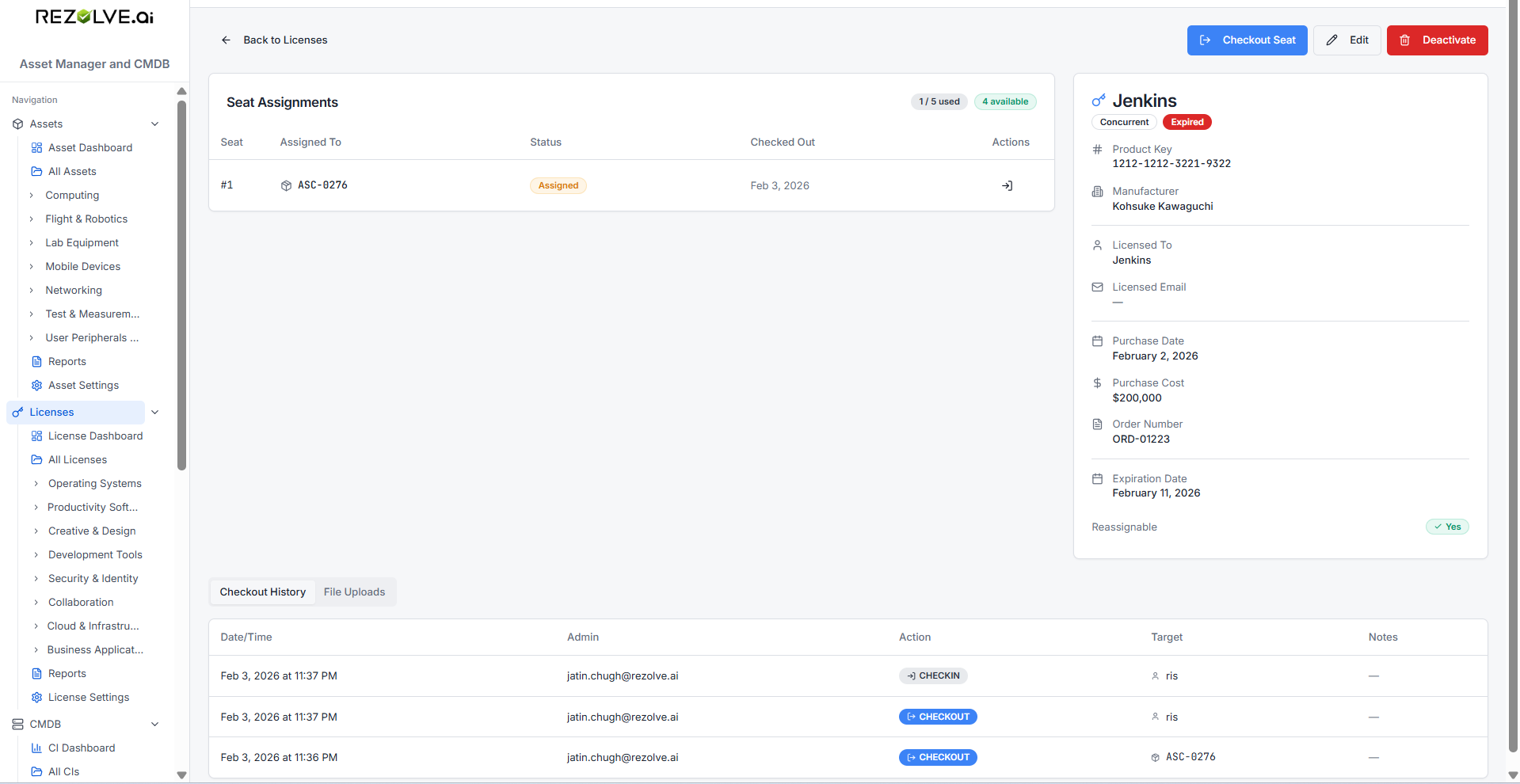
A license has:
- Name (e.g. Adobe Photoshop)
- Manufacturer (e.g. Adobe)
- Product key
- License type — Per-Seat, Concurrent, Site, or Other
- Total seats — how many you've paid for
- Expiration date
- Purchase date, purchase cost, order number
Each license shows you, at a glance, used seats, available seats, and days until expiry.
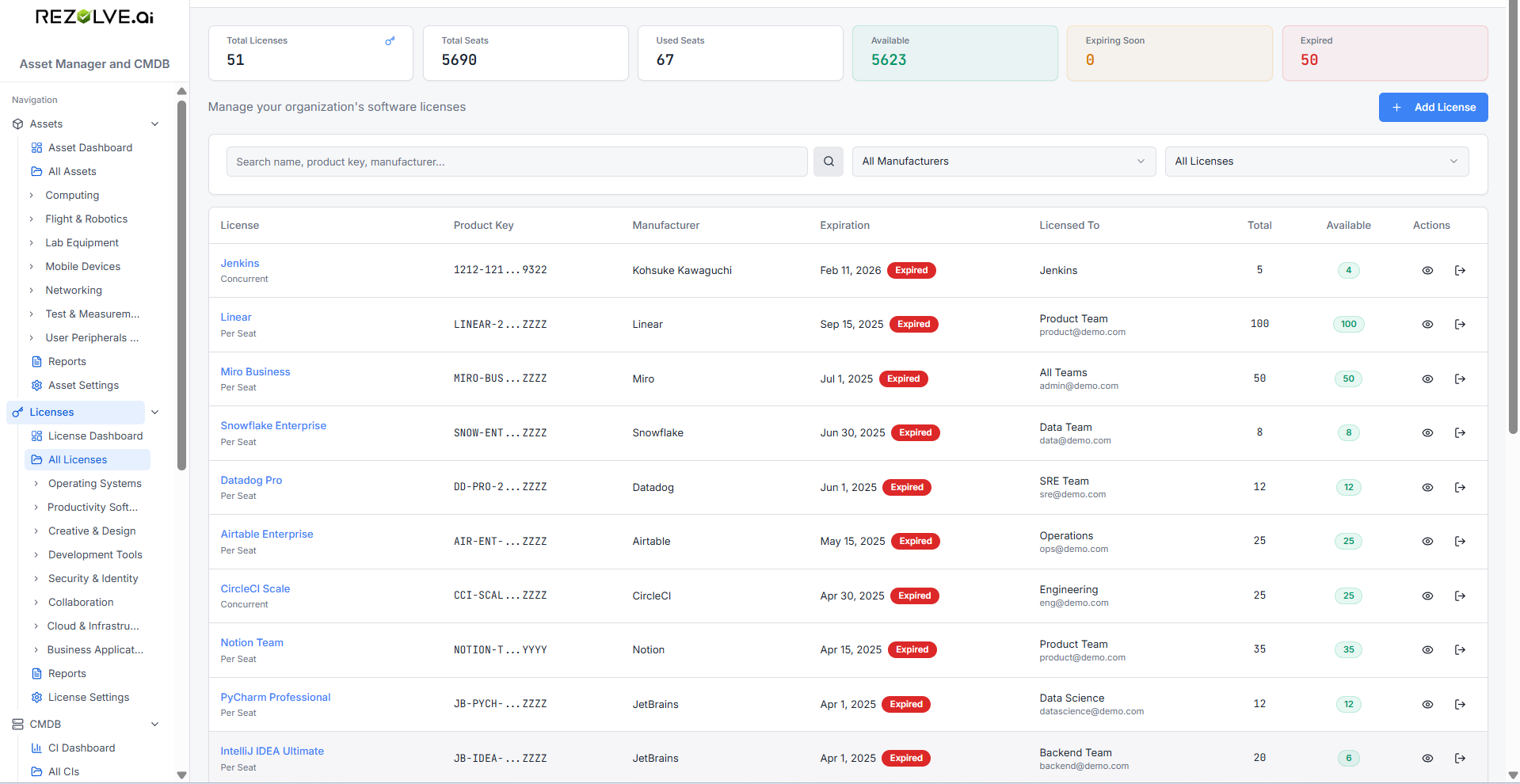
License types
| Type | What it means |
|---|---|
| Per-Seat | Each user or asset takes one seat. |
| Concurrent | A pool of seats; any N users can use it at once. |
| Site | One license covers an entire site/location. No seat tracking needed. |
| Other | Anything that doesn't fit the above. |
Adding a license
Go to Licenses → Add License. Fill in name, manufacturer, type, and total seats. Save.
You can also attach files to a license — purchase orders, certificates, contracts. Files are stored securely against the license record.
Assigning seats
Open a license and click Checkout. Choose what you're assigning to:
- A user — pick from your directory or type a name and email
- An asset — link the seat to a specific device (useful for software bound to hardware)
Set an optional due-back date and notes. The seat moves to Assigned and counts against your used-seat total.
Returning seats
Click Checkin on the assigned seat. The seat returns to the pool and a history entry is recorded.
License history
Every checkout and checkin is logged with:
- Action (checkout / checkin)
- Who triggered it
- Who or what received it
- Timestamp and notes
You can see the full history on the license detail page or in the audit reports.
License dashboard
The license dashboard gives you the renewal-and-utilisation picture in one view:
- Totals — licenses, total seats, used, available
- Expiring within 30 days — the licenses you should renew or stop renewing
- Expired — anything past its date
- By manufacturer — how your spend breaks down (Adobe, Microsoft, Atlassian, etc.)
Use this to spot under-used licenses (paying for 100, only 30 used) and upcoming renewals before they surprise you.
License reports
Build custom reports that filter and group across your license inventory — by manufacturer, by license type, by expiry window. Reports are saved and re-runnable. See Reports and Dashboards.
Related topics
- Custom Fields — add fields specific to your license records
- Alerts — get notified before licenses expire
- Reports and Dashboards