Fine-tuning Otto
Tune a custom Otto model on your tenant's example conversations to improve response style, terminology, and escalation behaviour.
When to fine-tune
Fine-tune when you want Otto to learn:
- Organization-specific terminology (internal service names, severity labels, team handles)
- Escalation patterns specific to your IT, HR, or finance workflows
- House response style (tone, formatting conventions)
- Structured-action outputs aligned to your downstream system schemas
If your need is "make Otto know about article X", update your knowledge base or connect a new source - don't fine-tune. Fine-tuning shapes behaviour; retrieval supplies facts.
Prepare training data
Training data is a JSONL file. Each line is one conversation example:
{"messages": [{"role": "system", "content": "..."}, {"role": "user", "content": "..."}, {"role": "assistant", "content": "..."}]}
Quality over quantity: 50-200 high-quality examples typically beat 1,000 noisy ones.
Start training
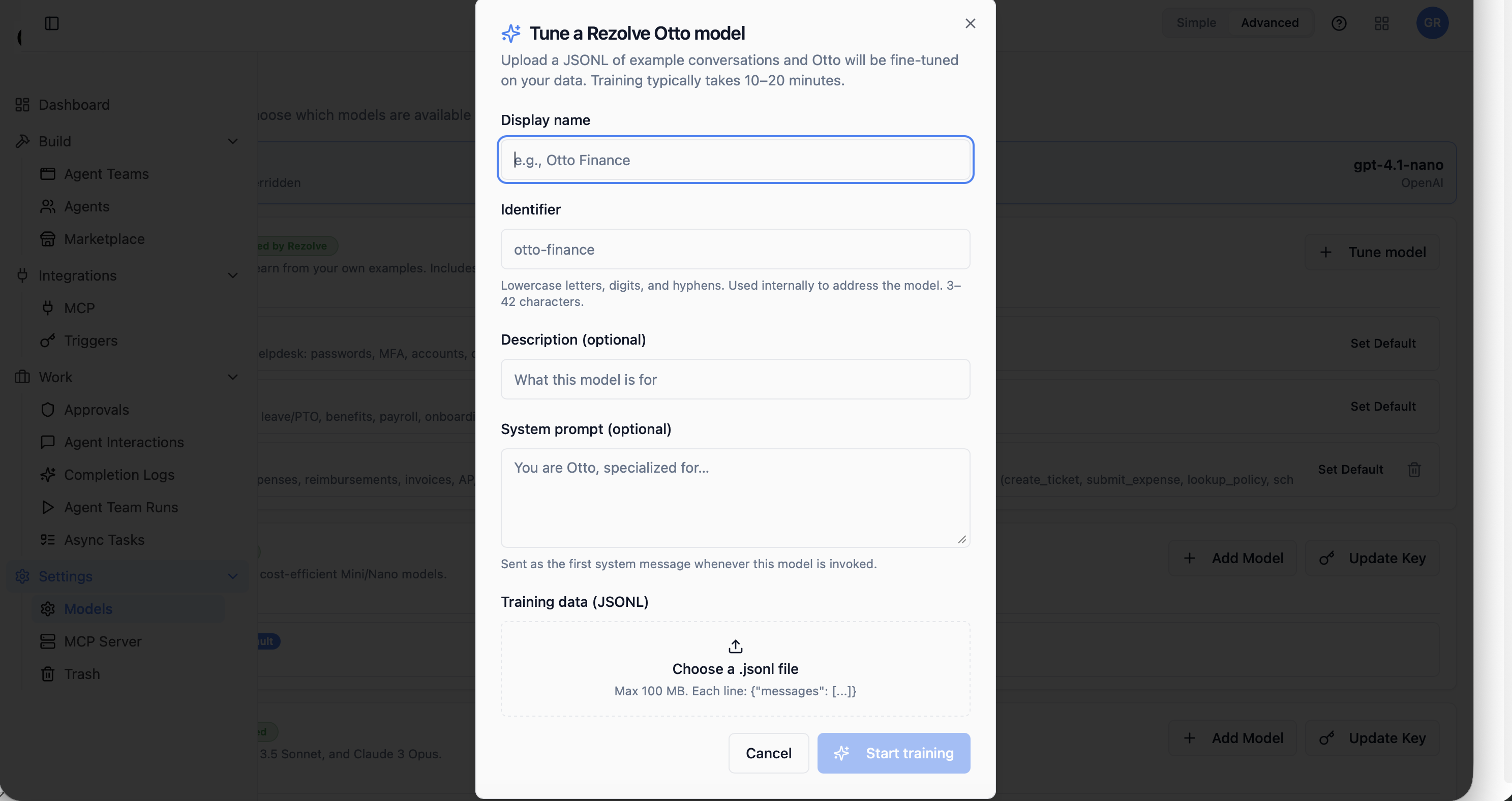
- Open Settings → Models and click Tune model.
- Fill Display name, Identifier, optional Description and System prompt.
- Upload your JSONL file (max 100 MB).
- Click Start training. Training typically takes 10-20 minutes.
After training
- The custom model appears in the agent model picker like any other variant.
- Test on a few example prompts in the Testing tab before switching production agents over.
- You can train multiple iterations side by side and A/B compare.
Tenant isolation and erasure
- Training data is stored in tenant-isolated storage with the customer's data residency and retention policies.
- Trained model weights live only in the tenant's namespace; never shared across tenants and never folded back into the base Otto family.
- On customer request (right-to-erasure, contract termination, data-residency change), training data and trained weights are deletable within the contractual SLA.
Pricing
Fine-tuning is included in the Enterprise tier. See your account team for training quotas.