API Integrations
When the tool you want isn't an MCP server, register it as a plain HTTP API. The agent calls it the same way it calls any other tool.
When to use this
- Any internal API your team owns
- A SaaS API that doesn't have an MCP server yet
- A specific endpoint where you need fine control over how the agent uses it
If the API has an MCP wrapper, prefer MCP — it's less work to maintain. Use API integrations when MCP isn't available or doesn't fit.
Registering an API tool
Go to Integrations → APIs → Add API.
You'll set:
- Name — what the agent will see (e.g. Lookup Customer, Stripe API)
- Base URL — the API root (e.g.
https://api.example.com/v1) - API Documentation URL — optional, but helps the AI generate better tool descriptions later
- Authentication Type — No Authentication, API key, bearer token, basic auth, or OAuth
- Custom Headers — optional extra headers sent on every request
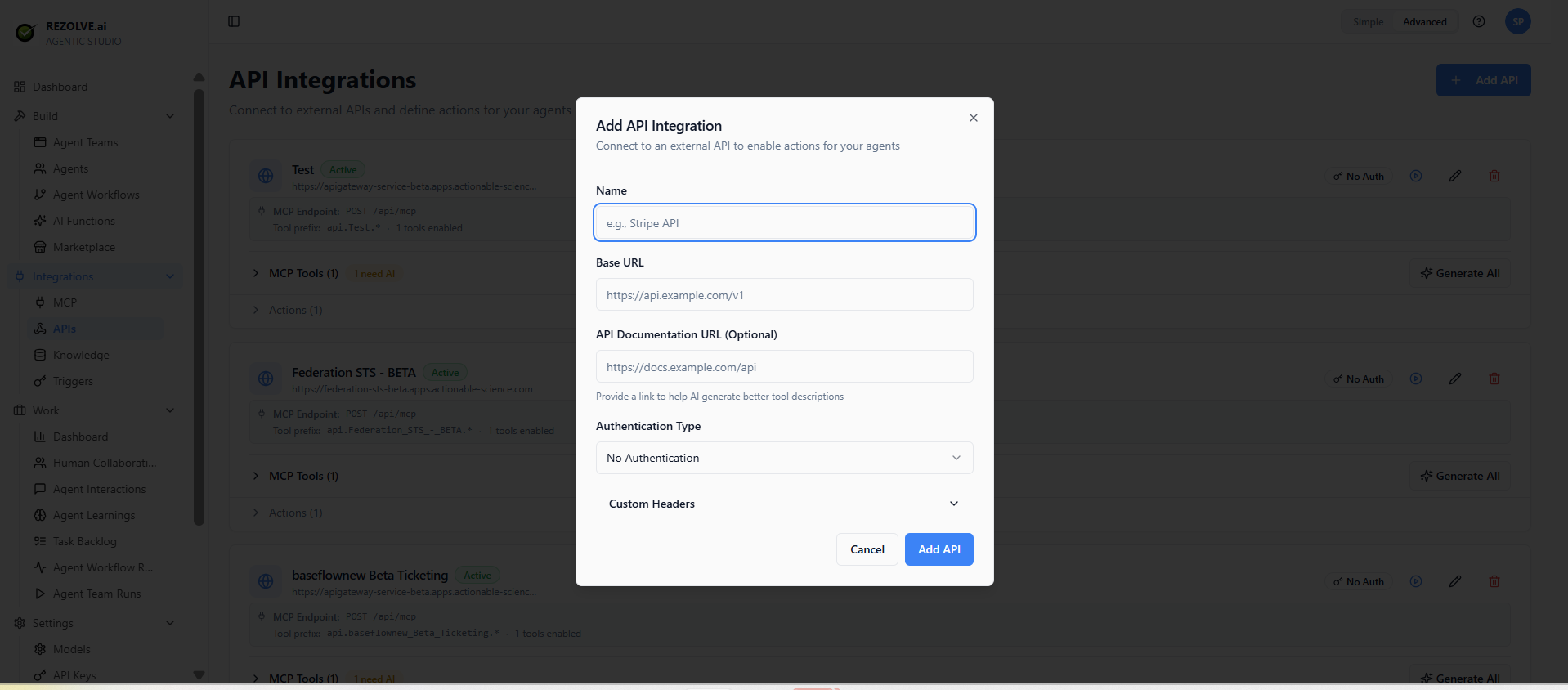
Save. The integration appears in the API Integrations list with a status badge and an MCP endpoint that exposes its tools to your agents.
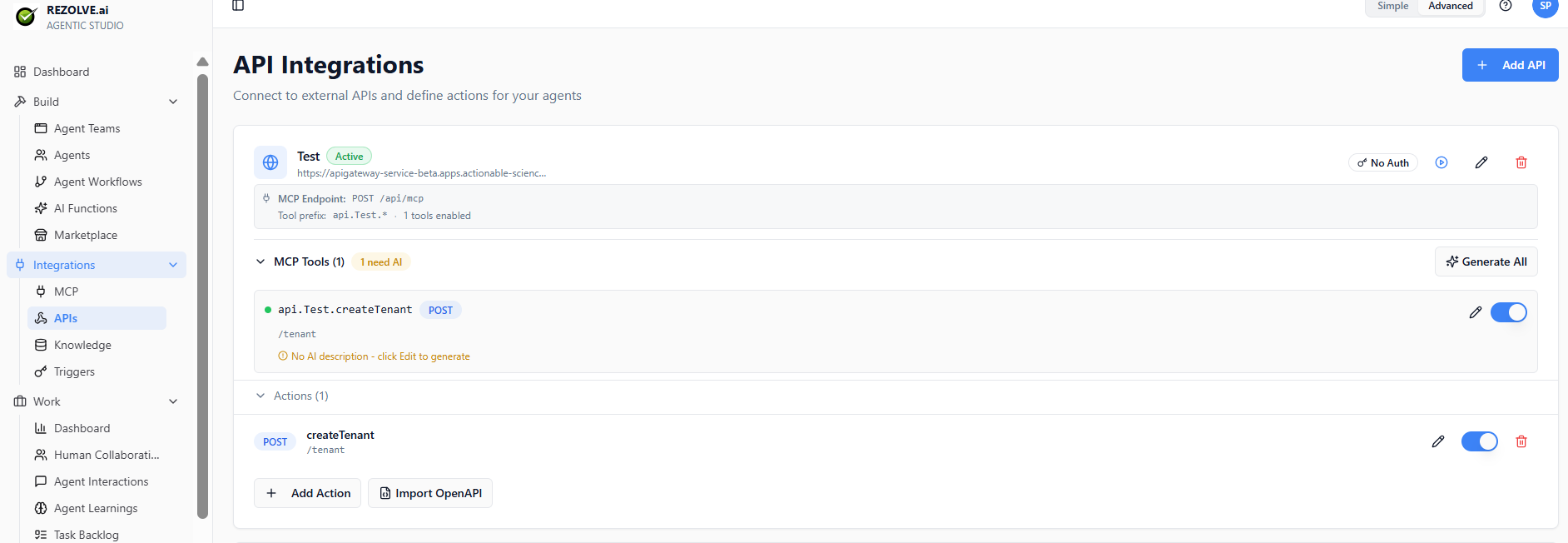
Generating from an OpenAPI spec
If the API has an OpenAPI/Swagger spec, click Import OpenAPI on the integration. Agent Studio reads the spec, lists every endpoint it found, and lets you pick which ones to expose as tools. The "Generate AI descriptions after import" option auto-writes tool descriptions so the agent can decide when to call each one.
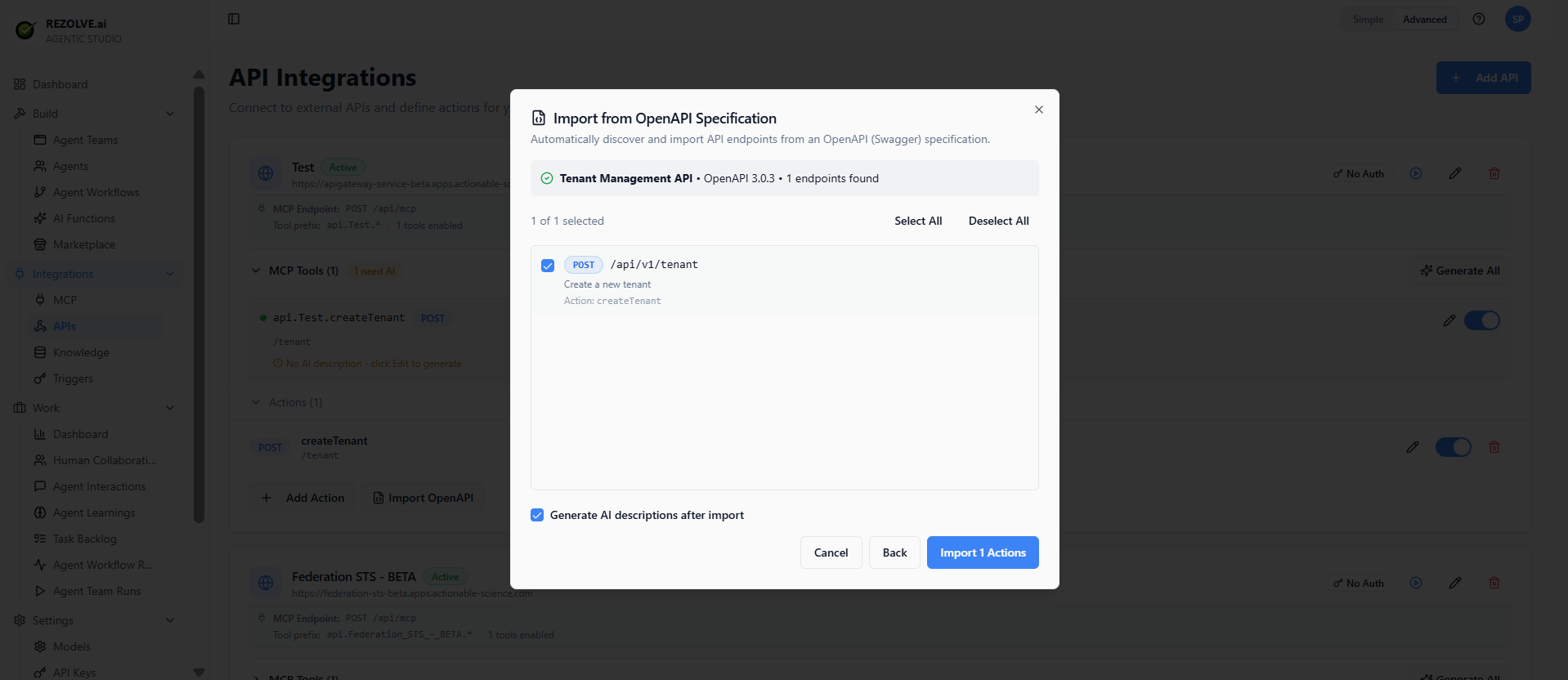
Pick which endpoints to expose — most APIs have a few you actually want the agent calling, and dozens you don't.
Writing a description that works
The agent decides whether to call your tool based on its description. Two rules:
- Be specific about what the tool does. "Looks up a customer by email and returns their account ID, plan, and lifetime value" beats "Customer endpoint."
- Be specific about when it's useful. "Use this when the user asks about a specific customer's account."
A vague description means the agent either calls the tool too often (when it shouldn't) or not at all (when it should).
Authentication
| Type | When to use |
|---|---|
| API key | Simplest. Provider gives you a key; you paste it in. |
| Bearer token | When the provider issues short-lived access tokens. |
| Basic auth | Username/password (rare for modern APIs). |
| OAuth | When the API requires per-user authorisation flows. |
For OAuth, configure the OAuth client once at the integration level. Each user who uses an agent that calls this tool will go through their own OAuth approval the first time.
Testing an API tool
The integration page has a Test button. Provide sample input, click run, and see what comes back. If the API errors, the test surfaces the response so you can debug.
Test before attaching to a production agent.
Updating the schema
If the API changes (new field, new parameter), update the schema in the integration page. Existing agents that use the tool pick up the new schema on their next run.