Models
Every agent runs on a model. Rezolve ships with Rezolve Otto as the hosted default and supports selected third-party providers as opt-in alternatives.
Why model choice matters
Models differ in:
- Quality - how good the responses are
- Speed - how fast a response comes back
- Cost - how much each response costs
- Tool use - how reliably the model picks and calls tools
- Context size - how much input the model can handle in one go
A simple FAQ agent doesn't need the most expensive model. A complex multi-step analyst agent probably does. Pick the smallest model that reliably completes the job.
Rezolve Otto (default, hosted by Rezolve)
Rezolve Otto is the platform's default native LLM family. Otto models run on Rezolve-managed infrastructure, support tool calling and JSON-schema structured outputs, and are tuned for ITSM, HRSM, and finance service-management workflows. Three variants ship out of the box:
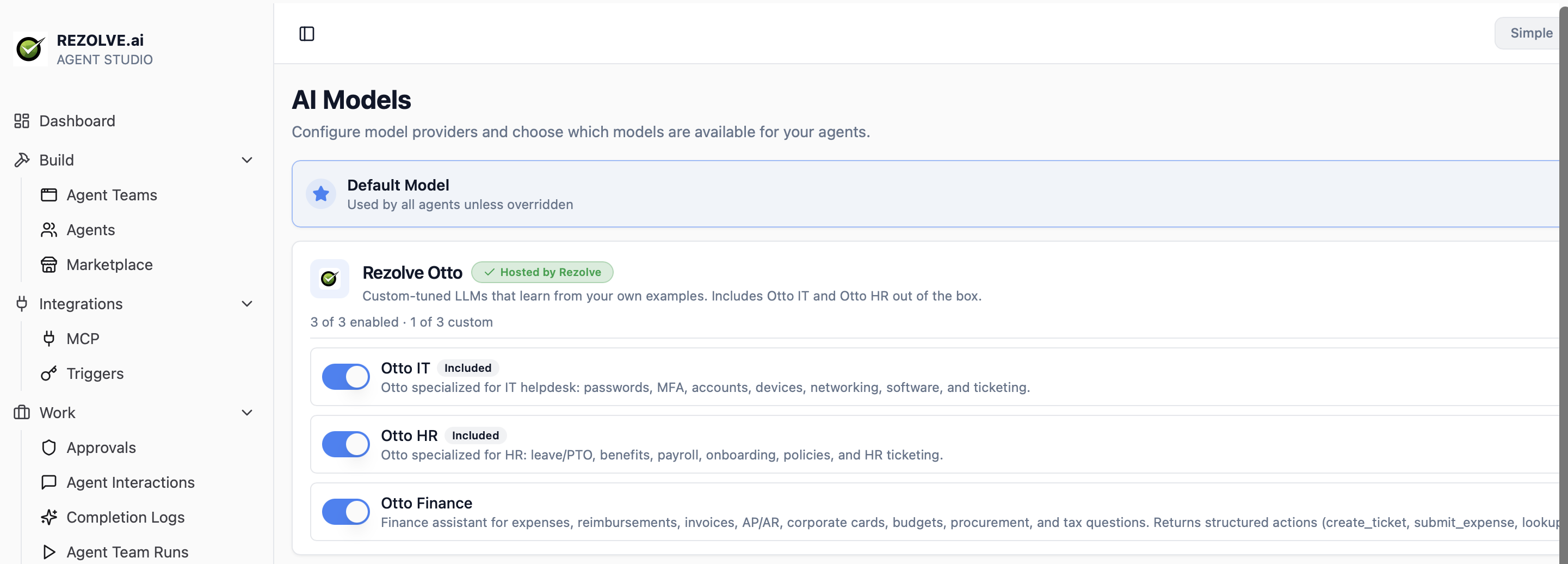
| Variant | Domain scope |
|---|---|
| Otto IT | IT helpdesk - passwords, MFA, accounts, devices, networking, software, ticketing |
| Otto HR | HR - leave / PTO, benefits, payroll, onboarding, policies, HR ticketing |
| Otto Finance | Finance - expenses, reimbursements, invoices, AP / AR, corporate cards, budgets, procurement, tax. Returns structured actions (create_ticket, submit_expense, lookup_invoice, etc.) |
Every tenant has Otto IT and Otto HR enabled by default. Otto Finance is available on opt-in. Toggle each variant on or off per tenant. Tenants can also tune their own custom Otto models - see Tune a custom Otto model, or the dedicated Fine-tuning Otto walkthrough.
Third-party providers (opt-in)
Selected frontier providers are available for high-complexity tasks or specific capability requirements. Supported providers include Anthropic (Claude), OpenAI (GPT), and Google (Gemini). Routing to a third-party provider is opt-in per tenant under a DPA addendum. Example model IDs: claude-opus-4-7, gpt-5, gemini-3-pro.
Configuring models
Go to Settings → Models. You'll see all models the tenant has access to, with their connection status and a default marker.
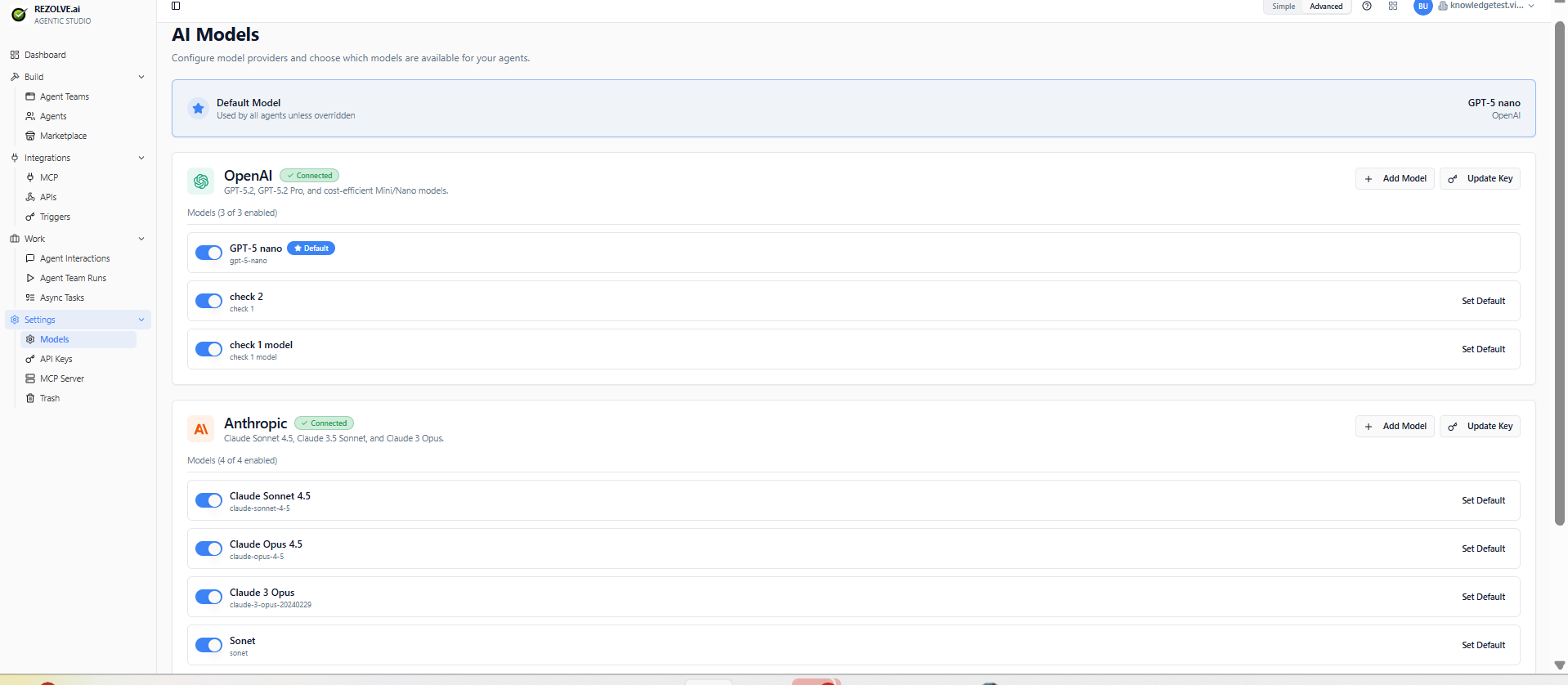
To enable a new model:
- Click Add Model next to the provider.
- Enter the Model ID (the exact identifier the provider's API uses, e.g.
claude-opus-4-7,gpt-5,gemini-3-pro). - Set a friendly Display Name and optional description.
- Save.
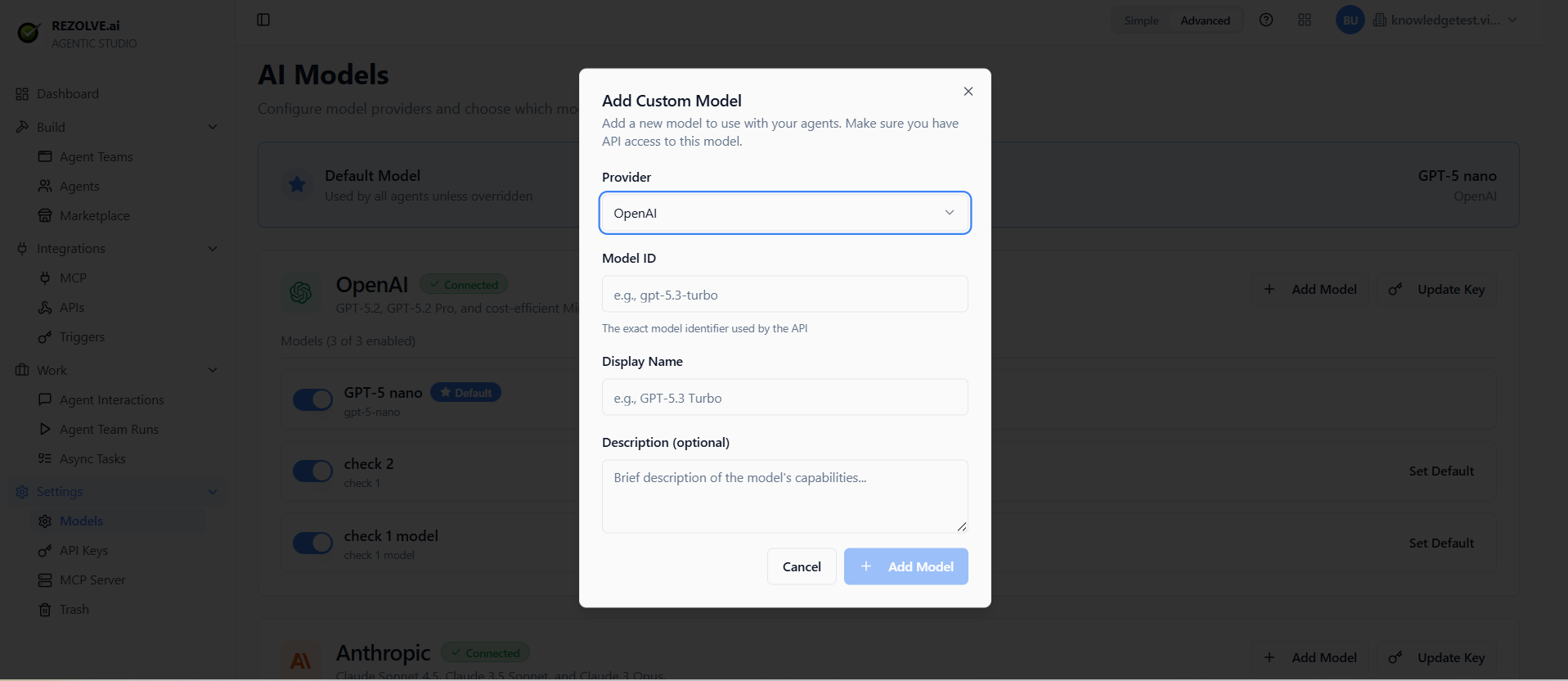
Once saved, the model appears in the model dropdown when you create or edit agents.
Switching an agent's model
Open the agent, change the model in the dropdown, save. The next run uses the new model. Behaviour can shift noticeably - re-test in the sandbox before publishing the change.
Tune a custom Otto model
Tune a custom Otto model on your tenant's example conversations when you want Otto to learn organization-specific terminology, escalation patterns, or response style.
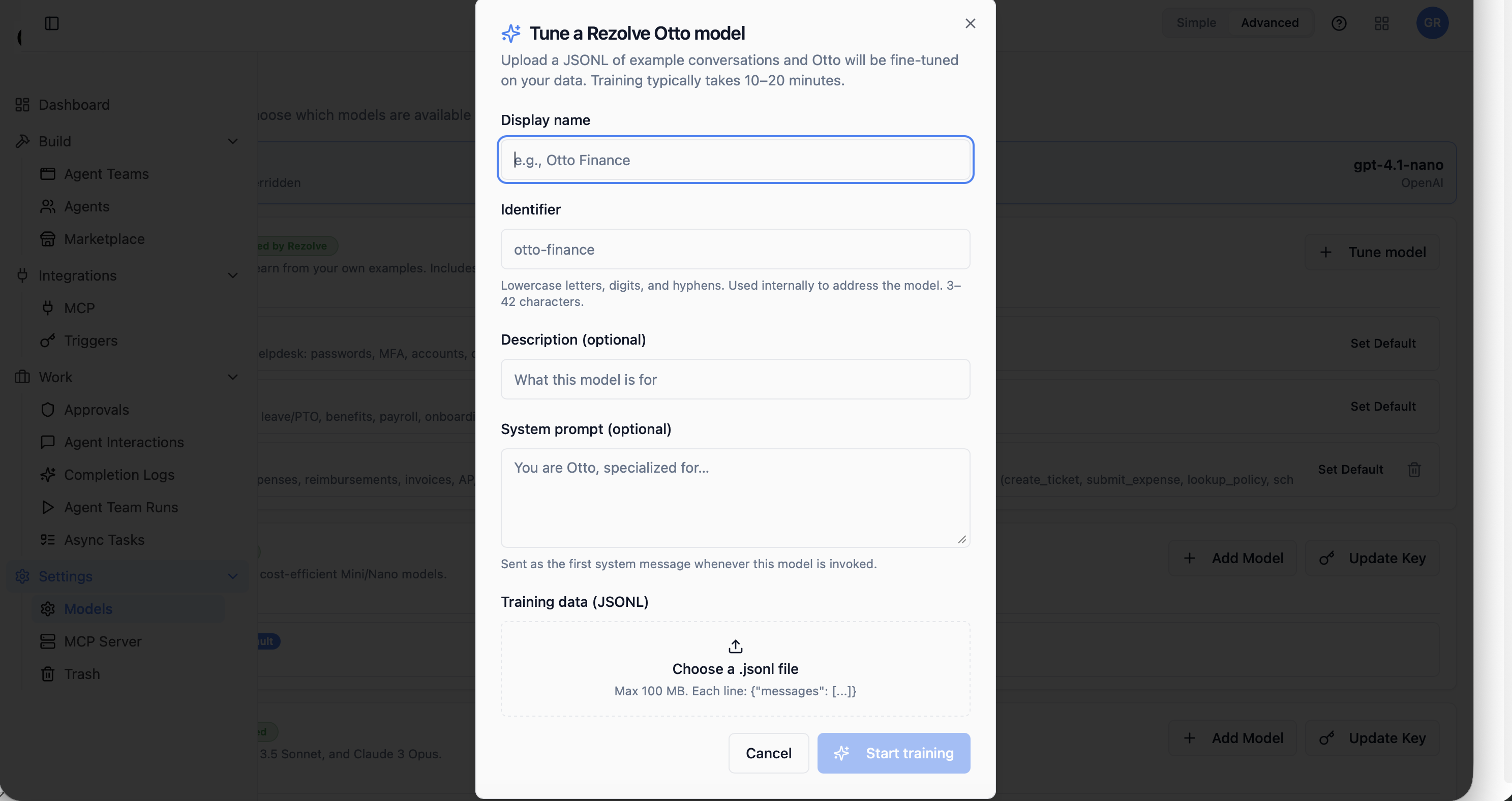
To tune a custom Otto model:
- From the Models page, click Tune model.
- Display name - friendly name shown in the model picker (e.g. "Otto Finance").
- Identifier - lowercase letters, digits, and hyphens. Used internally to address the model. 3-42 characters.
- Description (optional) - what the model is for.
- System prompt (optional) - sent as the first system message whenever this model is invoked. Example: "You are Otto, specialized for..."
- Training data (JSONL) - upload a
.jsonlfile. Max 100 MB. Each line is one conversation example:{"messages": [...]}. - Click Start training. Training typically takes 10-20 minutes.
Once training completes, the custom model appears in the agent model picker like any other variant.
Training data format
{"messages": [{"role": "system", "content": "..."}, {"role": "user", "content": "..."}, {"role": "assistant", "content": "..."}]}
{"messages": [{"role": "system", "content": "..."}, {"role": "user", "content": "..."}, {"role": "assistant", "content": "..."}]}
Each line is a complete conversation example. The model learns from the assistant turns in context with the preceding system and user turns.
For a deeper walkthrough - when to fine-tune vs. update knowledge, how to prepare data, what to do after training - see Fine-tuning Otto.
Tenant isolation
Custom Otto models are tenant-isolated:
- Training data is stored in tenant-isolated storage with the customer's data residency and retention policies.
- Trained model weights live only in the tenant's namespace; never shared across tenants and never folded back into the base Otto family.
- On customer request (right-to-erasure, contract termination, data-residency change), training data and trained weights are deletable within the contractual SLA.
Model-specific features
Tool use, vision, long context windows (200k+ tokens), streaming, and reasoning features vary by model:
- Tool use - most modern models support it; quality varies
- Vision - accepting images as input
- Long context - 200k+ token windows
- Streaming - token-by-token output (used by public chat for responsiveness)
- Reasoning - exposing the model's chain of thought
The model picker shows which features each model supports.
Default model
To set a tenant-wide default for new agents, open Settings → Models and click Set Default on the chosen model. The default applies to newly created agents; existing agents keep their currently configured model.
Cost guard rails
Set spend caps per model and per tenant. When the cap is reached, agents using that model pause until you raise the limit or switch models. This prevents runaway costs from a misbehaving agent or a webhook that fires too often. See Monitoring for usage and cost reporting.
Bring-your-own-key vs platform-managed
For third-party providers, choose between:
- Platform-managed - Rezolve manages the credential and billing. Simpler, sometimes more expensive.
- Bring-your-own-key (BYOK) - you provide an API key from the provider. Useful for enterprises with direct contracts, custom rate limits, or specific data-residency requirements.
You can mix per provider: BYOK for Anthropic, platform-managed for OpenAI.
Otto models are always hosted by Rezolve - BYOK does not apply.
Related topics
- Agents
- Fine-tuning Otto
- Monitoring - for token usage and cost tracking