Organization
note
Part of Org Administration (App Switcher → Org Administration). Requires the Tenant Admin role.
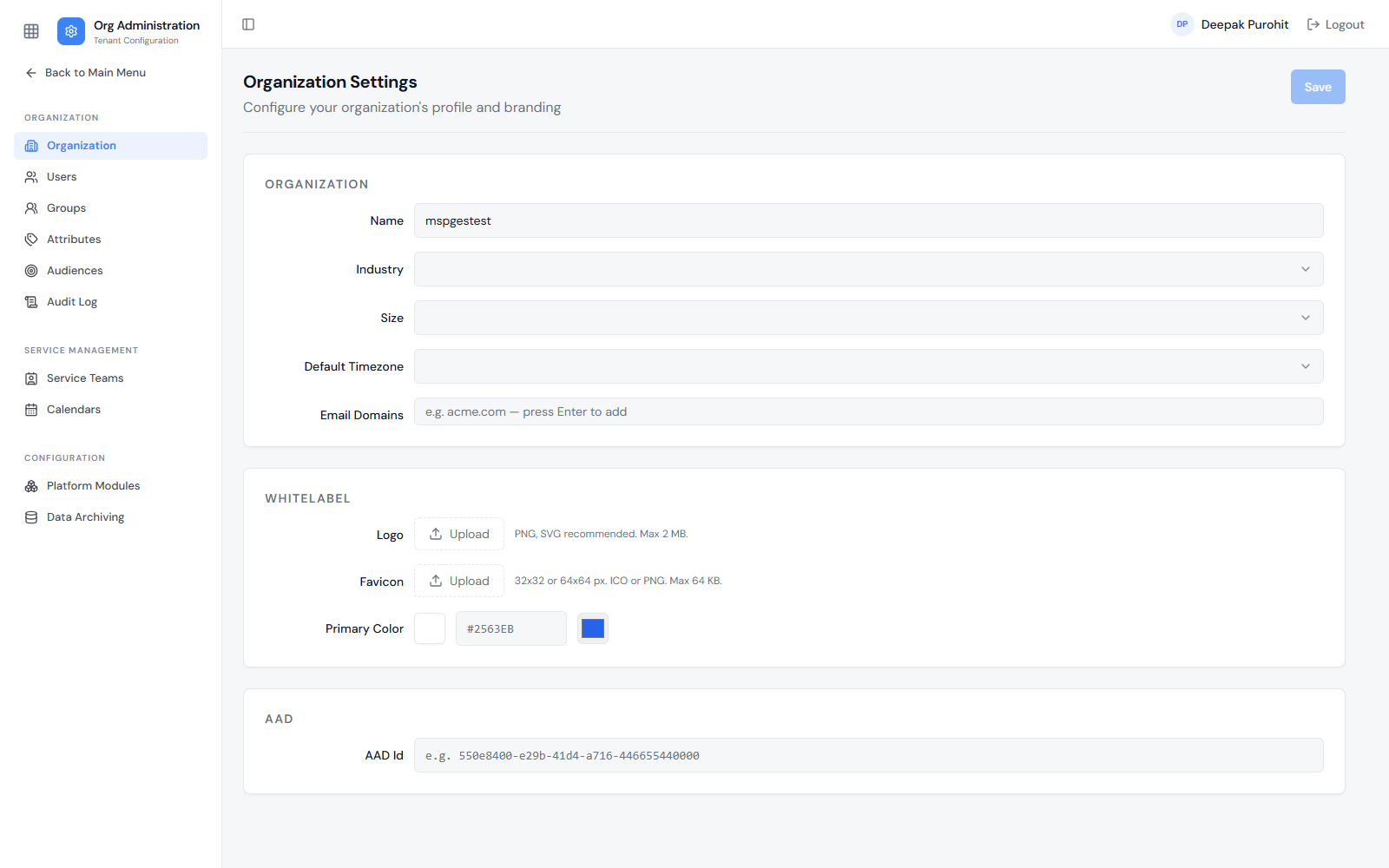
The Organization page holds the tenant's identity, branding, and its Azure AD linkage.
Organization
- Name: The tenant's display name.
- Industry: The tenant's industry, chosen from a dropdown.
- Size: The organization's size, chosen from a dropdown.
- Default Timezone: The tenant's default timezone.
- Default Phone Region: The country whose dialling rules are used to read phone numbers typed without a country code — for example
India (IN). Left unset, the tenant behaves asUS. It applies wherever a phone number is entered or matched, including Phone attributes and inbound caller recognition. - Email Domains: One or more domains (for example
rezolve.ai), added by typing a domain and pressing Enter — the domain(s) a user's email address is expected to belong to for this organization.
Whitelabel
- Logo: Uploaded image (PNG or SVG recommended, max 2 MB).
- Favicon: Uploaded icon (32×32 or 64×64 px, ICO or PNG, max 64 KB).
- Primary Color: The tenant's brand color, set via a color picker or hex value (for example
#2563EB).
AAD
- AAD Id: The tenant's Azure Active Directory identifier (a GUID, for example
550e8400-e29b-41d4-a716-446655440000), used to link this tenant to its Azure AD directory.
note
This is a separate value from the Client ID and Client Secret used for Azure AD Sync — those come from a dedicated Azure App Registration, not from this page. See External System Synchronization for the full Azure-side setup steps.