Org Administration Overview
Org Administration is available only to tenants where it has been explicitly enabled. Every other tenant uses the default, Generally Available console — see Administration. Contact Rezolve support to have it enabled for your tenant.
Org Administration is the tenant configuration console for the platform. It is where an administrator manages the people in a tenant and how they are organized — users and their roles, groups, attributes, and audiences — along with service teams, calendars, platform modules, and data-retention settings.
Access requires the Tenant Admin role. Open the console from the App Switcher (the grid icon, top-left) → Org Administration.
How the Pieces Fit Together
- Users are the individual accounts in the tenant. Each user carries roles (what they are allowed to do) and attributes (custom fields describing them).
- Groups bundle users together so a role can be assigned to many people at once.
- Attributes feed Audiences — rule-based segments used to target content and control who can access it.
- Service Teams, Queues & Calendars determine who handles incoming work, and when.
- Platform Modules and Data Archiving are tenant-wide configuration, covering which capabilities are enabled and how user data is retained.
Opening the Console
Org Administration is enabled for a tenant as part of tenant setup. Once enabled, Org Administration appears in the App Switcher (the grid icon, top-left).
Opening it lands on the Users list, with the full console navigation in the left rail.
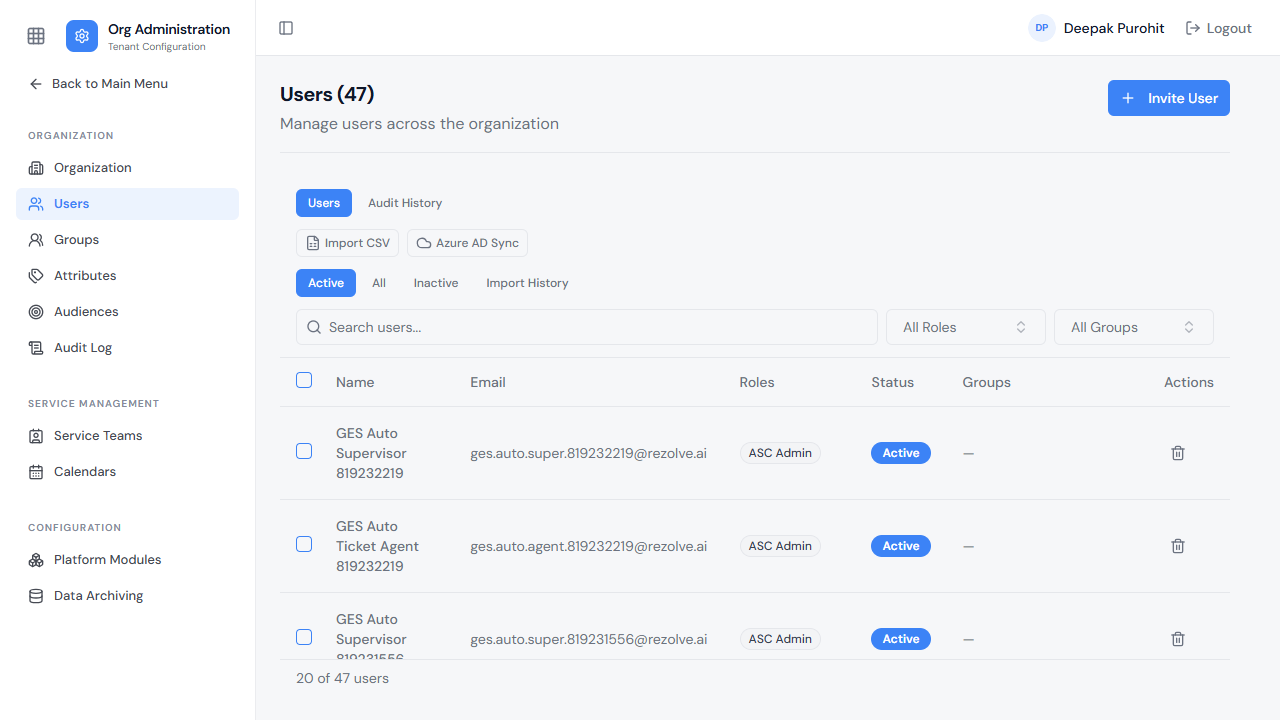
A user already logged in when Org Administration is first enabled must log out and log back in for the change to take effect.
What This Section Covers
This section is organized into the following pages:
- Organization — tenant identity, branding, and Azure AD linkage
- Users — inviting users, roles, account status, CSV import, and Azure AD sync
- Groups — managing Members, Owners, and Roles together for a set of users
- Attributes — custom fields attached to users for targeting and routing
- Audiences — user segments for targeted content and access
- Audit Log — combined change history across every resource type in the tenant
- Service Teams, Queues & Calendars — organizing who handles incoming work
- Platform Modules — enabling/disabling tenant modules
- Data Archiving — anonymization of user-identifying data