Audiences
Part of Org Administration (App Switcher → Org Administration). Requires the Tenant Admin role.
An audience is a type of security group used to segment end users — restricting their access to specific content such as Knowledge Articles, automations, and more. Each audience is constructed from one or more criteria drawn from User Attributes, Groups, Users, Roles, Organization, and so on. The list shows each audience's criteria (in short form), how many users currently match, and its publish status. The page has two tabs — Audiences and Audit History — the latter a timeline of rule, membership, and activation changes across every audience.
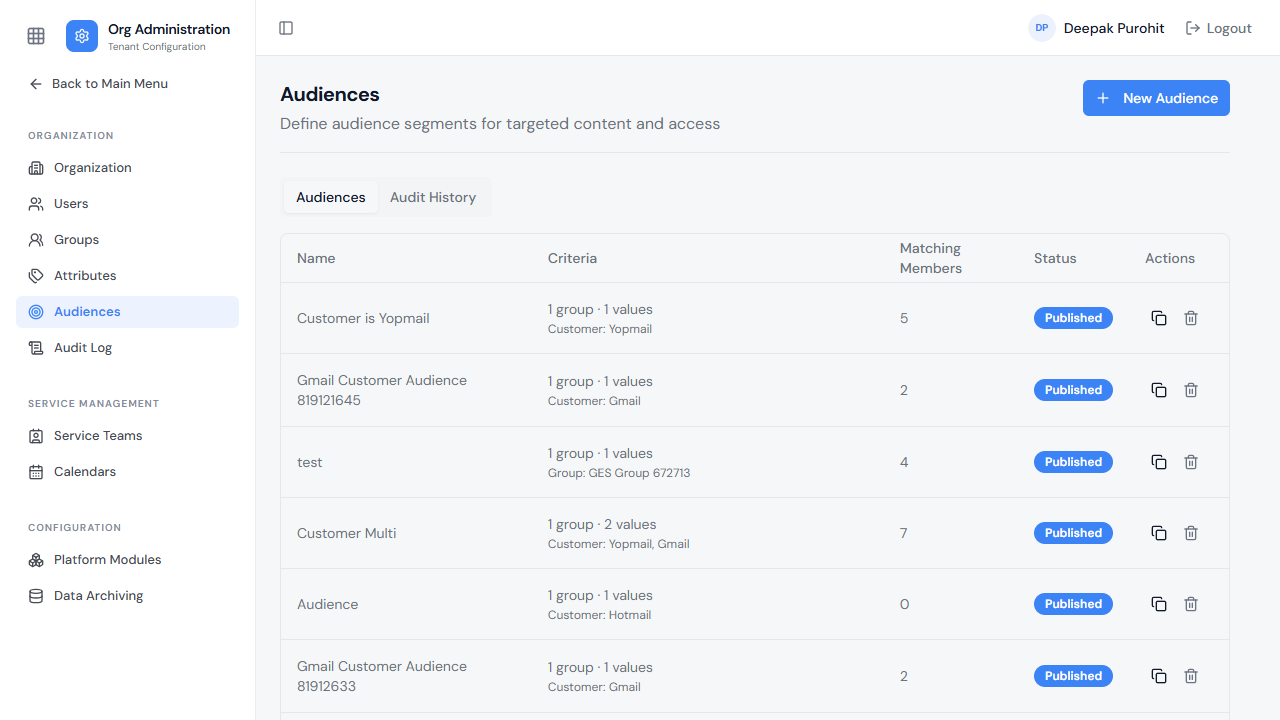
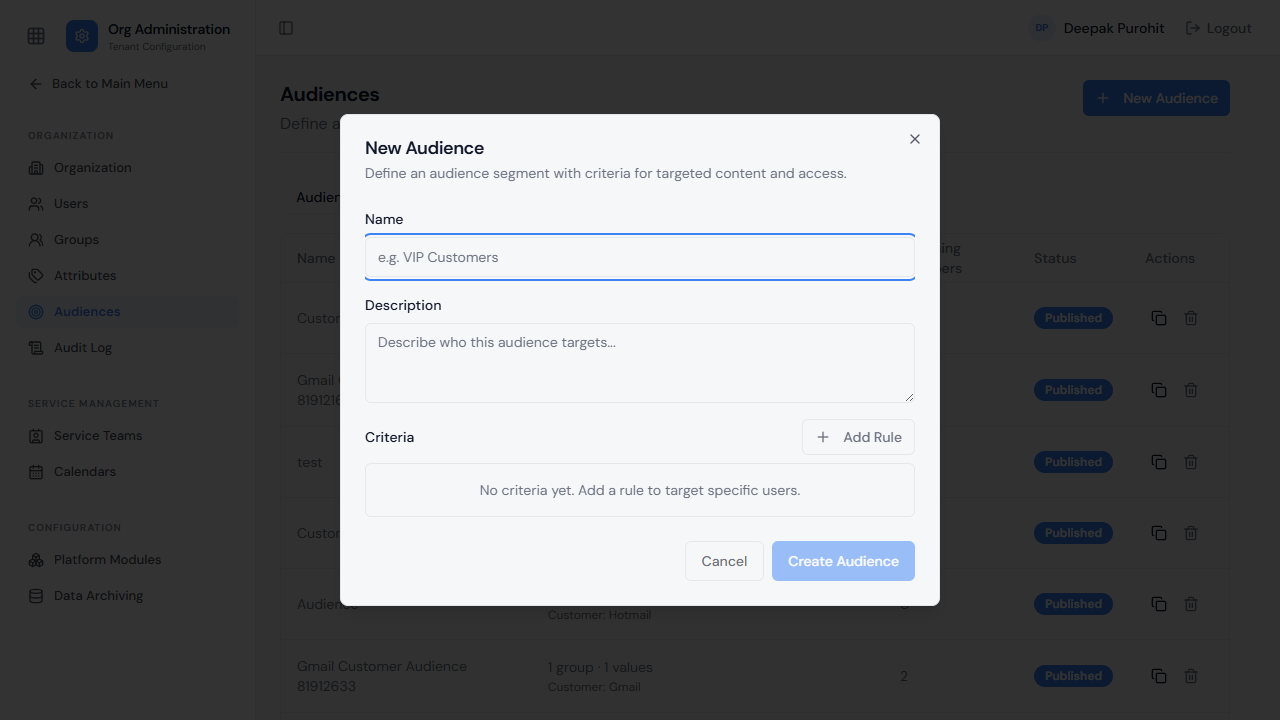
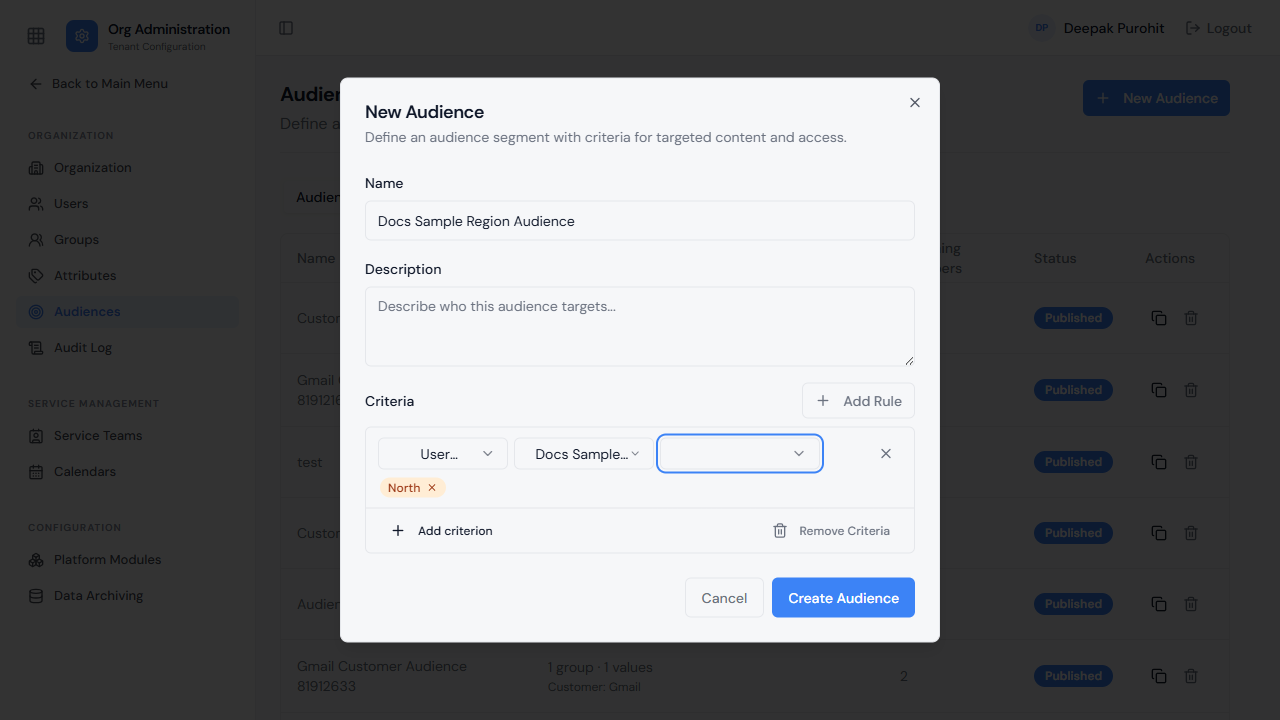
Creating an audience means adding one or more rules under Criteria. Each rule starts with a criterion type — Organization, User, Group, Role, User Attribute, Queue, Customer, or Customer Attribute — and the fields that follow depend on which one is picked.
Customer and Customer Attribute only appear as criterion options on an MSP tenant — a tenant serving multiple end customers. On a non-MSP tenant, those two options are not offered.
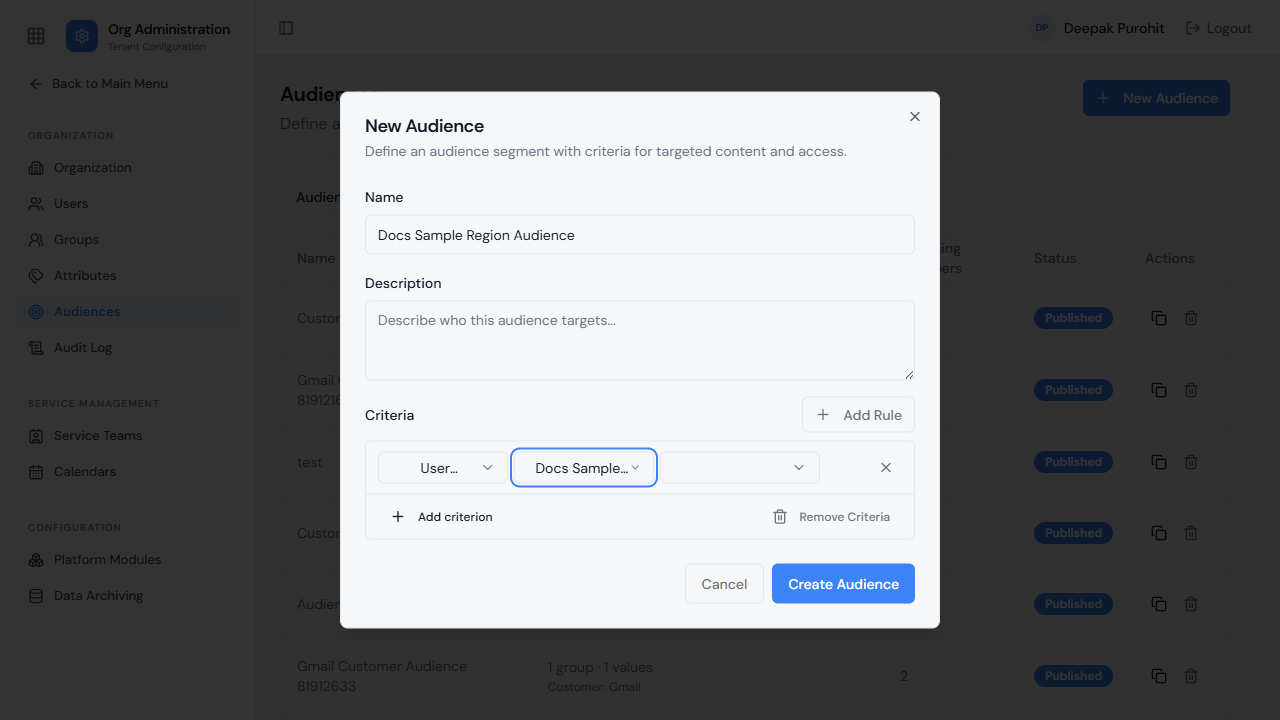
Choosing User Attribute reveals two further pickers: which attribute to match on, and which of that attribute's own defined values to require. This is where an Attribute becomes an actual targeting condition.
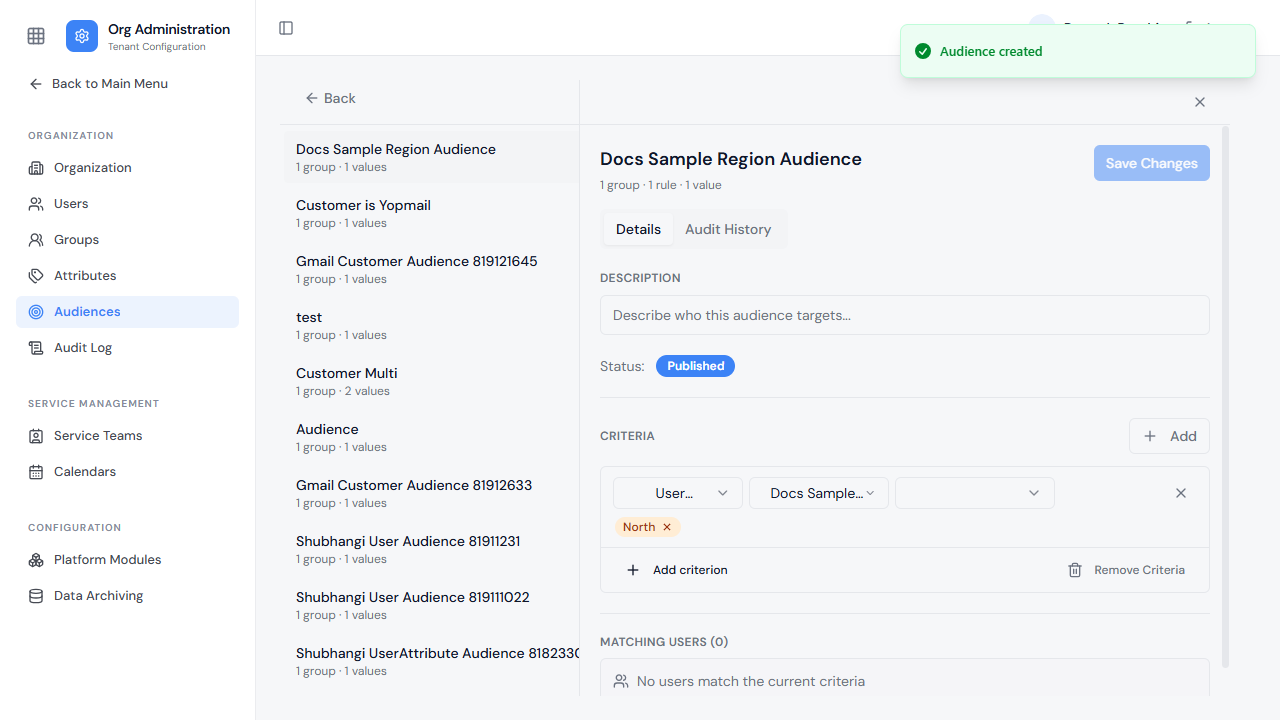
Once saved, the audience shows its criteria in full, a live Matching Users count reflecting exactly which users satisfy the condition right now, and a status of either Draft or Published. Published means the audience is live and available to be used elsewhere in the platform — for example, as an access condition on a Knowledge Article or automation. A Draft audience is saved but not yet available for use. Alongside its Details, each audience has its own Audit History tab tracking changes to its criteria and status.
A published audience — built on a User Attribute, or on Role, Group, Queue, or any other criterion — can then control access such as which users are permitted or denied a Knowledge Article, an automation, or other content.