Platform Modules
Part of Org Administration (App Switcher → Org Administration). Requires the Tenant Admin role.
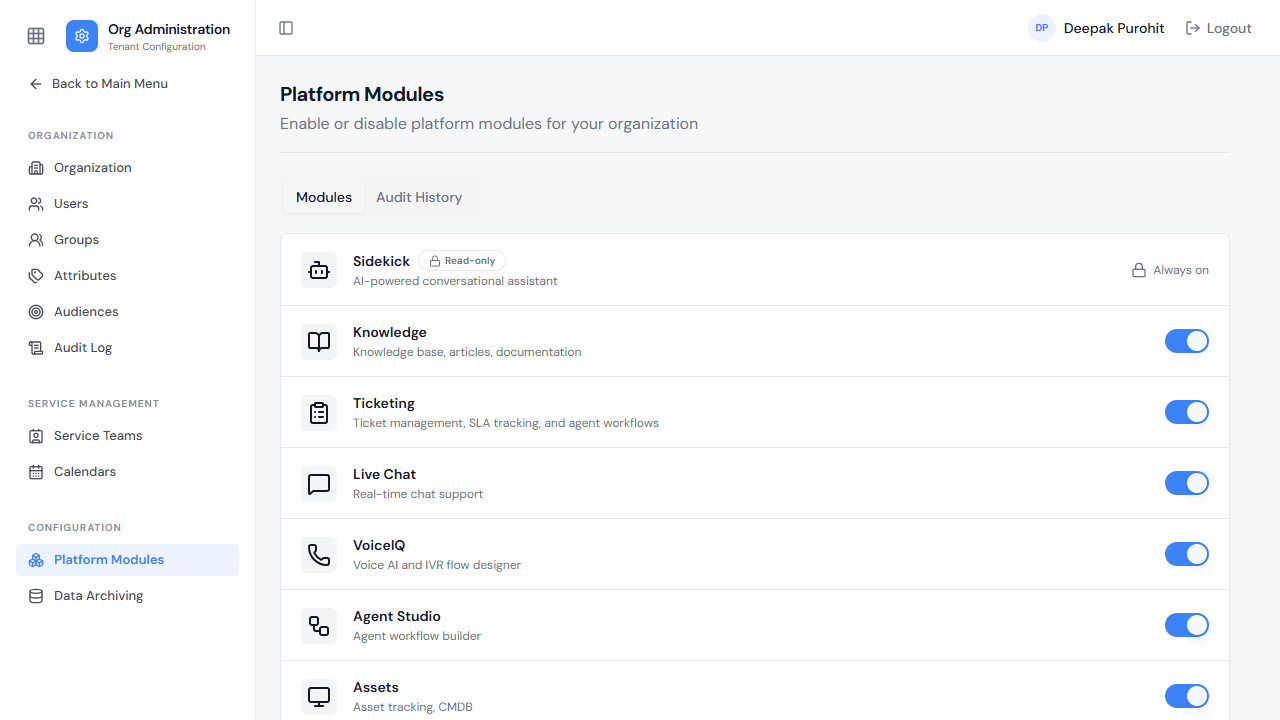
Platform Modules (under Configuration) controls which modules are enabled for the tenant. Sidekick is marked Read-only and Always on — it cannot be toggled. Every other module — Knowledge, Ticketing, Live Chat, VoiceIQ, Agent Studio, Assets — has its own on/off switch.
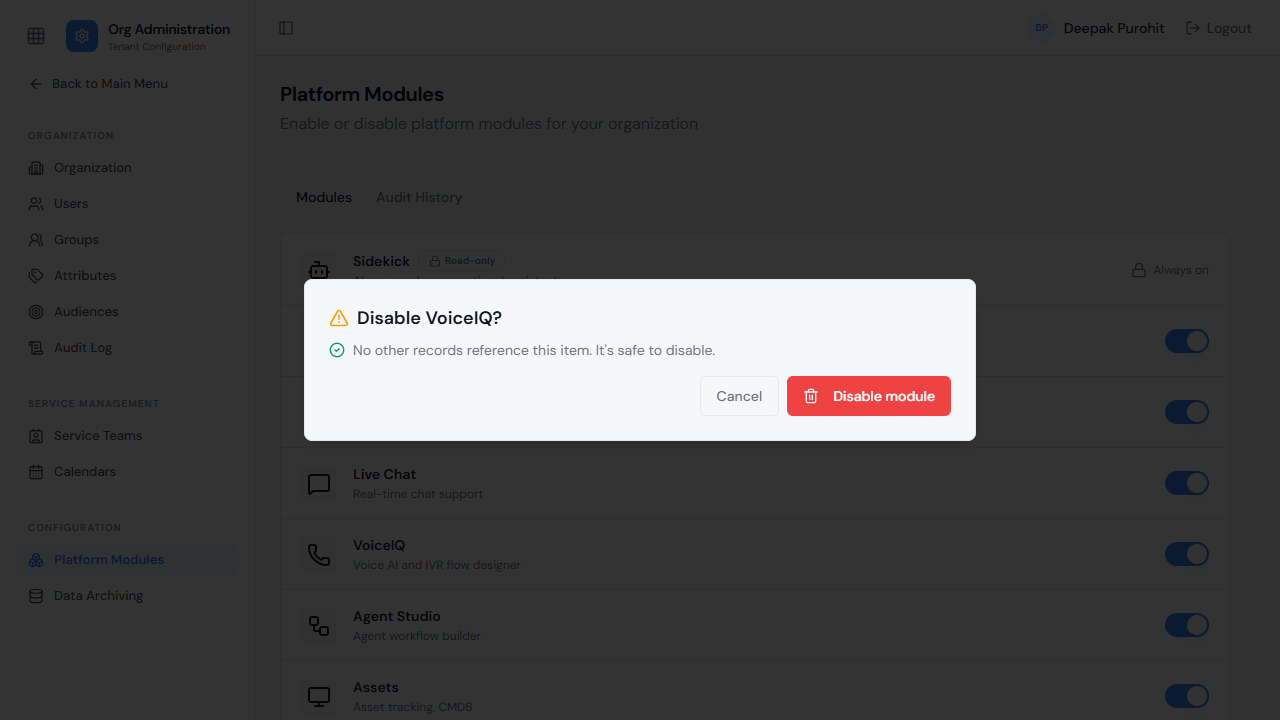
Disabling a module surfaces a confirmation dialog first, for example:
"Disable VoiceIQ? No other records reference this item. It's safe to disable."
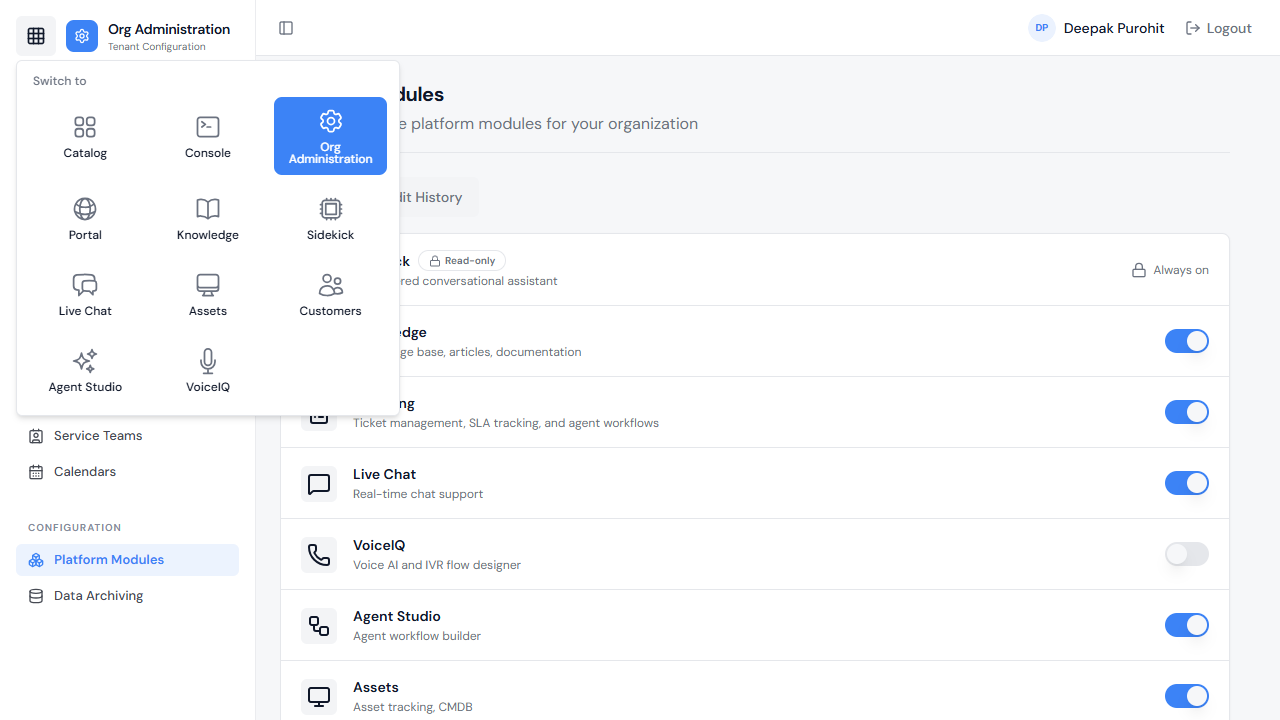
After a Module Is Disabled
Disabling a module does not remove its tile from the App Switcher — the entry stays visible to users.
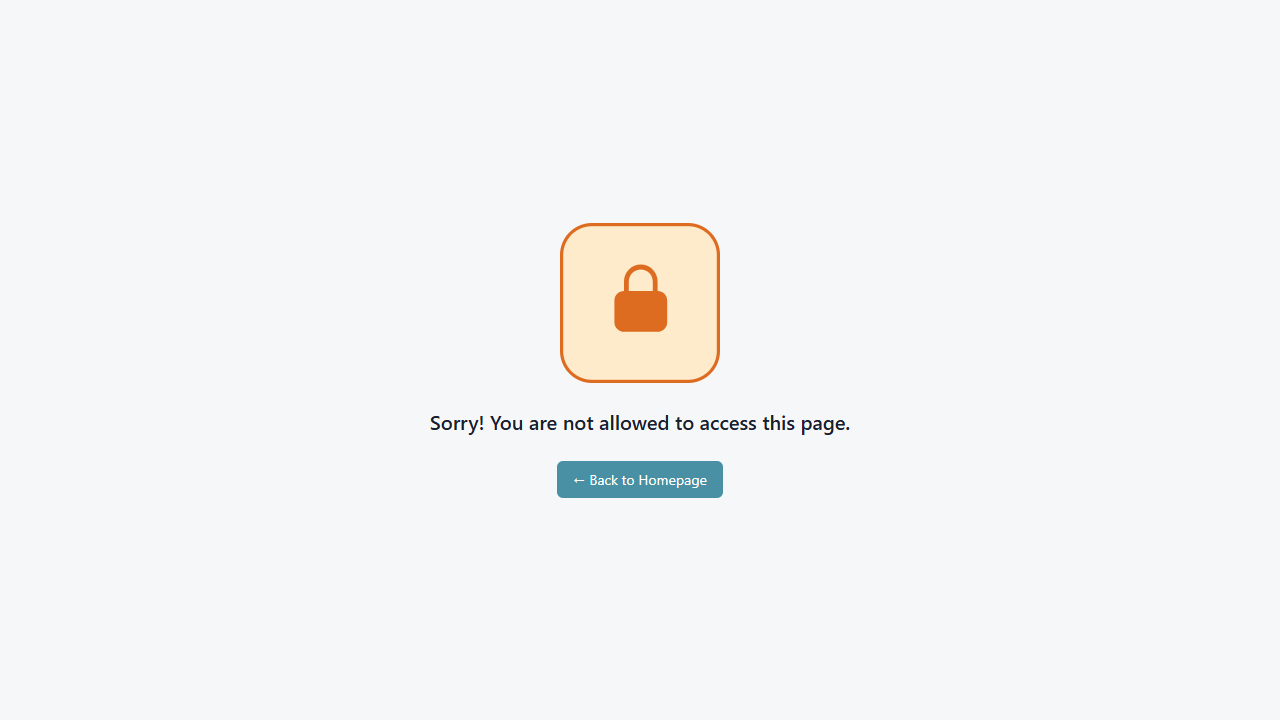
Opening a disabled module is blocked, however: the user lands on a "Sorry! You are not allowed to access this page." screen with a Back to Homepage link, rather than on the module itself.