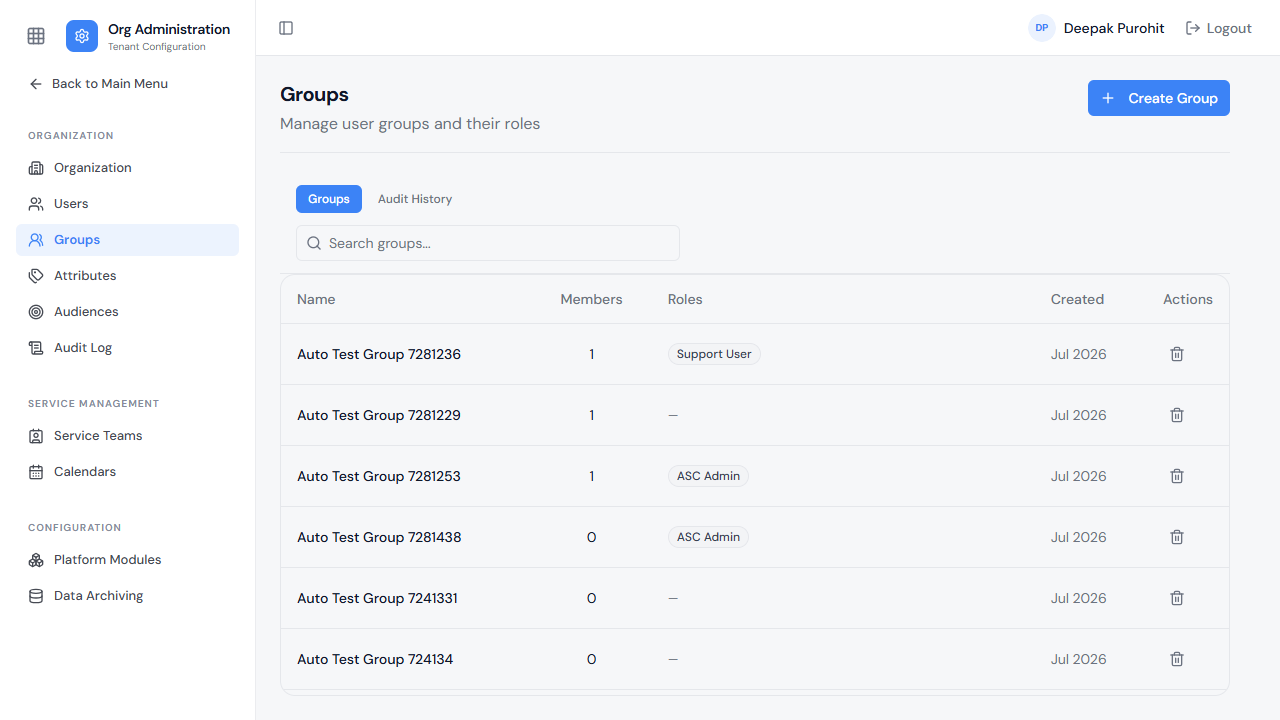
Groups
Part of Org Administration (App Switcher → Org Administration). Requires the Tenant Admin role.
Groups let administrators manage Members, Owners, and Roles together for a set of users, rather than one user at a time. A group can be created and maintained here directly, or kept in sync with an Azure Active Directory (AAD) group so its membership mirrors the source directory automatically — see Sync Groups for the full synchronization guide. Rezolve roles assigned to a group then apply to every member of that group. The list shows every group's name, member count, assigned roles, and creation date.
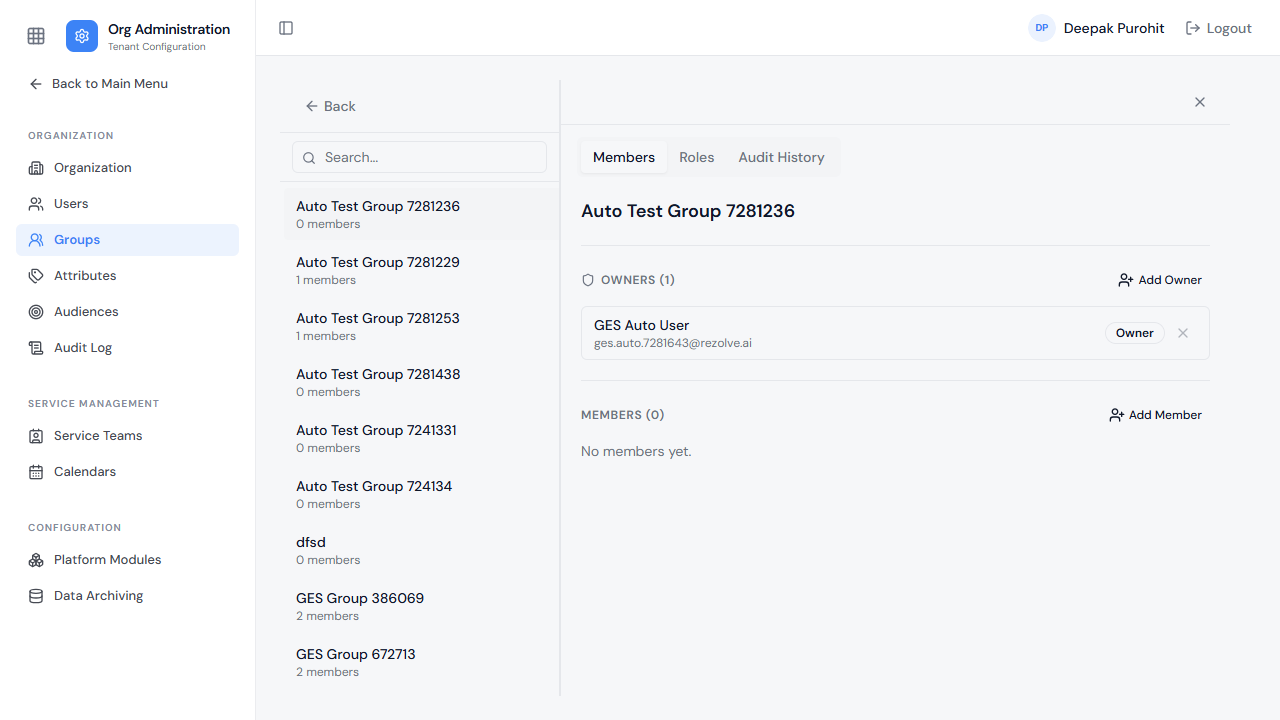
Opening a group shows its Members tab, where people can be added or removed as either a Member or an Owner — the same two independent capacities seen on a user's own profile.
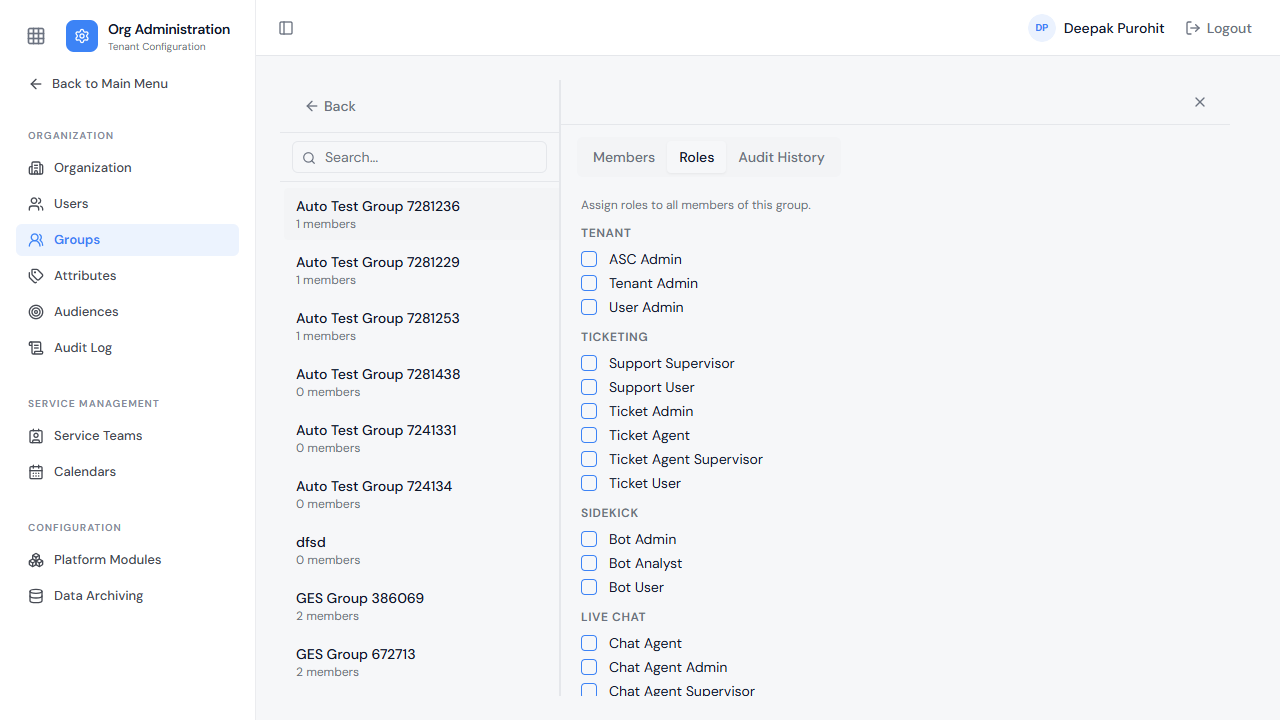
A separate Roles tab assigns one or more roles to the group itself. Any role checked here applies to every current member of the group, the same way an individually assigned role would.
A group's third tab, Audit History, is a timeline of changes to that group — membership changes, role changes, and status changes, each with who made the change and when.
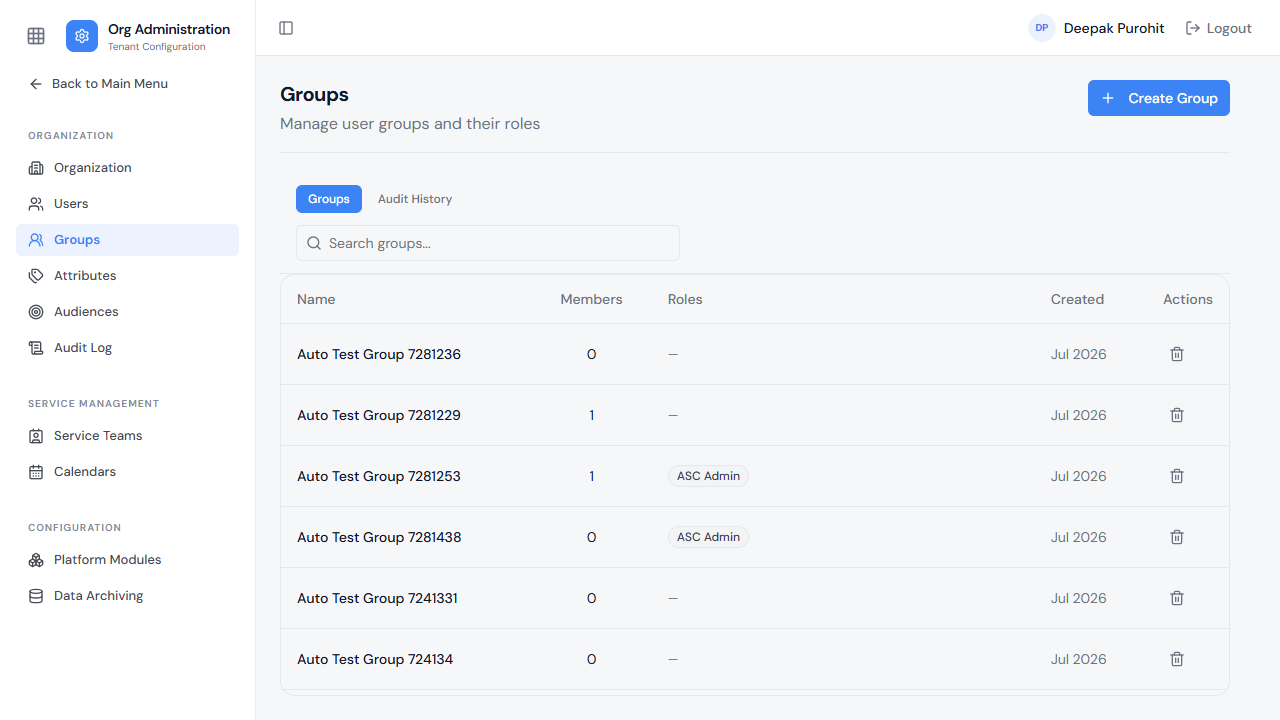
Adding a member or assigning a role is reflected immediately back on the Groups list: the Members count and Roles column both update to match.