Attributes
Part of Org Administration (App Switcher → Org Administration). Requires the Tenant Admin role.
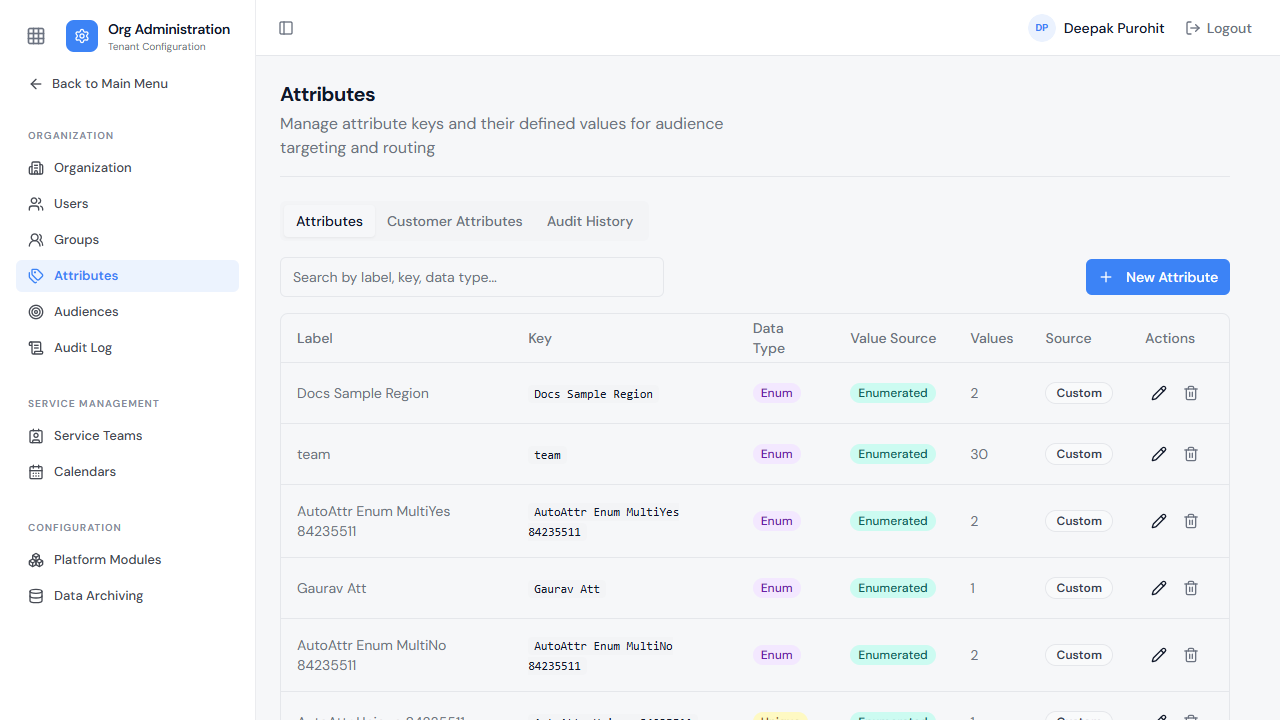
Attributes are custom fields that can be attached to users (and used for audience targeting and routing). The list shows each attribute's label, key, data type, value source, number of defined values, and whether it's a custom or system-derived field.
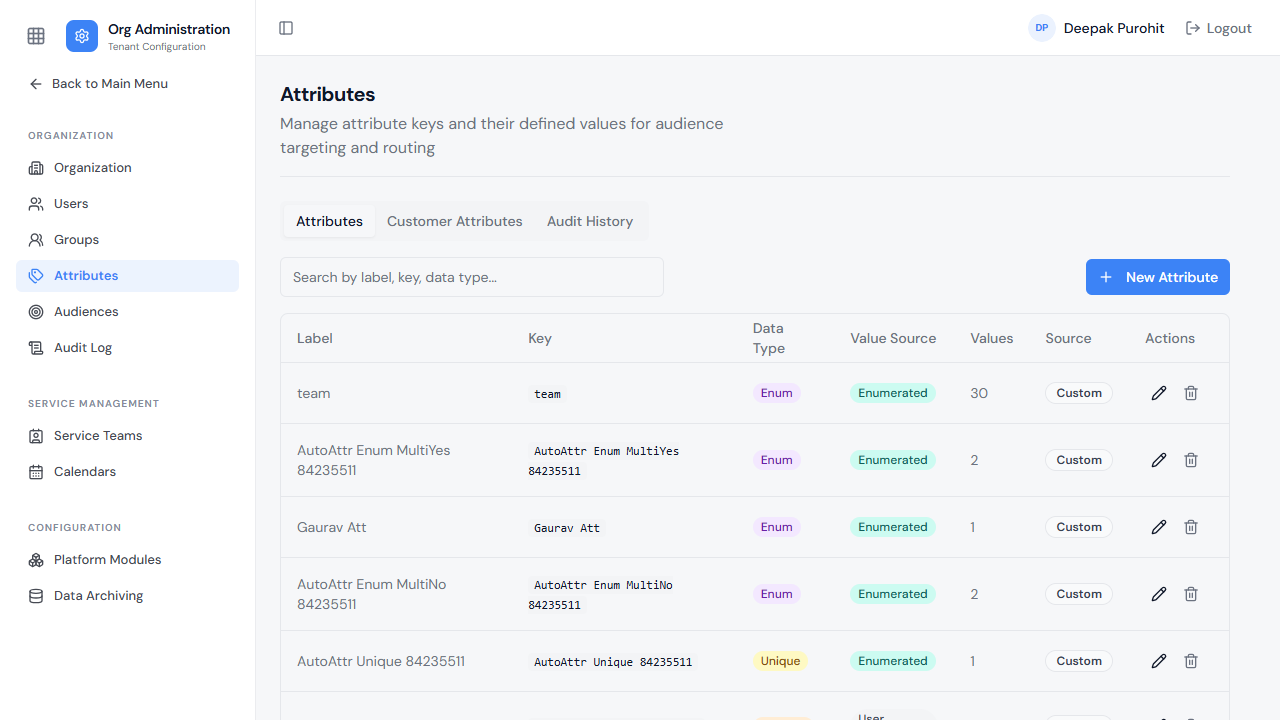
There are six attribute types, and they differ mainly in how their values are entered:
- Text, Number, Boolean — a simple typed value; no extra configuration.
- Unique — a single value chosen from a predefined list of Defined Values.
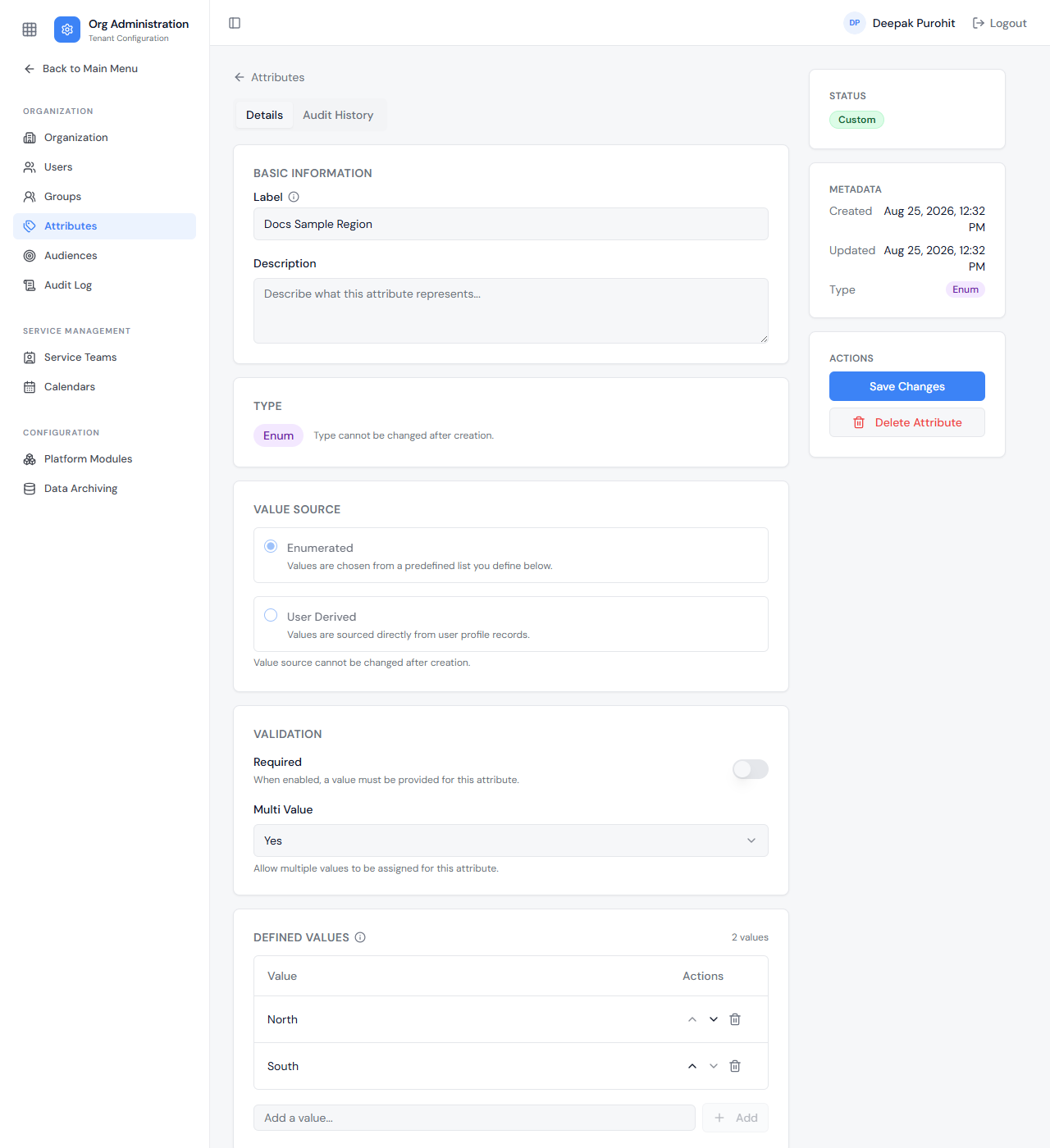
- Enum — like Unique, but with an additional Multi Value option: set to Yes, a user can hold more than one of the defined values at once (rendering as checkboxes elsewhere in the product); set to No, it behaves like Unique (a single-select dropdown).
- Phone — a telephone number, checked as it is entered so that an unusable number cannot be saved. It also supports Multi Value, so a user can hold several numbers. See Phone attributes below.
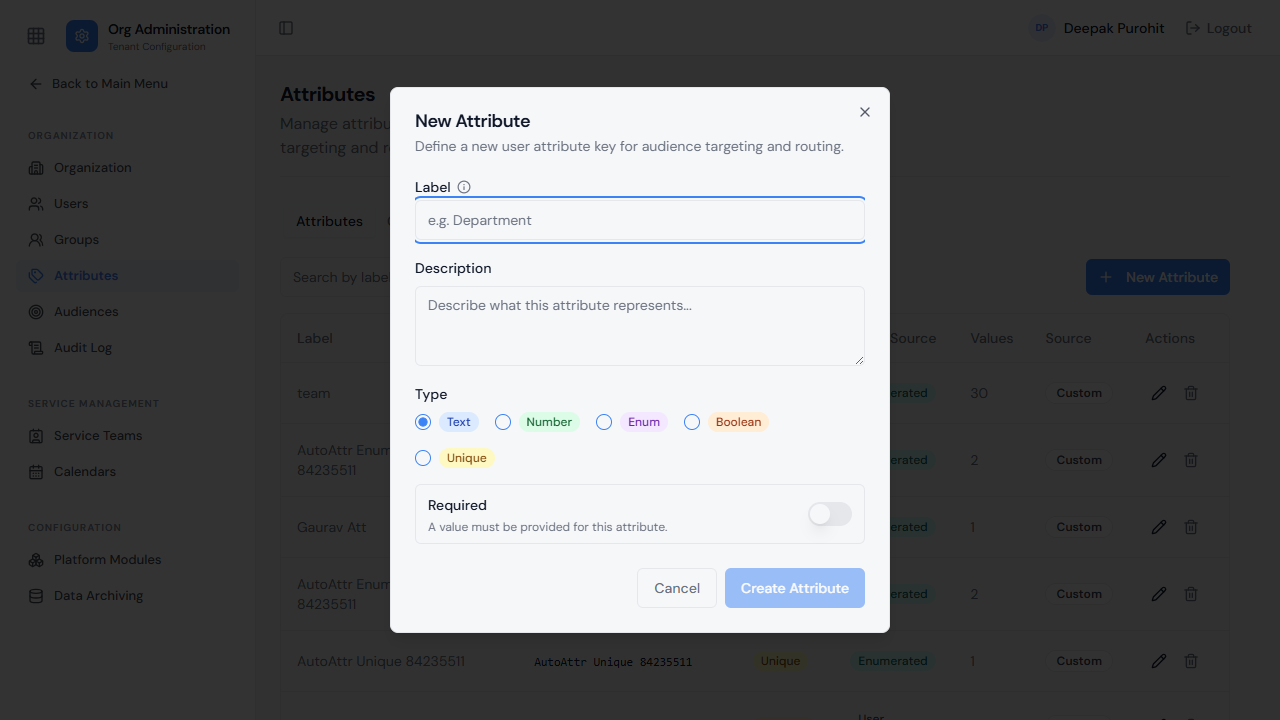
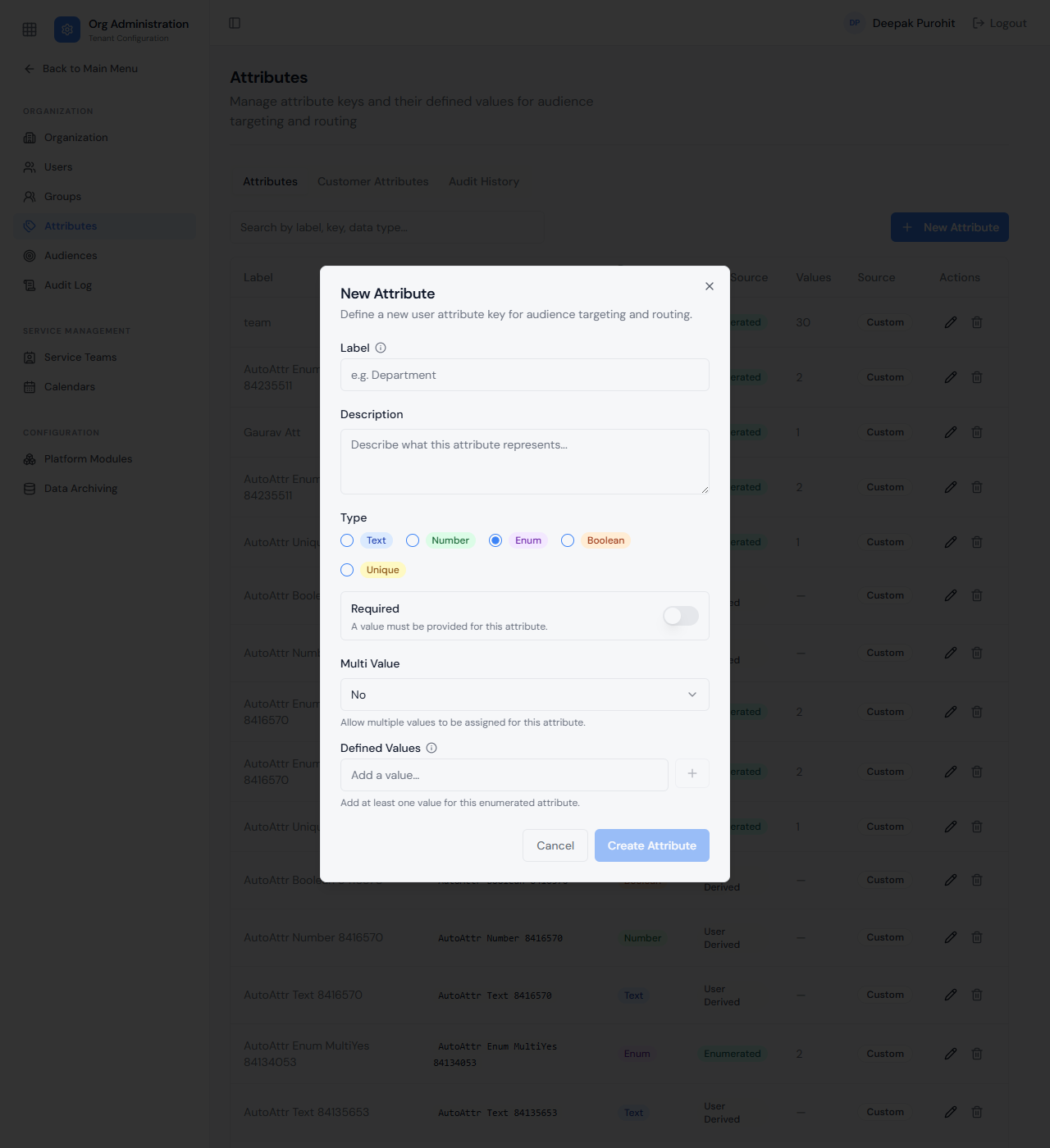
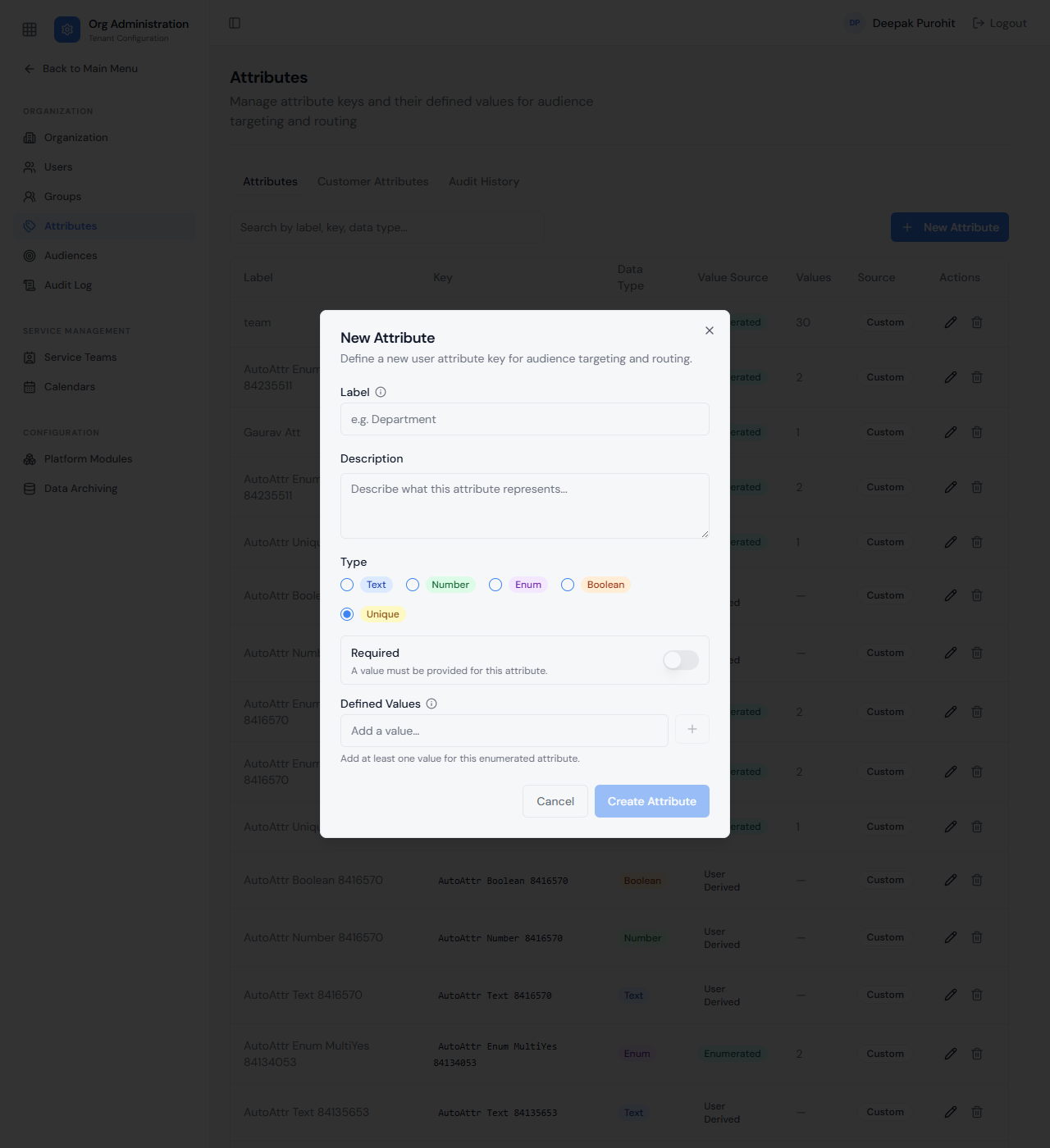
Opening an existing attribute shows its full configuration, under Details and Audit History tabs. Type can be changed after creation — a Text attribute can be switched to Phone, for example, and the change applies to values already stored. Value Source cannot be changed — whether its values are Enumerated (chosen from the list defined here) or User Derived (sourced directly from user profile records, e.g. via Azure AD sync). Defined Values can still be added, reordered, or removed after creation. The attribute's own Audit History timeline tracks changes to its key, label, description, and defined values.
The Attributes list reflects changes immediately — an attribute's Data Type, Value Source, and Values count stay in sync as it is created or edited.
Phone attributes
A Phone attribute holds a telephone number and validates it as it is typed, so a number that could never be dialled — or matched to a caller — is rejected before it is saved.
What the field accepts:
- One number per value. With Multi Value set to Yes, add a separate value for each number a user has; each one is validated on its own.
- An extension after the number, written as
x1234,ext 1234or#1234. Only one extension per number. - A country code, unless the number is already valid in your tenant's region. A number typed without a country code is read using the tenant's Default Phone Region, which defaults to
US. So7906127027is accepted as written in a tenant whose region isIN, while a tenant left on the default needs+91 7906127027.
Changing the tenant's Default Phone Region changes how existing numbers without a country code are interpreted, so set it deliberately rather than as a bulk edit.
Phone attributes are what inbound caller recognition matches on, alongside the mobile number on a user's profile — see Caller recognition on voice.
Attributes aren't just standalone fields — they carry through to where users are managed and targeted. They appear on a user's own profile (see Users) as values that can be assigned individually, and they can be used to build the conditions an Audience matches on.