Data Archiving
Part of Org Administration (App Switcher → Org Administration). Requires the Tenant Admin role.
Data Archiving is a compliance capability for meeting data-retention and right-to-be-forgotten obligations such as GDPR. Once a section is enabled, saved, and triggered, it permanently anonymizes the user-identifying data it covers — the original values are overwritten in place and cannot be recovered. Review each section's field list and replacement types carefully before enabling.
Data Archiving (under Configuration) controls anonymization of user-identifying data across the platform. It has two tabs: Anonymization and Run History.
Four independently toggleable sections cover different surfaces — Conversations, Queries, Gaps, and Users — each Disabled by default. When a section is off, no anonymization ever runs for it. Turning one on reveals a Trigger (a day count) and its own Fields to Anonymize checklist, plus its own Save button. Each field in the checklist has its own replacement-type dropdown — Null, Static Value, Pseudonymize, or Hash (SHA-256) — and a live Preview showing what that field will look like once anonymized.
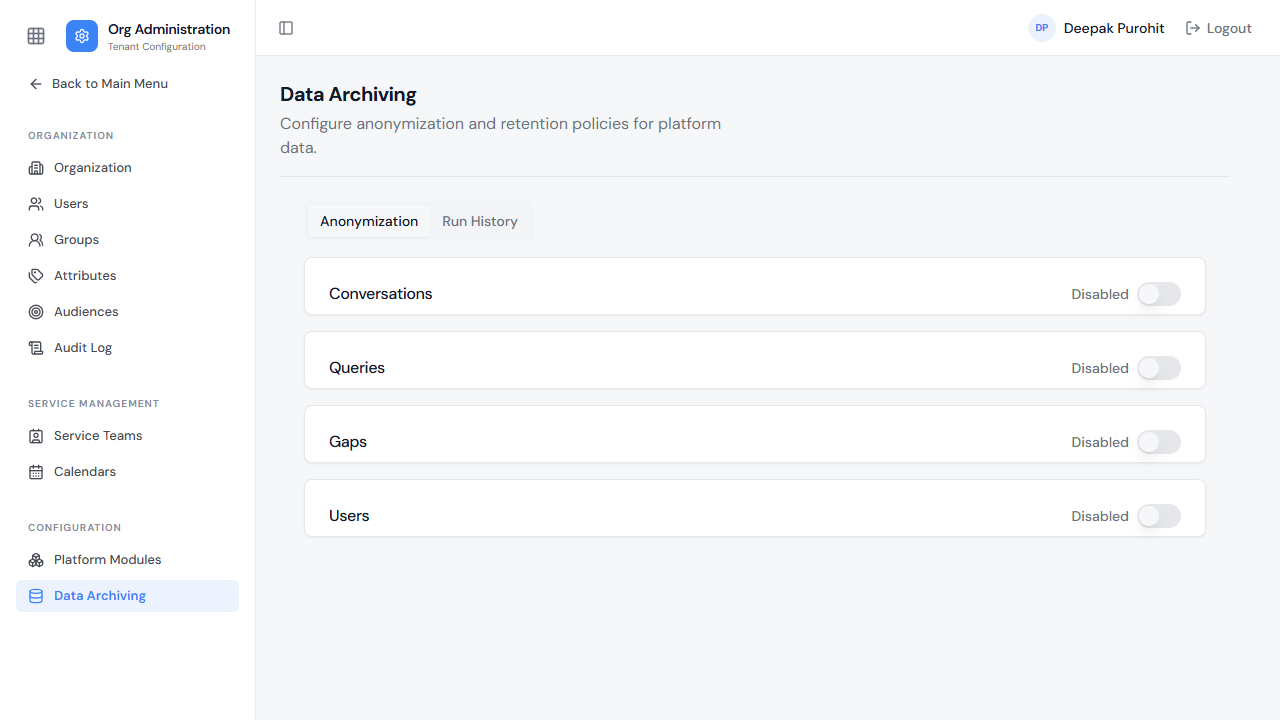
The fields each section anonymizes differ by what that section stores:
- Users — First Name, Last Name, Email, Mobile, Attributes.
- Conversations — Conversation (JSON).
- Queries — Utterance, Conversation Text.
- Gaps — Summary, Utterance.
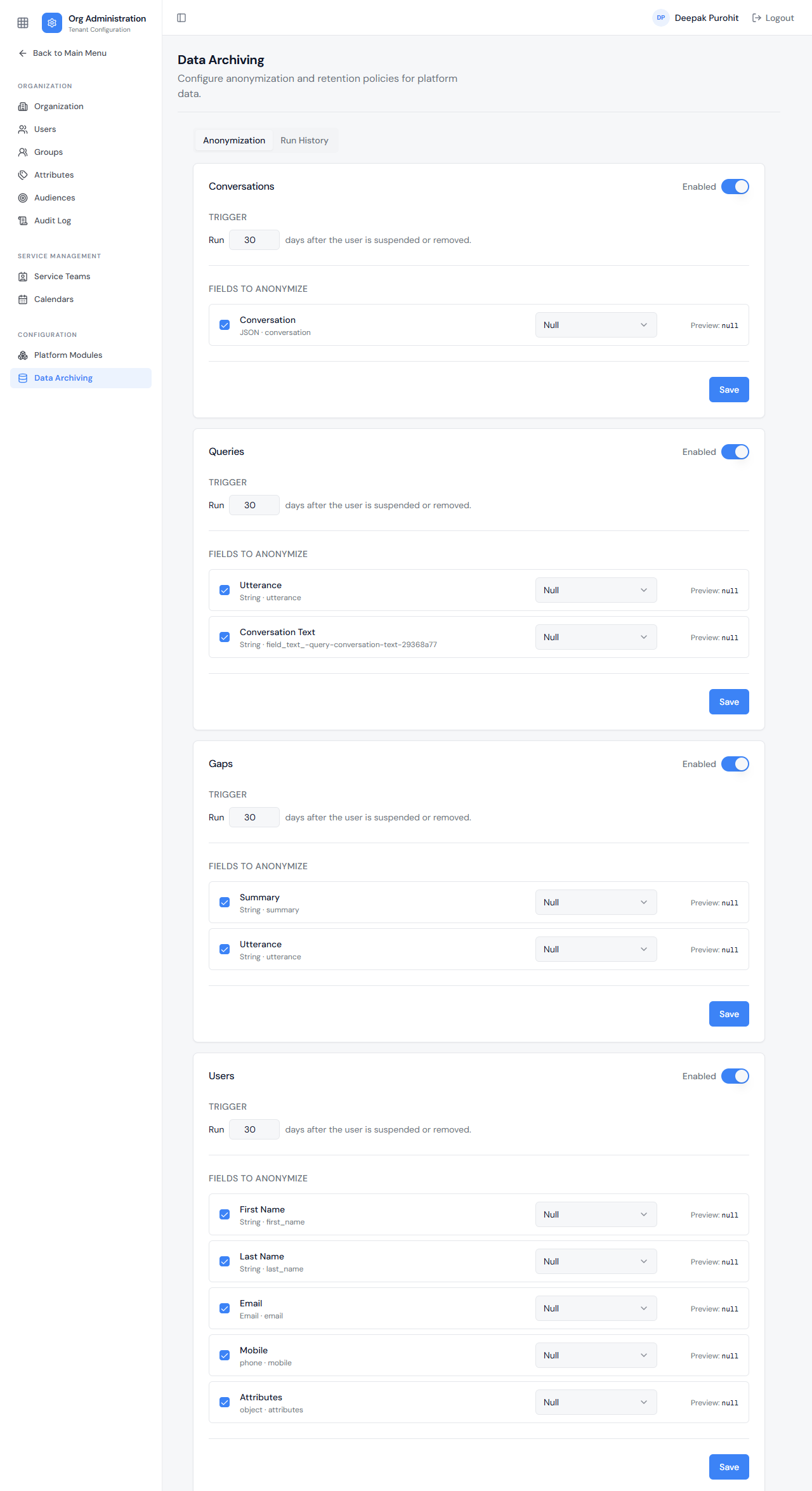
Enabling a switch only updates that section in memory — it isn't applied until that section's own Save is clicked. Navigating away without saving reverts the section back to Disabled, with nothing persisted to the tenant.
When Anonymization Runs
The Trigger for every section reads "Run N days after the user is suspended or removed." The count is by calendar date, not exact time — delete or suspend a user today, and with a 1-day trigger, that user's covered fields anonymize the next calendar day, not 24 hours later to the minute. Runs are kicked off automatically by a scheduler, not manually.
Each of the four sections runs on its own Trigger and own Fields to Anonymize. The Users section's fields (First Name, Last Name, Email, Mobile, Attributes) anonymize the user record itself, which is why that change then shows up everywhere the user is referenced (see How This Reaches Ticket-Level User Fields below). The Conversations, Queries, and Gaps sections instead anonymize their own content fields (the conversation JSON, an utterance, a summary, and so on) wherever that content belongs to a user who has met that section's own trigger condition — independent of whether the Users section is even enabled.
What Each Replacement Type Produces
The four replacement types produce visibly different results:
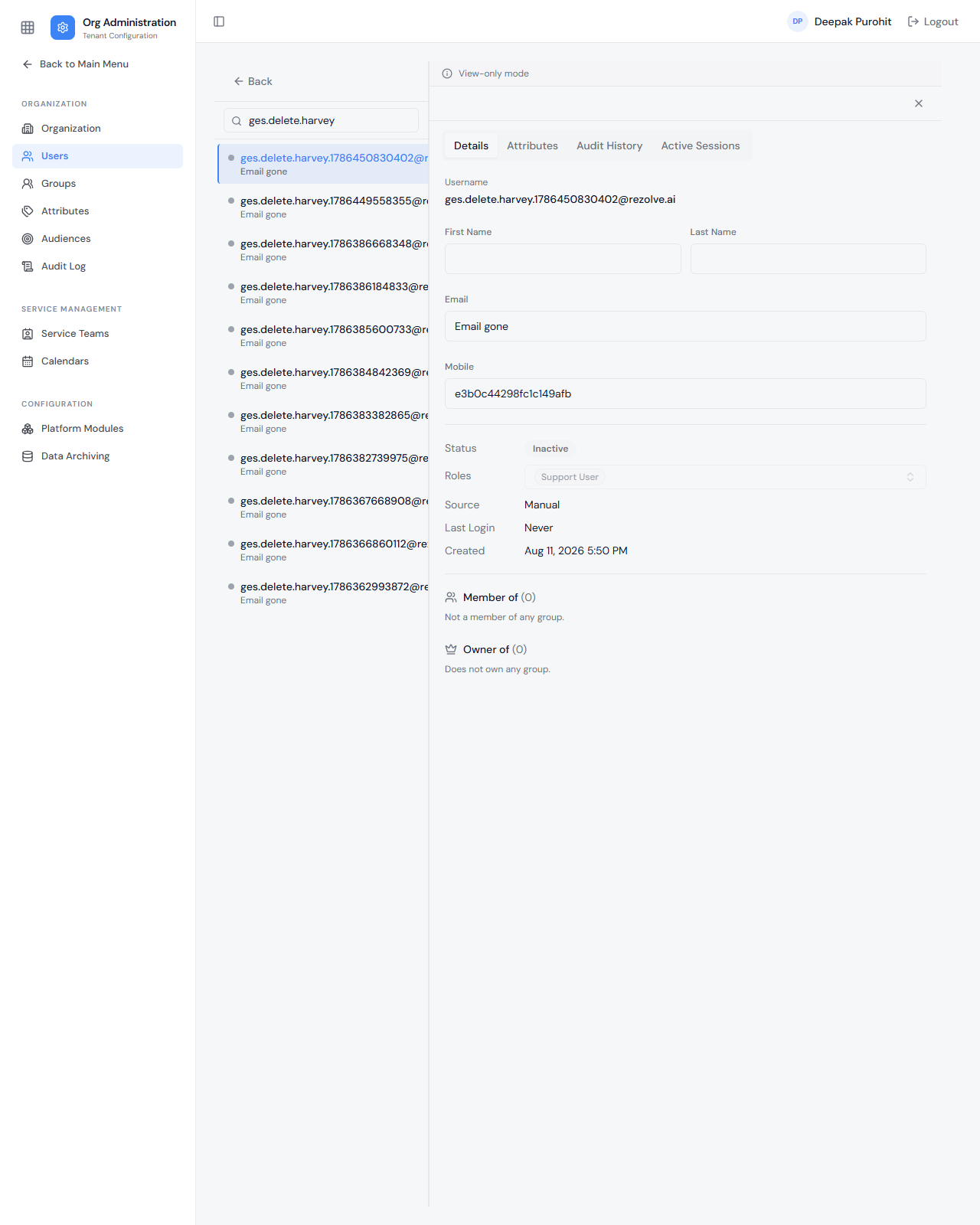
- Null — the field is left empty. A nulled First Name or Last Name shows as a blank input box.
- Static Value — the field is replaced with a fixed, admin-defined string. Because the stored value itself is overwritten, this replacement appears everywhere the field is shown — including the Users list, not just the detail view.
- Pseudonymize — the field is replaced with a pseudonymized value. Exact output format is pending — check a field's own Preview on the Anonymization tab for what it will look like before enabling.
- Hash (SHA-256) — the field is replaced with its SHA-256 hash, an opaque string such as
e3b0c4…rather than the real value.
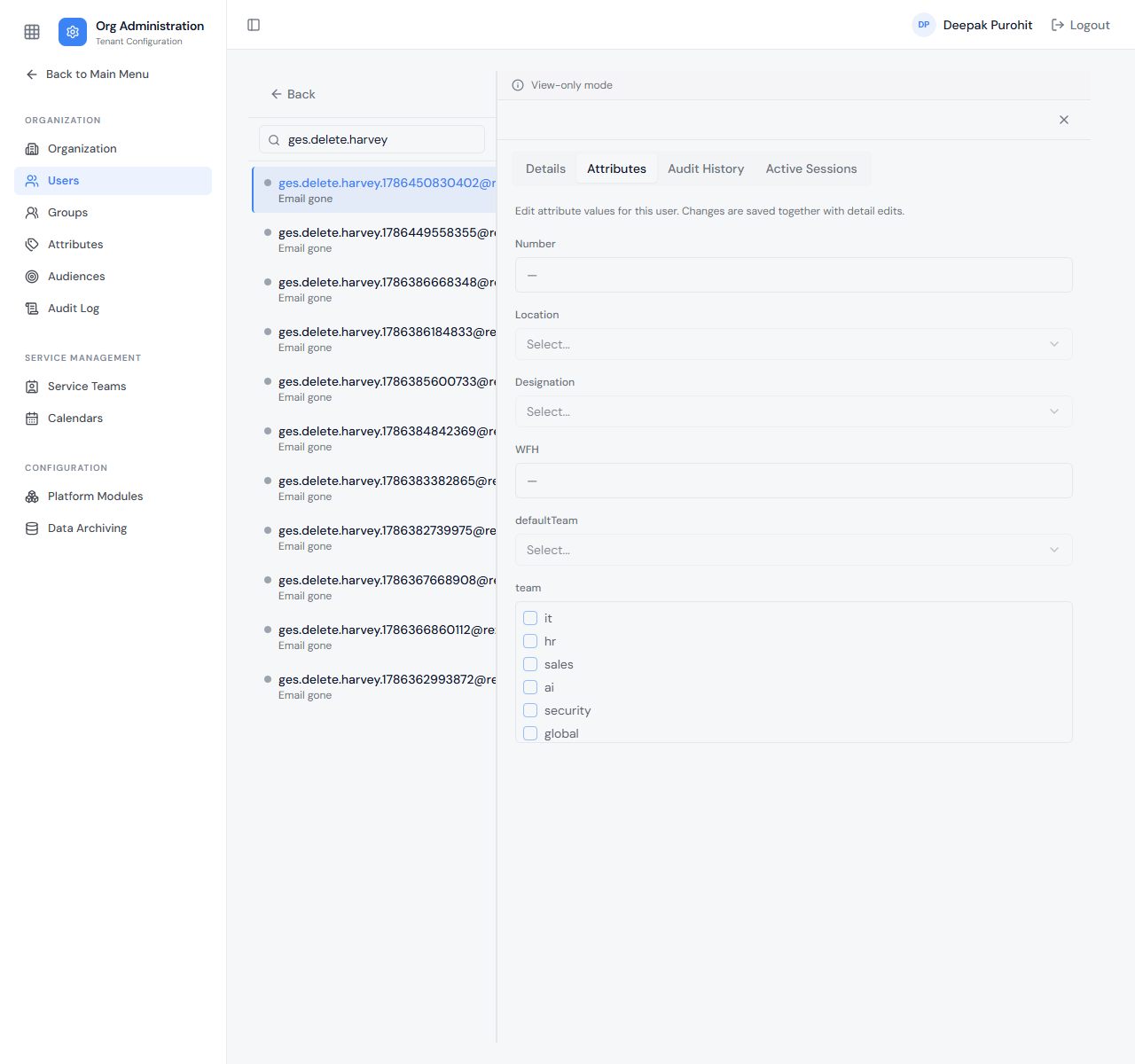
The Attributes tab of the same user shows every attribute nulled too — dropdowns reset to Select..., text/number fields show —, and multi-select checkboxes are all unchecked.
How This Reaches Ticket-Level User Fields
None of the four sections has a separate field list for ticket-level user references such as requestor, assignee, watchers, profile, metrics, updated by, viewed by, or a people-type field. That's because those aren't separate records — they're the same underlying user object being displayed inside a ticket. Once the Users section's own field-level rules apply to a user (for example, First Name/Last Name set to Null), those same anonymized values are what shows up everywhere that user is populated: as requestor, assignee, watcher, or in profile, metrics, updated-by, viewed-by, and people fields — across the Data Warehouse (DW), Reports, list views, the Service Portal, Queries, Conversations, and Gaps, as well as in the Users module itself.
For example, a conversation raised by an anonymized user shows a blank Requestor column in the Conversations list — the name that would normally appear there is gone, because the underlying user's First and Last Name are now Null.
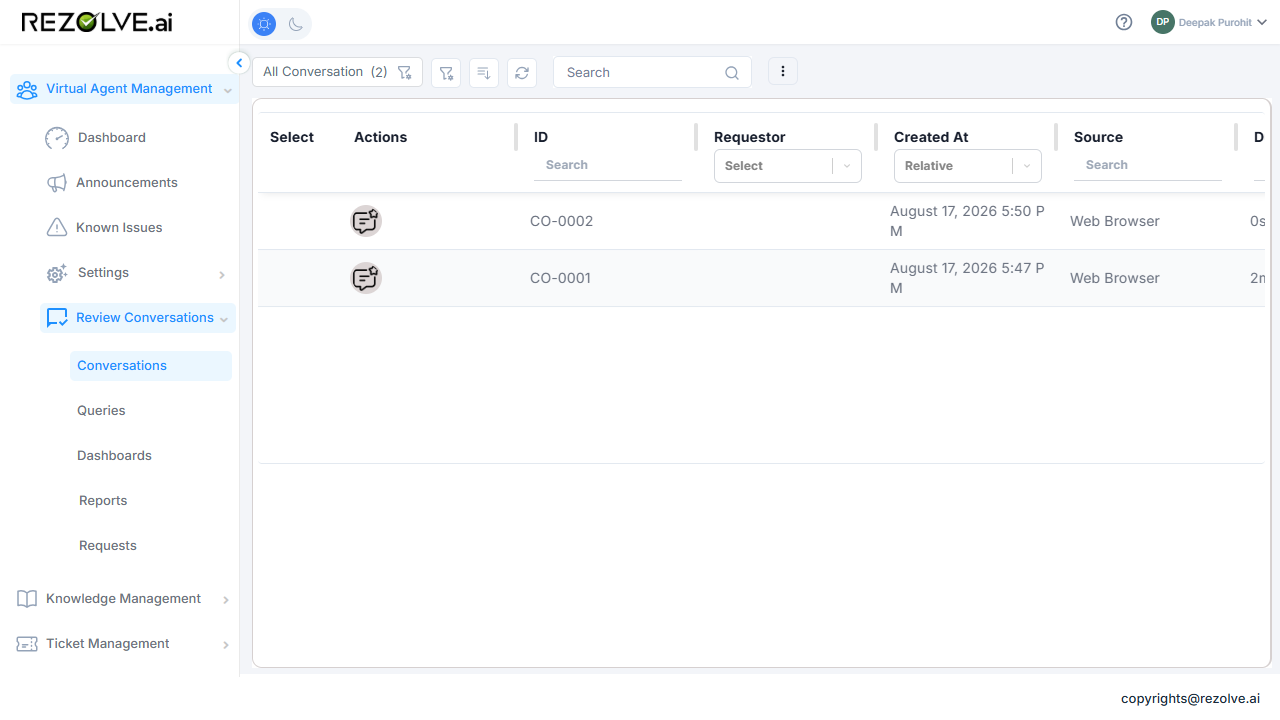
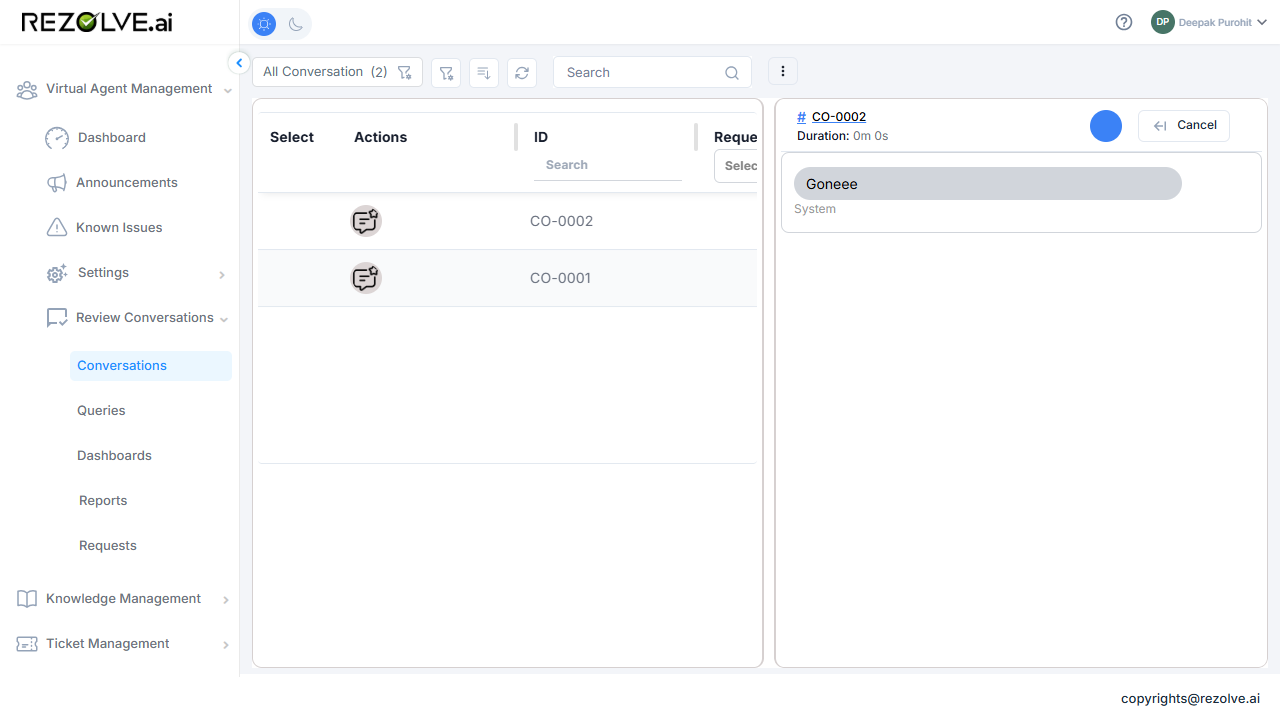
The conversation's own message content is anonymized independently, per the Conversations section's own field config — here a Static replacement, showing a fixed placeholder string in place of the real message.
Run History
A separate Run History tab lists past anonymization runs, one row per section per run, with columns for Entity Type (Users / Conversations / Queries / Gaps), Status, Rows Impacted, Triggered By (runs are scheduler-triggered, not manual), Started, and Completed. Until a section has been enabled, saved, and triggered for the first time, it shows "No anonymization runs yet."
A run cannot be cancelled once it starts.