Testing end-to-end in Microsoft Teams
With the flow deployed and the trigger published, test it where users actually live. Open your virtual agent in Teams - make sure it is the bot connected to this environment - and type one of the sample queries. The trigger matches and the flow's first card appears.
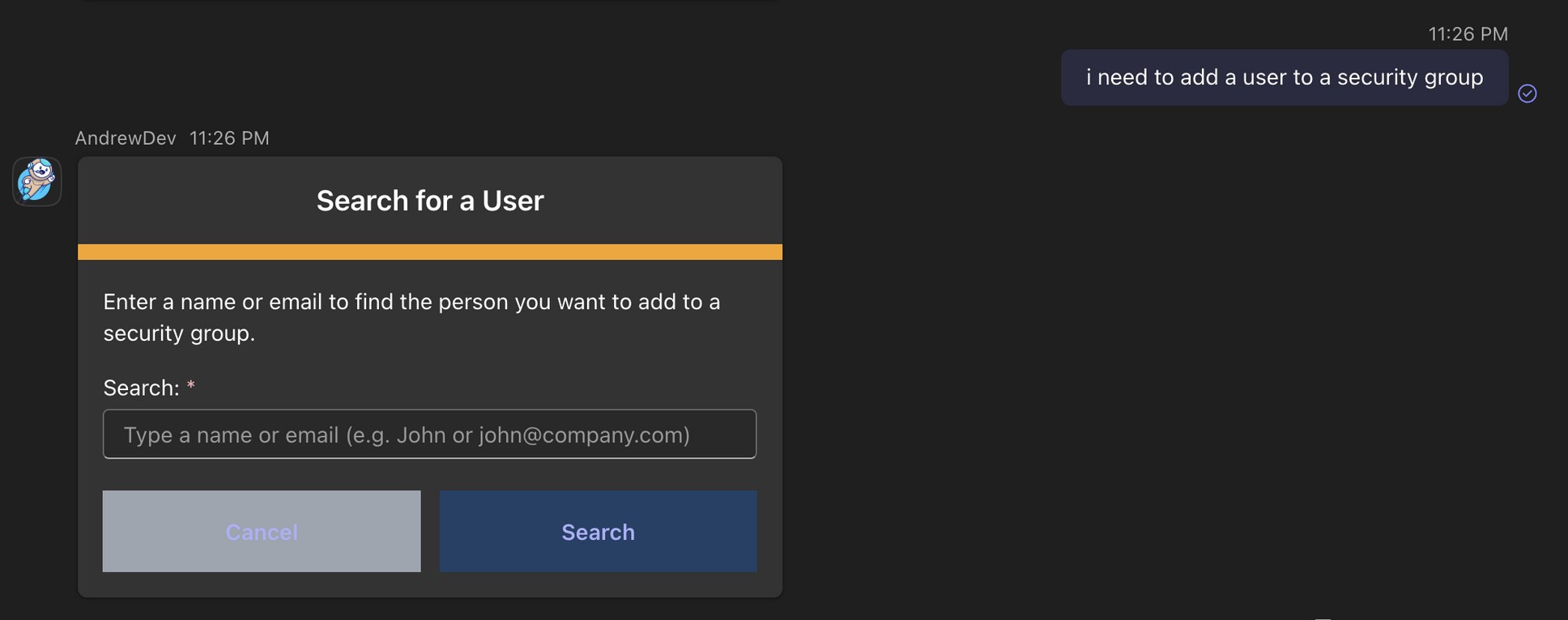
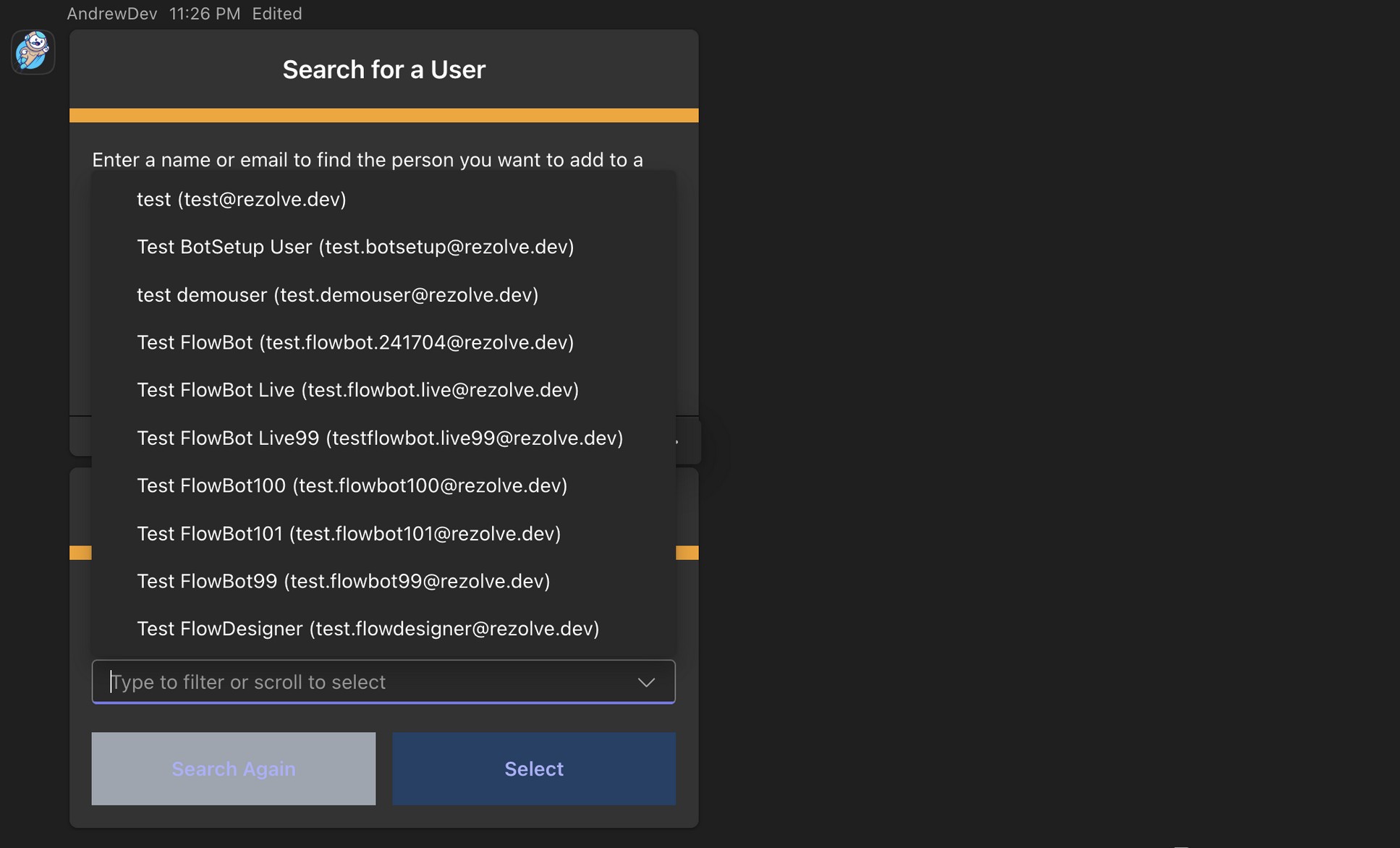
Step through the live calls
Each step runs the live Graph APIs you tested earlier: the user search fills the Matching users dropdown, the group search fills the group list, and the confirmation card shows exactly what will change before anything happens.
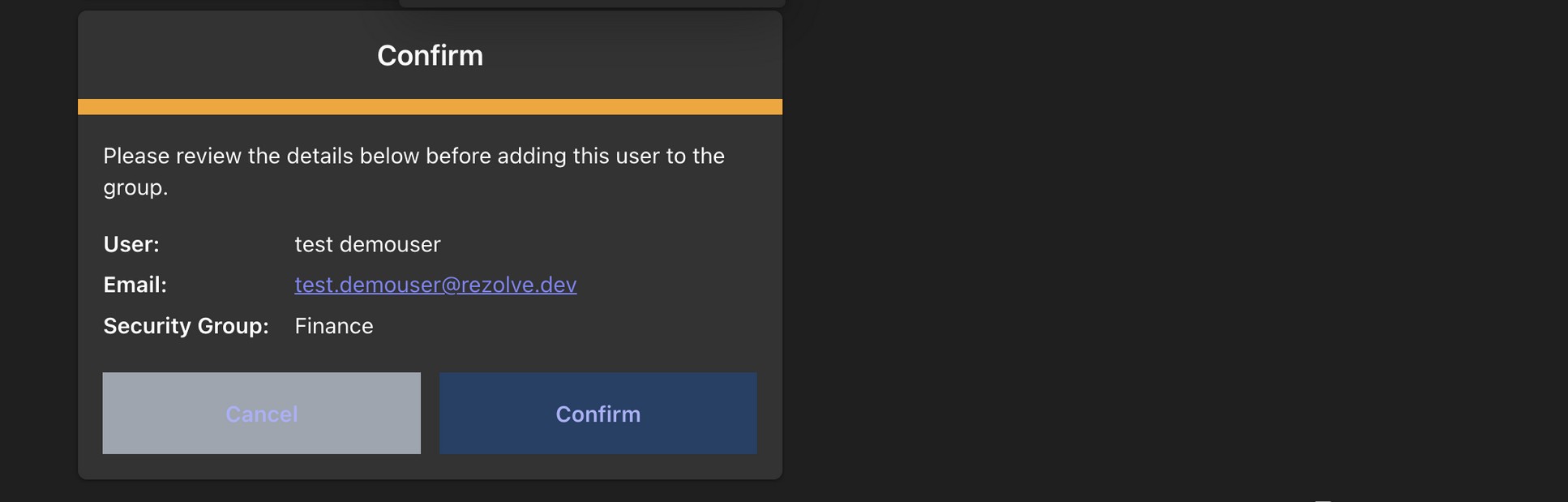
Click Confirm - the flow calls the add-member endpoint and reports the result.
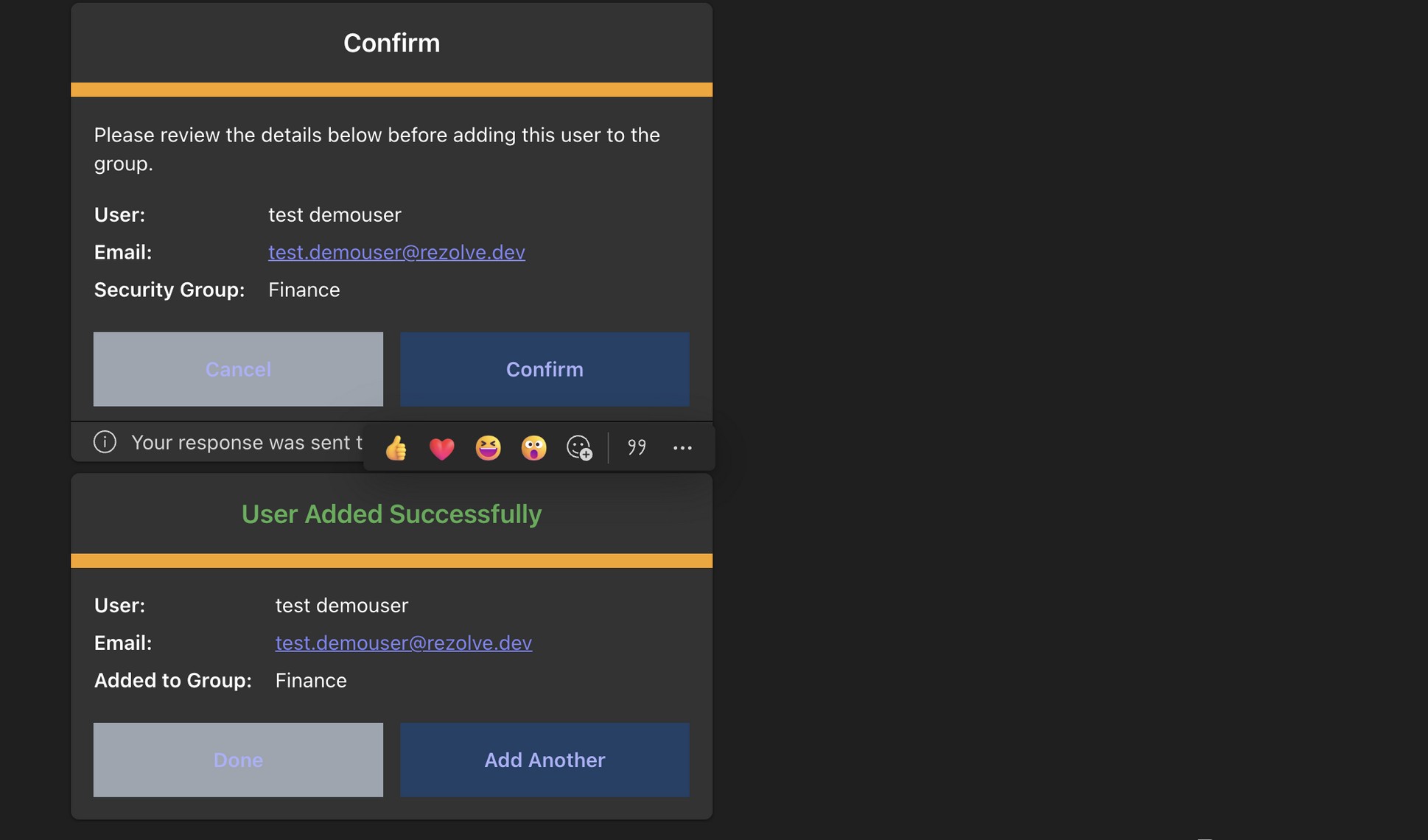
For a write operation like this, confirm the change in the Microsoft Entra admin center (Groups → your group → Members) or re-run the flow's membership check. Re-adding an existing member is harmless - Graph treats it as already satisfied.
What you just verified
In one round trip from a sentence to a write, you have proven:
- The trigger phrase maps to the right flow.
- The bot is connected to the right environment.
- The OAuth client-credentials flow is acquiring a real Microsoft Graph token.
- The three Graph endpoints (user search, group search, add member) all work with your tenant.
- The card sequence and conditions route the user correctly through search, selection, confirmation, and success.
What's next
- Troubleshooting and security notes - common failure modes and the security checklist for production use.