The generated flow and its components
After AI Flow Builder saves, the same components you would have built by hand are sitting in your folder - wired together and ready to inspect, edit, or test in isolation.
The flow
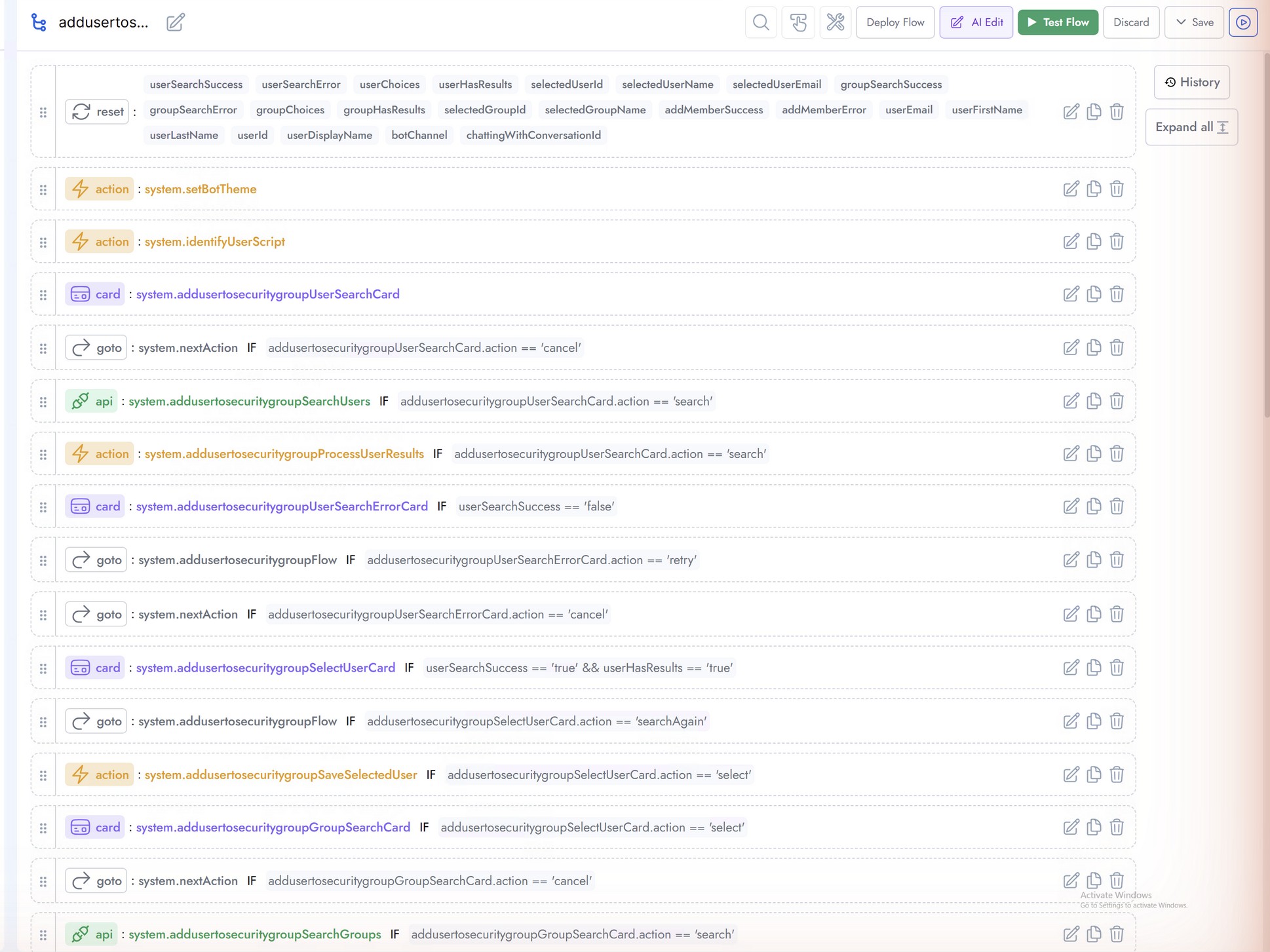
Open the flow from Flow Components → Flows. The generated flow follows the standard Creator Studio pattern: a reset with flow slots, setBotTheme, identifyUserScript, followed by the conversation logic: search card → user API + selection → group card → group API + selection → confirmation card → add-member API → success or error cards. Conditions (IF chips) route every branch, including cancel and retry paths.
| Component | Generated items |
|---|---|
| Cards | UserSearchCard, SelectUserCard, GroupSearchCard, ConfirmCard, success and error cards |
| APIs | SearchUsers (GET), SearchGroups (GET), AddMember (POST) |
| API Server | addusertosecuritygroupGraphServer - OAuth 2.0 client credentials against Microsoft Graph |
| Scripts | ProcessUserResults, SaveSelectedUser and related mapping actions |
| Flow | addusertosecuritygroupFlow - 39 steps wired with conditions |
API components and the API Server
Each API component defines one endpoint: the API Server it belongs to, the End Point path with ${placeholder} variables filled from cards at runtime, the HTTP method, headers, and an optional request body. Open any API from Flow Components → APIs to inspect or edit it.
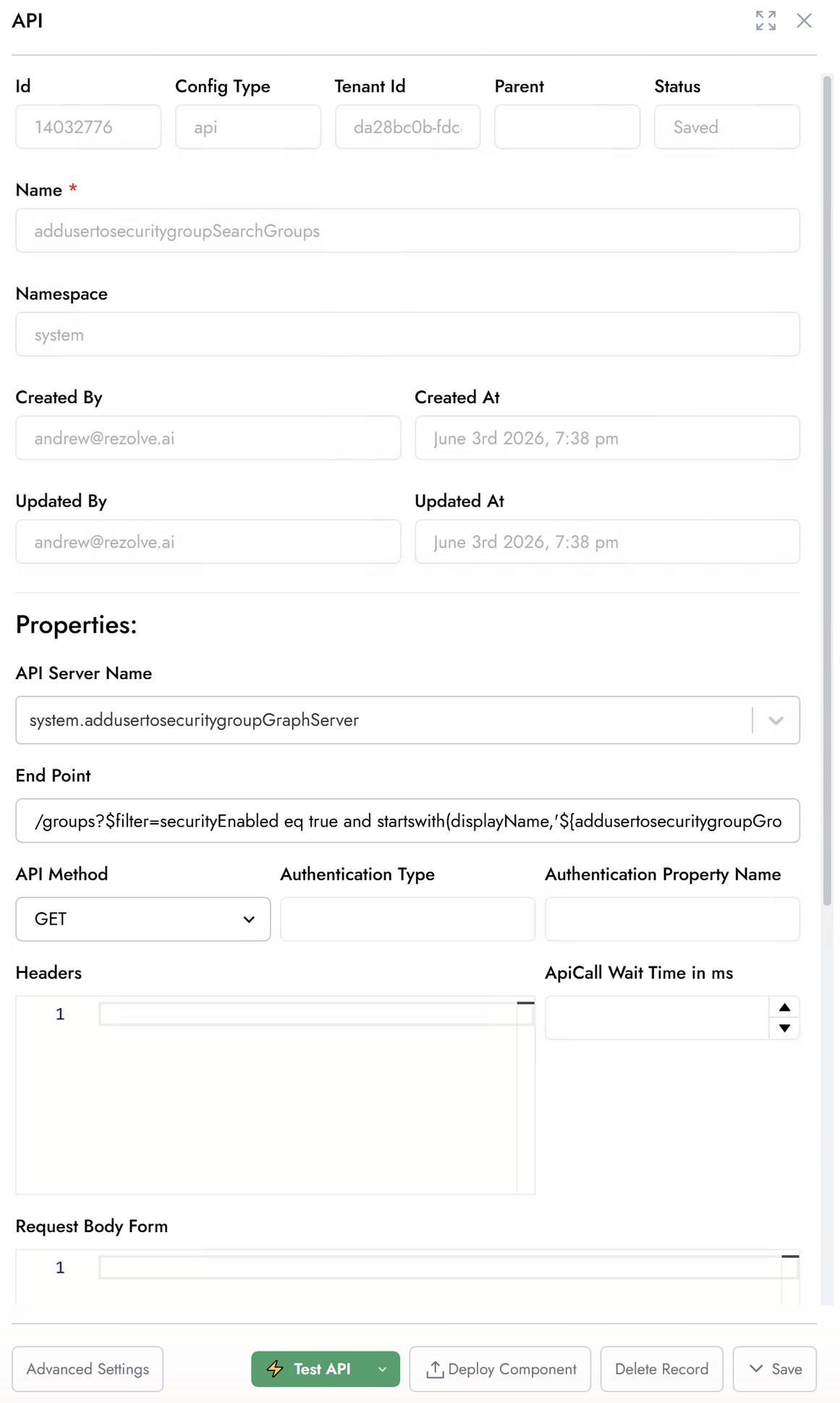
The API Server (under Flow Components → API Servers) holds the connection and OAuth settings shared by all three APIs:
| Field | Value for this example |
|---|---|
| API Server URI | https://graph.microsoft.com/v1.0 |
| Integration Provider | OAuth 2.0 (Client Credentials) |
| Auth URI | https://login.microsoftonline.com/<your-tenant-id>/oauth2/v2.0/token |
| AppId / App Secret | Your app registration's Client ID and Client Secret (masked in the UI) |
| Grant Type | Client Credentials |
| OAuth Scope | https://graph.microsoft.com/.default |
| Headers | { "Content-Type": "application/json" } |
AI Flow Builder tests with its own session credential store, so the saved API Server may contain SESSION_CREDENTIAL in AppId/App Secret and an empty Auth URI. Replace them with the real values above and Save. Until you do, isolated API tests and the deployed flow will fail before the API call with AADSTS900023 (invalid tenant) or a token error.
Testing an API with Test API
Any API component can be tested in isolation at any time - useful after editing credentials or endpoints. Open the API and click Test API. If the endpoint uses ${...} placeholders, a Variables dialog asks for test values (they are normally filled from flow slots at runtime); enter a value and click Continue.
- Open the API from Flow Components → APIs and click Test API.
- Supply test values for any detected placeholders (for example a search term for
searchQuery). - Read the result banner: credential Lookup, OAuth Token acquisition, the exact Request sent, and the Response with status and timing.
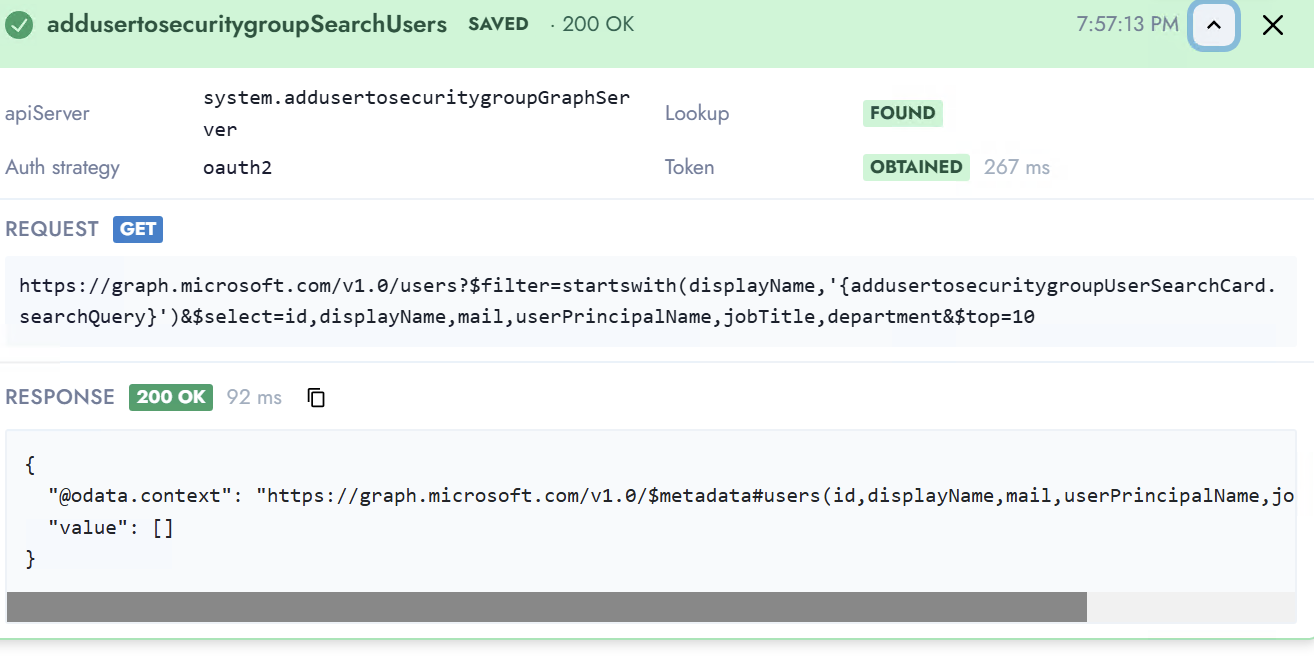
A green banner with Token OBTAINED and 200 OK proves the API Server credentials and the endpoint both work. An empty value: [] simply means no records matched the test search term - in this tenant every test user's name starts with "test", so searching a returns nothing while test returns ten users.
What's next
- Deploying and publishing - mark the flow top-level and deploy to Production
- Testing end-to-end - run the flow from a real trigger phrase in Microsoft Teams