Human Handoff
The Human Handoff page (/voice/advanced/handoff) configures how VoiceIQ transfers calls to human agents — globally, across all Departments.
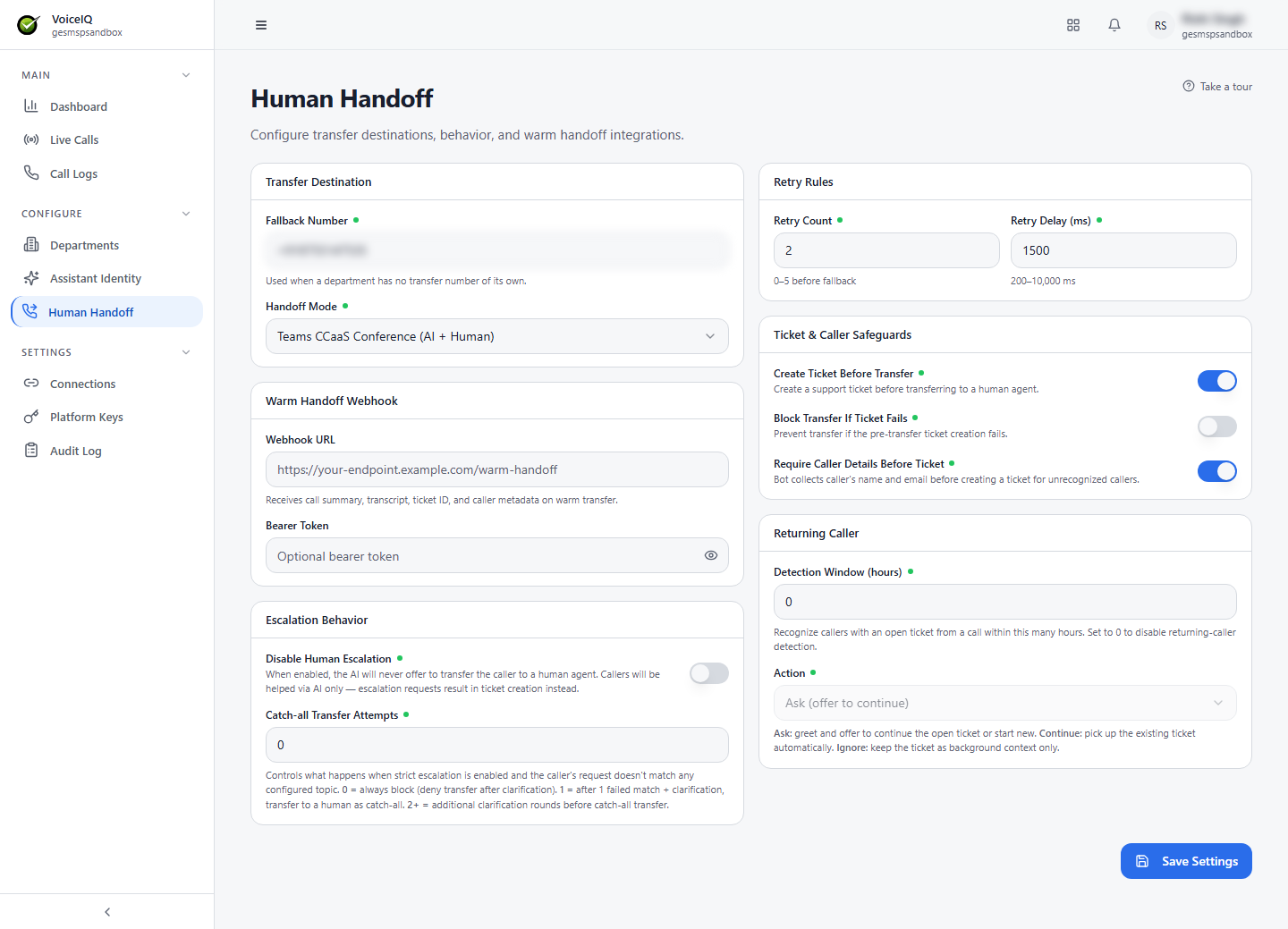
Transfer Destination
| Field | Description |
|---|---|
| Fallback Number | Used when a Department has no Default Transfer Number of its own. |
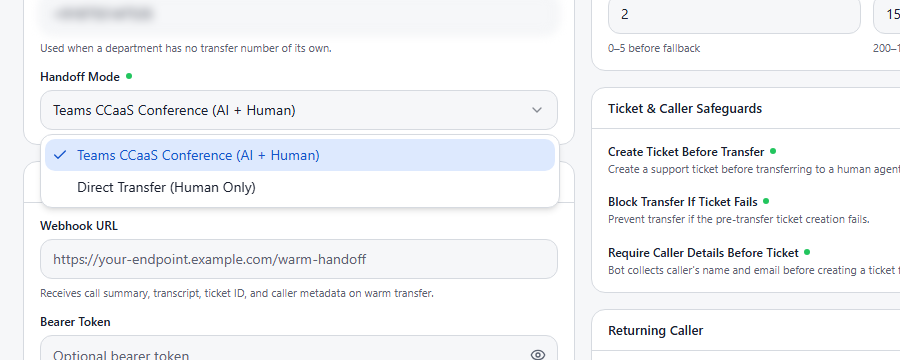
Handoff Mode
Controls how the caller is connected to a human agent:
| Mode | Description |
|---|---|
| Teams CCaaS Conference (AI + Human) | The human agent is brought into the call through Microsoft Teams contact-center (CCaaS) as a conference, with both the AI and the human on the call. |
| Direct Transfer (Human Only) | The call is transferred directly to the human agent. |
Warm Handoff Webhook
| Field | Description |
|---|---|
| Webhook URL | Receives the call summary, transcript, ticket ID, and caller metadata before the call is connected to the human agent. |
| Bearer Token | Optional authentication token for the webhook endpoint. |
note
The Warm Handoff Webhook requires the target endpoint to be publicly reachable. Internal-only endpoints will not receive pre-transfer notifications.
Escalation Behavior
| Setting | Description |
|---|---|
| Disable Human Escalation | When on, the AI never offers to transfer the caller to a human agent. Callers are helped by the AI only, and escalation requests result in ticket creation instead. |
| Catch-all Transfer Attempts | Controls what happens when Strict Escalation is on and the caller's request doesn't match any configured topic. 0 = always block (deny transfer after clarification). 1 = after one failed match and a clarification, transfer to a human as a catch-all. 2+ = additional clarification rounds before the catch-all transfer. |
Retry Rules
If the transfer attempt fails (for example, the destination number is busy or unreachable):
| Setting | Description |
|---|---|
| Retry Count | How many times to reattempt the transfer before using the fallback (0–5). |
| Retry Delay (ms) | How long to wait between retry attempts, in milliseconds (200–10,000). |
Ticket & Caller Safeguards
| Setting | Description |
|---|---|
| Create Ticket Before Transfer | Creates a support ticket before transferring to a human agent. |
| Block Transfer If Ticket Fails | Prevents the transfer if the pre-transfer ticket creation fails — so no call is transferred without a ticket. |
| Require Caller Details Before Ticket | For unrecognized callers, the AI collects the caller's name and email before creating a ticket. |
Returning Caller
| Setting | Description |
|---|---|
| Detection Window (hours) | Callers with an open ticket from a call within this many hours are recognized as returning callers. Set to 0 to disable returning-caller detection. |
| Action | Ask — greet the caller and offer to continue the open ticket or start a new one. Continue — pick up the existing ticket automatically. Ignore — keep the ticket as background context only. |
All changes are saved using the Save Settings button.