Assistant Identity
The Assistant Identity page (/voice/assistant) configures the global persona and behavior of the VoiceIQ assistant — settings that apply across all Departments.
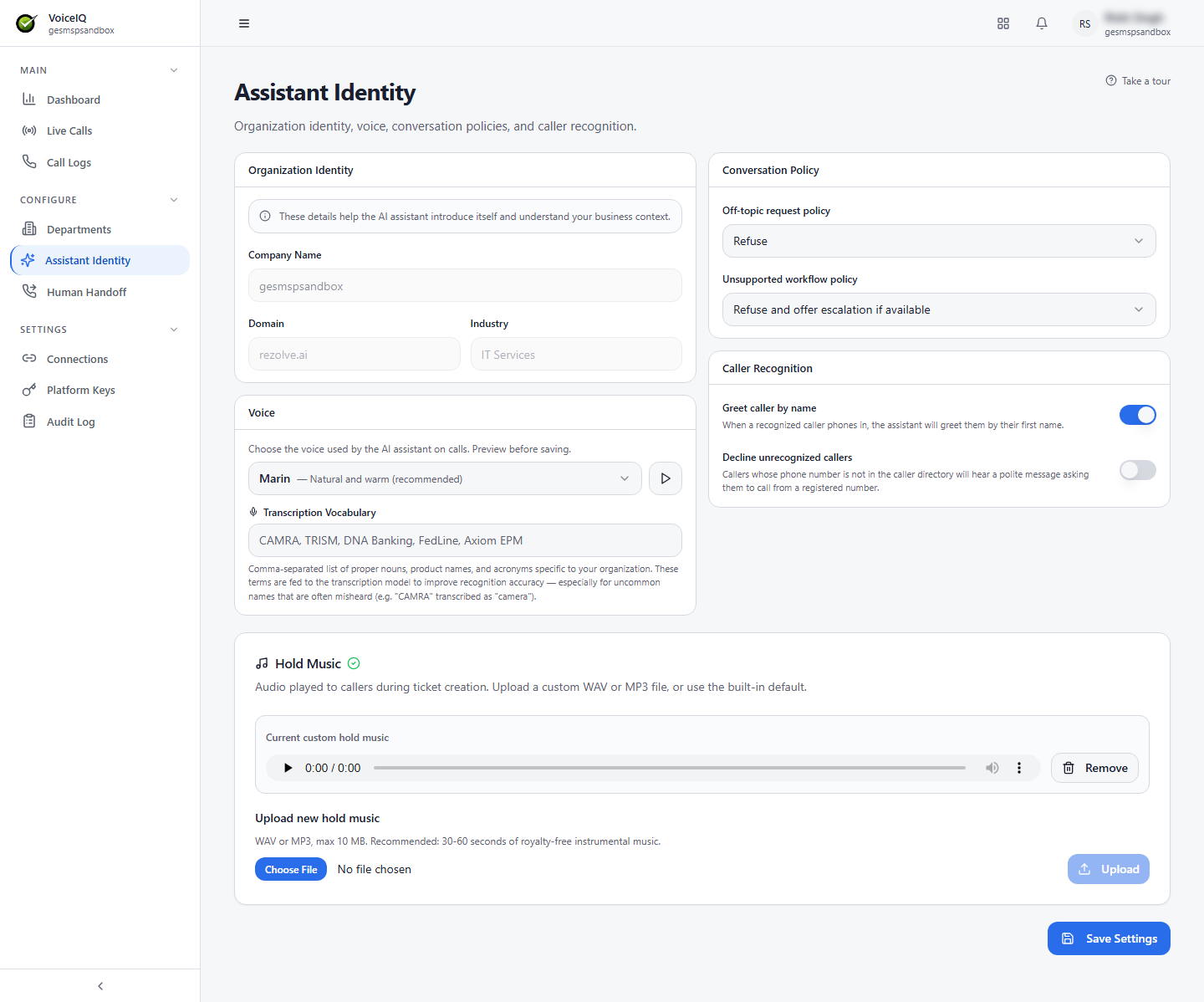
Organization Identity
These details help the AI assistant introduce itself and understand your business context.
| Field | Description |
|---|---|
| Company Name | The name of the organization the AI introduces itself as representing. |
| Domain | The organization's web domain. |
| Industry | The industry the organization operates in — used to give the AI contextual awareness. |
Voice
| Field | Description |
|---|---|
| Voice | The voice the AI uses on calls (for example, Marin — Natural and warm, the recommended default). Preview a voice before saving. |
| Transcription Vocabulary | A comma-separated list of proper nouns, product names, and acronyms specific to your organization. These terms are fed to the transcription model to improve recognition of uncommon names that are often misheard (for example, "CAMRA" transcribed as "camera"). |
Conversation Policy
| Setting | Description |
|---|---|
| Off-topic request policy | How the AI responds when the caller raises a topic outside the Department's configured scope (for example, Refuse). |
| Unsupported workflow policy | How the AI responds when a caller requests an action that is not configured for the current Department (for example, Refuse and offer escalation if available). |
Caller Recognition
| Setting | Description |
|---|---|
| Greet caller by name | When a recognized caller phones in, the assistant greets them by their first name. |
| Decline unrecognized callers | Callers whose phone number is not in the caller directory hear a polite message asking them to call from a registered number. |
Hold Music
Audio played to callers while a ticket is being created. Upload a custom WAV or MP3 file (maximum 10 MB; 30–60 seconds of royalty-free instrumental music is recommended), or use the built-in default. A custom file can be removed at any time to return to the default.
All changes on this page are saved using the Save Settings button.