Connections
The Connections page (/voice/connections) is where VoiceIQ is integrated with the third-party tools that power Department Actions.
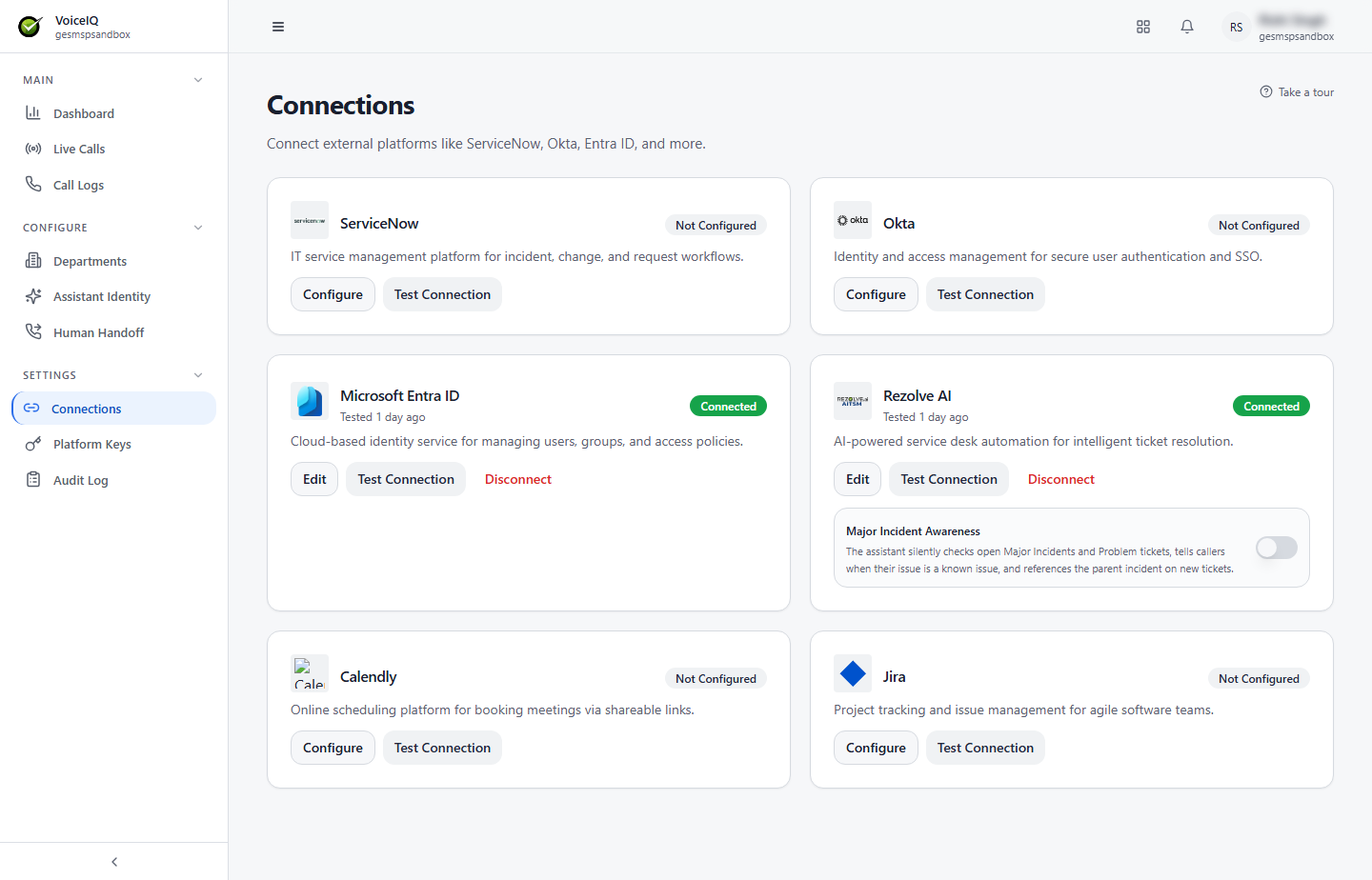
Available Integrations
| Integration | Used For |
|---|---|
| ServiceNow | Ticket creation via ServiceNow when a Ticket Creation action is triggered during a call. |
| Okta | Password reset actions — the AI can initiate an Okta password reset on behalf of the caller. |
| Microsoft Entra ID | Password reset actions — the AI can initiate an Entra ID (formerly Azure AD) password reset on behalf of the caller. |
| Rezolve AI | Ticket creation via the Rezolve AI platform when a Ticket Creation action is triggered. |
| Calendly | Appointment scheduling — the AI can send the caller a Calendly link to book a meeting. |
| Jira | Ticket creation via Jira — the AI can raise a Jira issue when a Ticket Creation action is triggered. |
Connection Status
Each integration card shows its current status:
| Status | Available Buttons |
|---|---|
| Not Configured | Configure, Test Connection |
| Connected (with the time of the last test, e.g. "Tested 1 day ago") | Edit, Test Connection, Disconnect |
Major Incident Awareness
When the Rezolve AI connection is set up, its card includes a Major Incident Awareness toggle. When on, the assistant silently checks open Major Incidents and Problem tickets, tells callers when their issue is a known issue, and references the parent incident on new tickets.
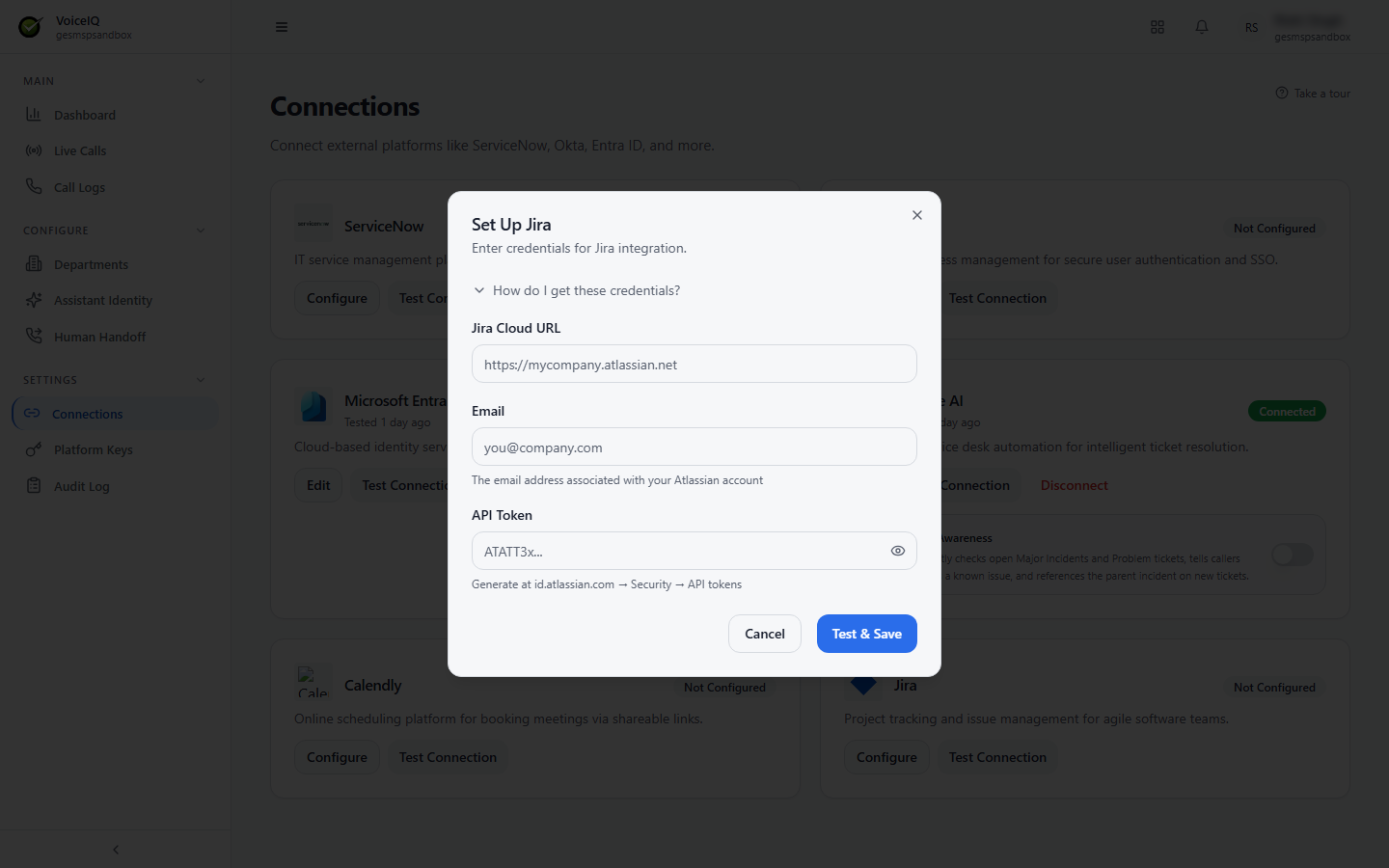
Configuring Jira
- Click Configure on the Jira card.
- In the Set Up Jira dialog, enter:
- Jira Cloud URL — for example,
https://mycompany.atlassian.net. - Email — the email address associated with your Atlassian account.
- API Token — generated at id.atlassian.com → Security → API tokens.
- Jira Cloud URL — for example,
- Click Test & Save.
- Once connected, click Load from JIRA to pull the available projects.
- Set the default Project, Issue Type, and Priority.
- Save.
Expand How do I get these credentials? in the dialog for step-by-step help.
note
Only one Jira project default (project, issue type, priority) can be set at a time. Different Departments cannot currently use different Jira project defaults.