Call Logs
The Call Logs page (/voice/call-logs) provides a complete history of every call handled by VoiceIQ.
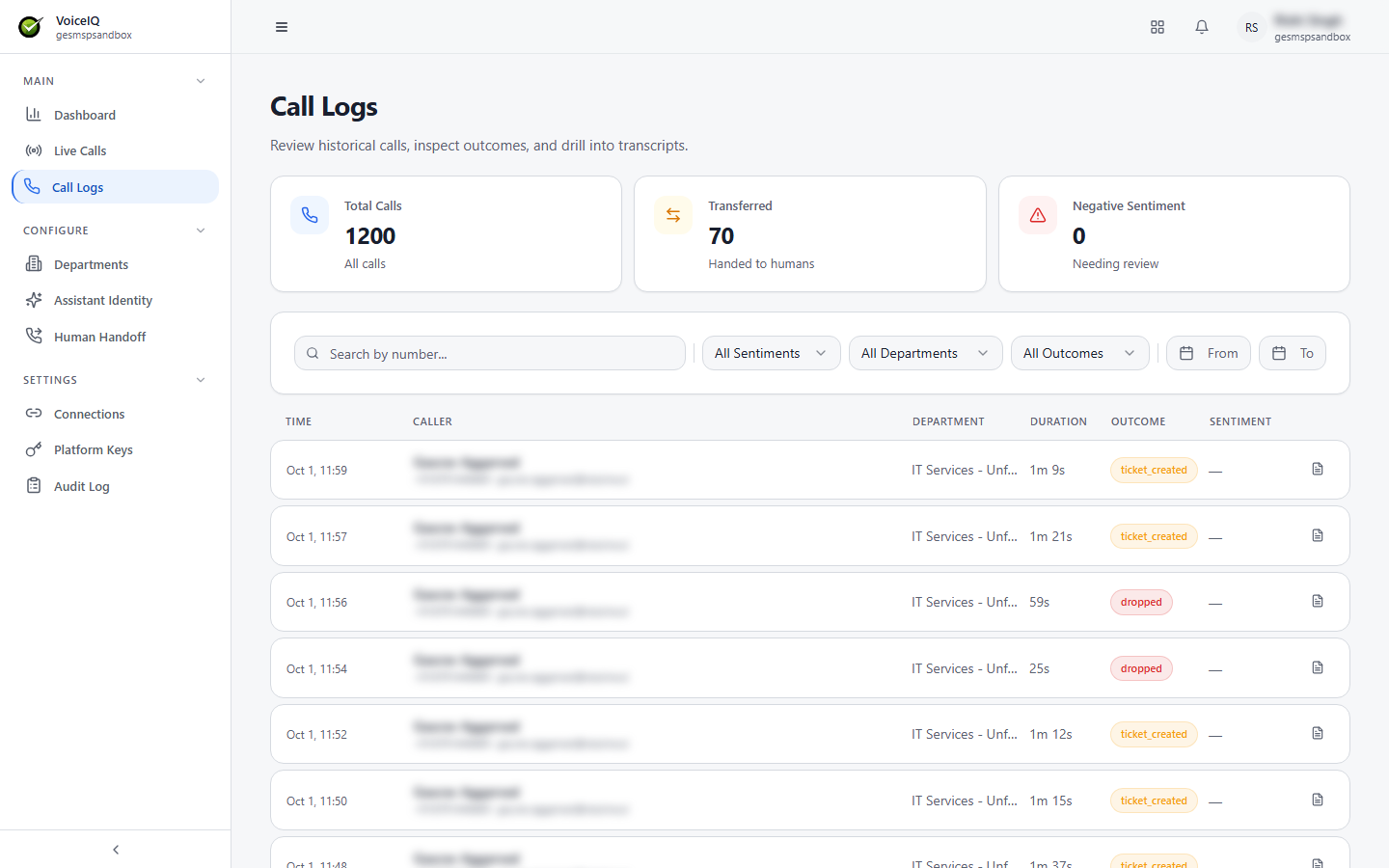
KPI Cards
| KPI | Description |
|---|---|
| Total Calls | Total number of calls handled in the selected period. |
| Transferred | Number of calls that resulted in a human handoff. |
| Negative Sentiment | Number of calls where the caller's sentiment was assessed as Negative. |
Call Log Table
Each row in the call log represents one call and includes:
| Column | Description |
|---|---|
| Time | When the call occurred. |
| Caller | The caller's name (when the caller is recognized), phone number, and email address. |
| Department | The Department that handled the call. |
| Duration | How long the call lasted. |
| Outcome | The result of the call — for example, ticket_created, transferred, dropped, or abandoned. |
| Sentiment | AI-assessed caller sentiment — Positive, Neutral, or Negative. |
Filters
The Call Logs page provides several filters to narrow down the list:
| Filter | Description |
|---|---|
| Search by number | Filter by caller phone number (partial or full). |
| All Sentiments | Filter by sentiment — Positive, Neutral, or Negative. |
| All Departments | Filter by the Department that handled the call. |
| All Outcomes | Filter by call outcome — Resolved, Transferred, Ticket Created, etc. |
| From / To | Filter by date range using a calendar picker. |
Transcripts
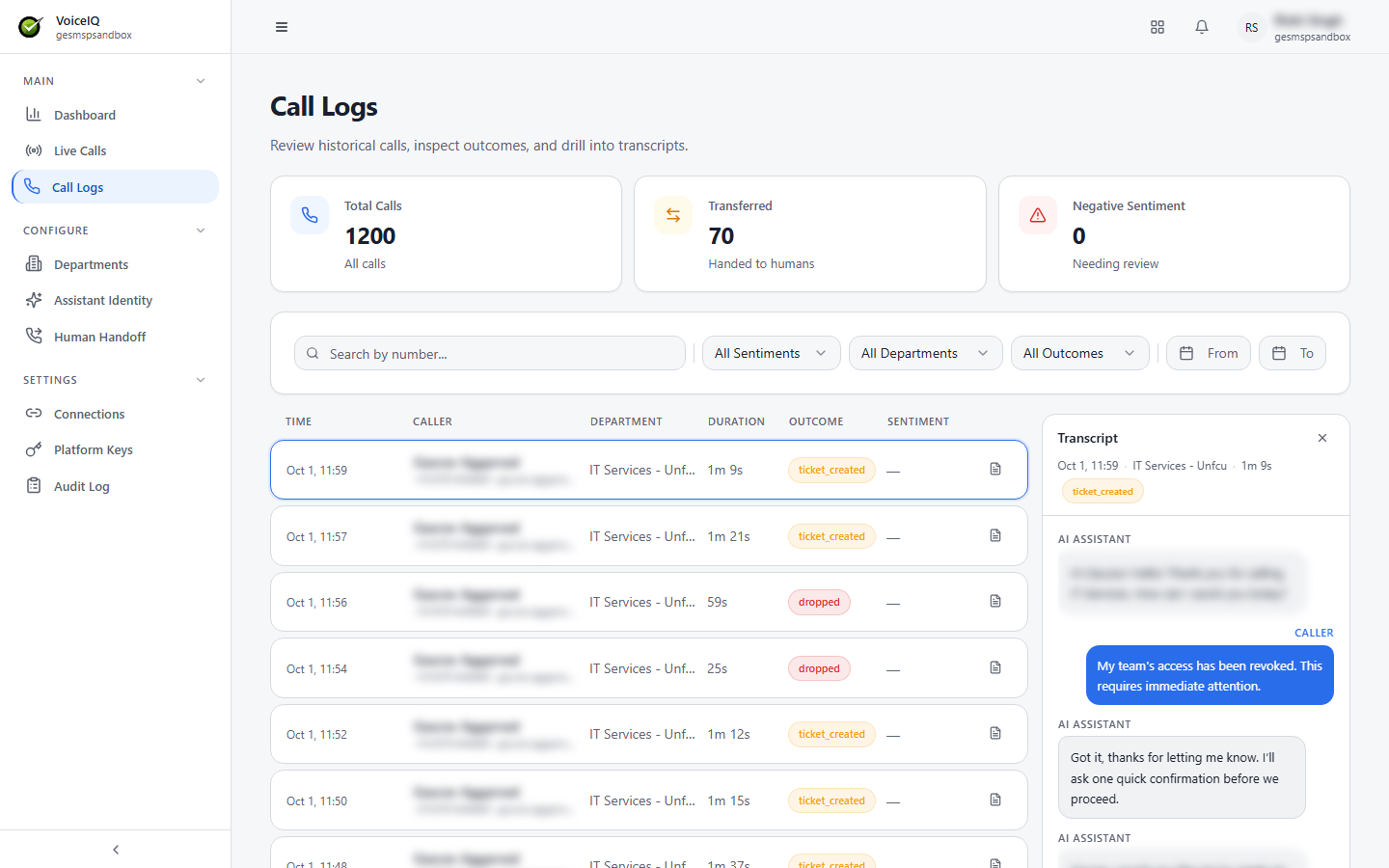
Click the transcript icon at the end of a call row to open the Transcript panel on the right. The panel shows the call time, Department, duration, and outcome, followed by a turn-by-turn record of everything the AI Assistant and the Caller said. Close the panel with ×.
note
Transcripts are stored in English. If non-English characters appear in transcripts, it indicates a language configuration issue.